
FEATURES
Webinar Platform Features for Every Stage of the Event
Every feature works on the same event. AI drafts the event page, Audience Boost brings in new registrants and Email Automation keeps them informed. The Control Room streams the session with captions in 10 languages, and Webinar Analytics and AI Insights show what happened and what to do next.
BEFORE, DURING, AFTER
Features Before, During, and After the Webinar
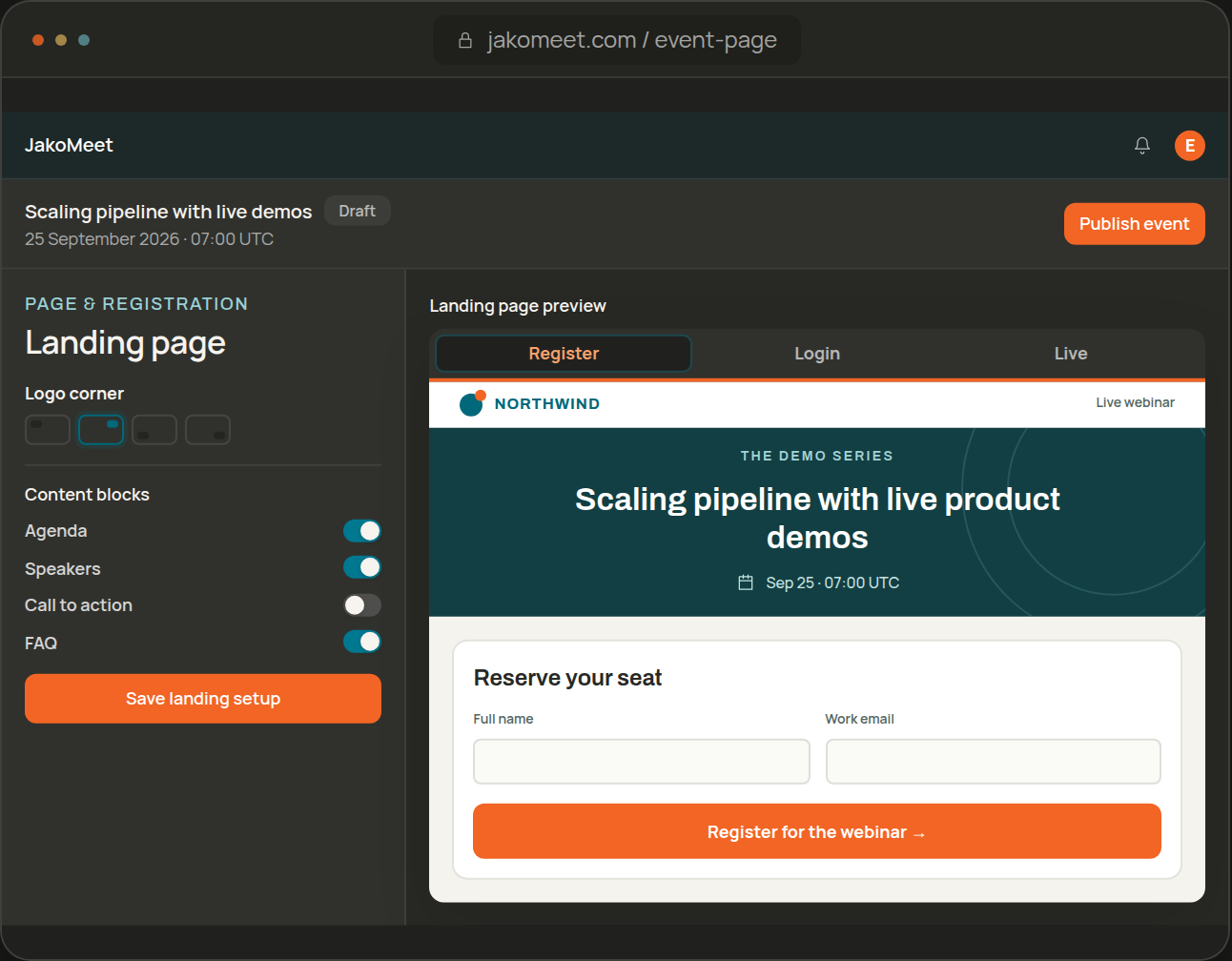
Registration Pages, Email, and Audience Boost
Draft the event with AI, publish the registration page, check the emails registrants will receive and invite new people with Audience Boost.
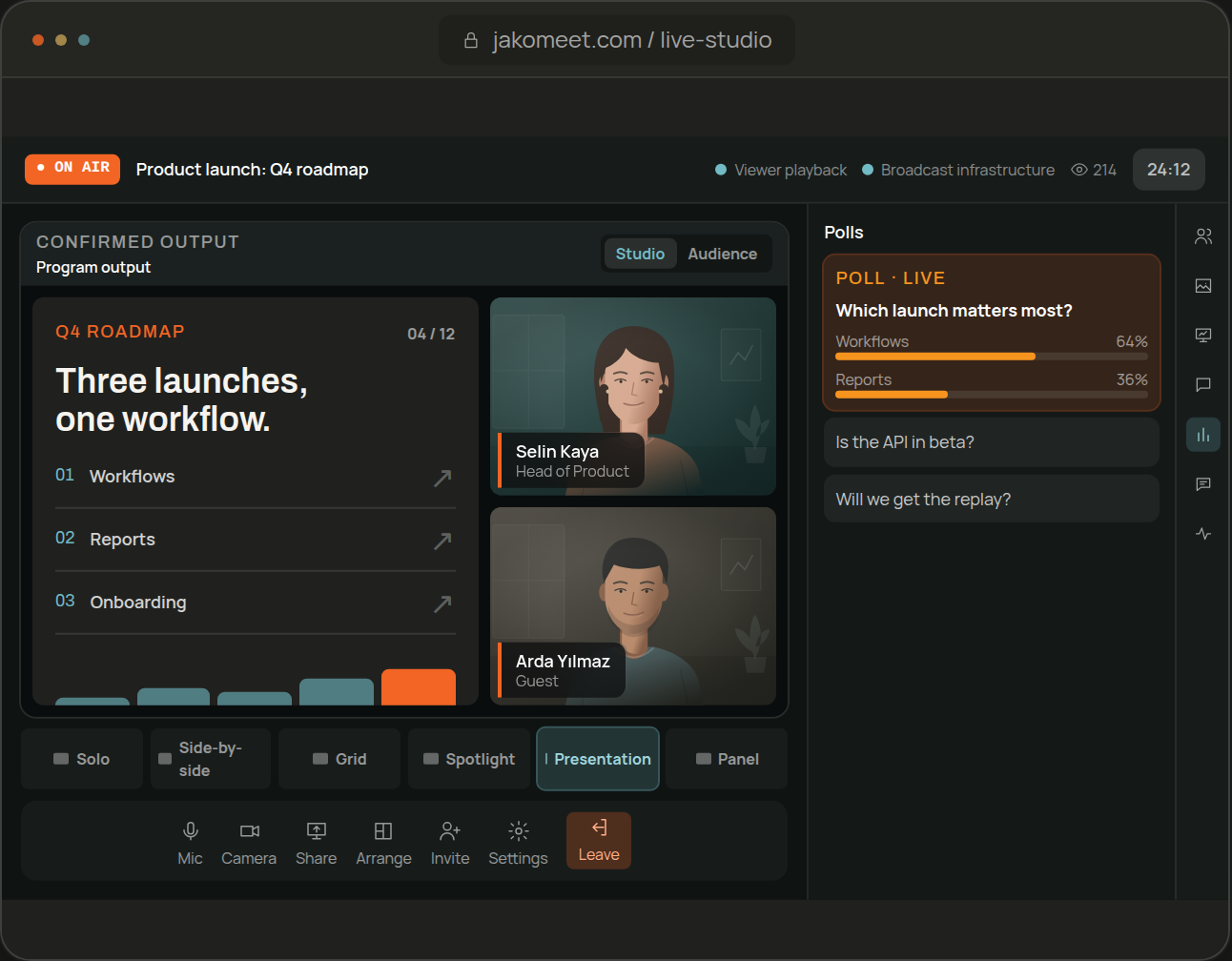
Live Streaming, Moderation and Polls
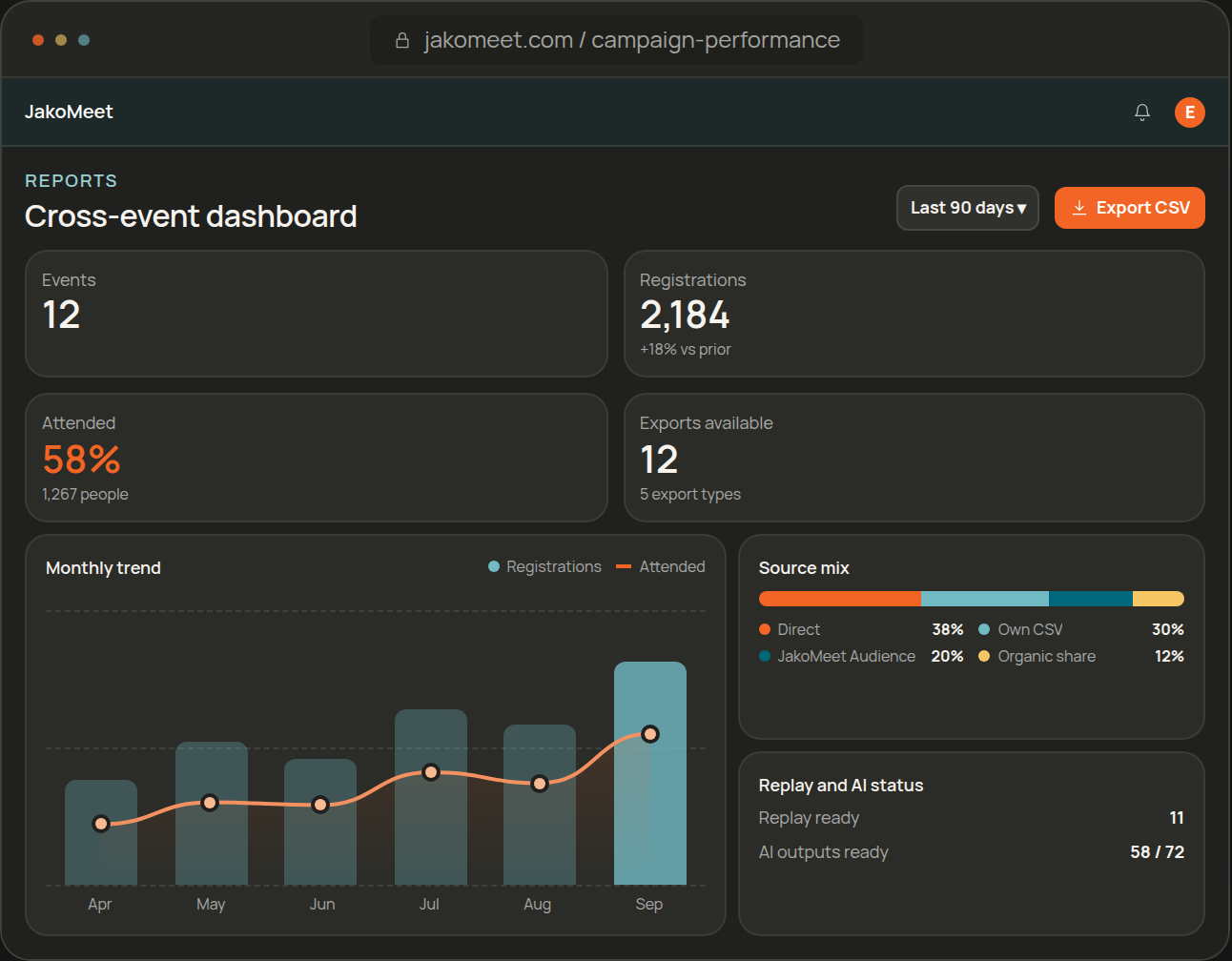
Replay, Webinar Analytics, and AI Insights
TWO DIFFERENT JOBS
How Webinar Analytics and AI Insights Work Together
Webinar Analytics records what happened. AI Insights reads that record and the transcript and suggests what to do next.
WEBINAR ANALYTICS
Webinar Activity and Results
Registrations, attendance, sources, questions, polls and replay views for each webinar, and on Growth a comparison across all of them.
AI INSIGHTS
Summaries and Suggested Next Actions
A summary of the session, interest signals with the reason behind each one, and suggested next steps your team reviews before acting.
ACCESS & DATA
Keep Access and Audience Data Under Control
Two-factor authentication, workspace roles and a consent record for every registration come with every plan.
Account
Protect Workspace Access
Turn on two-factor authentication, keep recovery codes and sign out other sessions. Admin, Co-host and Billing Admin roles keep event work, billing and workspace settings apart.
Consent
Keep a Registration Consent Record
Every registration includes a required GDPR consent, and JakoMeet records when it was given, from which IP address and under which version of the text. Recipients can unsubscribe from event emails.
Registrants
Keep Your Registrants Yours
Your registrants belong to your workspace. Other organizers cannot reach them through Audience Boost, and you see other audiences only in aggregate until someone registers.
FAQ
Frequently Asked Questions About JakoMeet Features
Yes. The webinar streams from the browser-based Control Room and viewers watch on the event page. There is nothing to install.
Yes. Start from an AI draft or one of three templates, add your branding and choose the content blocks and form fields. The page is published in the event language, and paid plans can serve it from your own domain through a redirect.
Yes. JakoMeet sends the registration confirmation, the reminders, a notice when you go live and the follow-up after the session, all in the event language. The number of reminders and follow-ups depends on the plan.
Yes. Chat and moderated Q&A run side by side on every paid plan, and you can switch either off. Polls run alongside them: one on Launch, two on Growth.
The eligible audience size for your filters, the credits you have used and the registrations that came from the Audience Boost invitation. People who did not register stay anonymous.
Two things. Before the webinar, it drafts the title, description, agenda, FAQ and speaker bios and suggests colors from your logo; you review everything before it is published. After the webinar, on Growth, AI Insights summarizes the session, points out interest signals and suggests next steps for your team to review.
GET STARTED
Try JakoMeet Features on Free
Draft an event and rehearse in the Control Room on Free. How It Works shows the full sequence, and Pricing has the plan limits.