
HOW IT WORKS
How a Webinar Runs in JakoMeet
Create the event, publish the registration page, promote it, go live, follow up and review the results. Six stages, one event: what you set up in the first is already there in the last.
Scaling pipeline
with live demos
MEASURE
The report is ready on the same event.
- CreateEvent page
- PromoteEvent link & Boost
- Run LiveControl Room
- EngageQuestions & polls
- Follow UpReplay & emails
- MeasureWebinar report
THE SIX STAGES
Follow a Webinar From Setup to Report
Open each stage to see what happens there.
01: CREATE
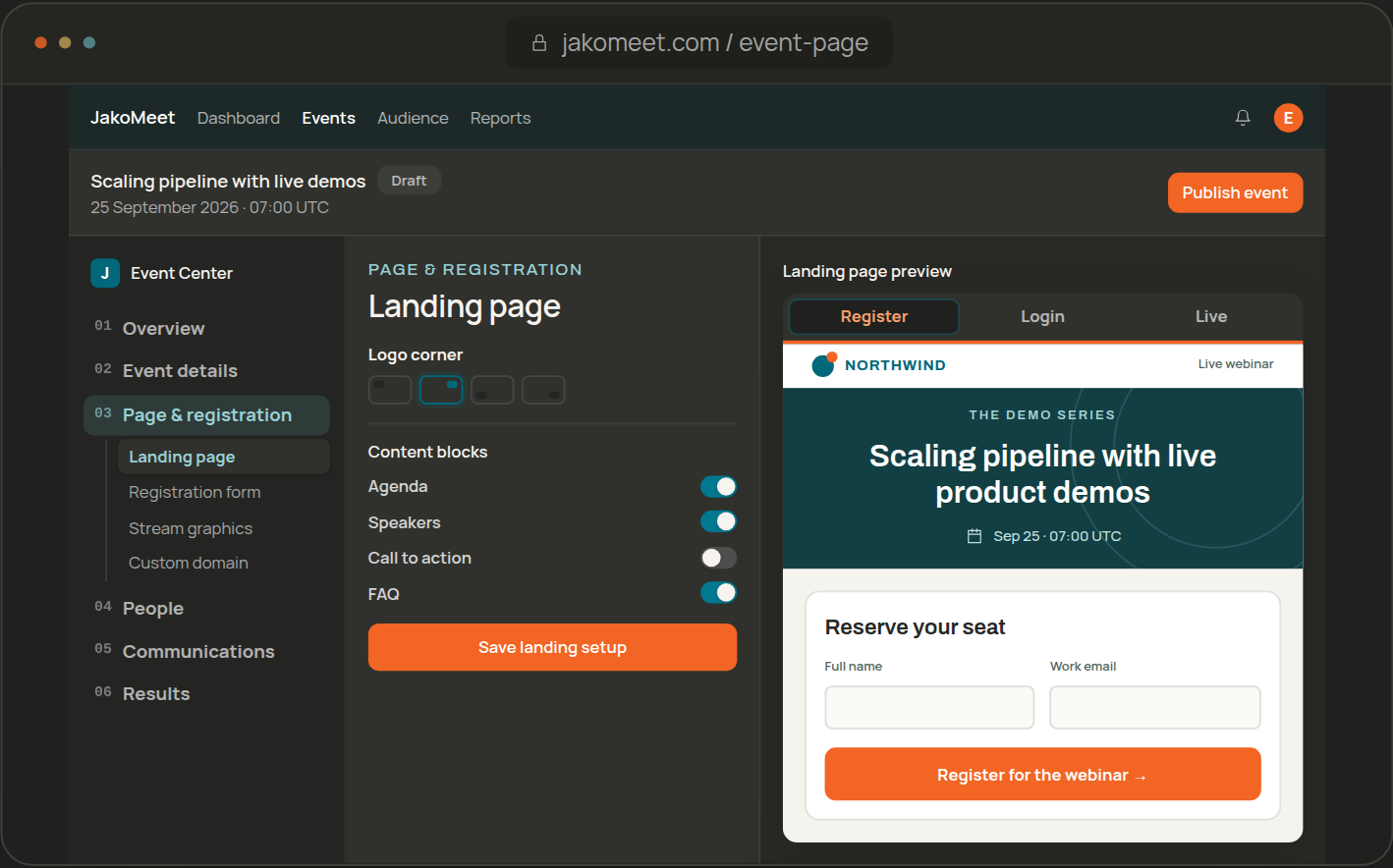
Create and Publish the Webinar Registration Page
Start from an AI draft or write the details yourself. Choose a template, your branding, the event language and the registration fields, preview the page and publish it.
02: PROMOTE
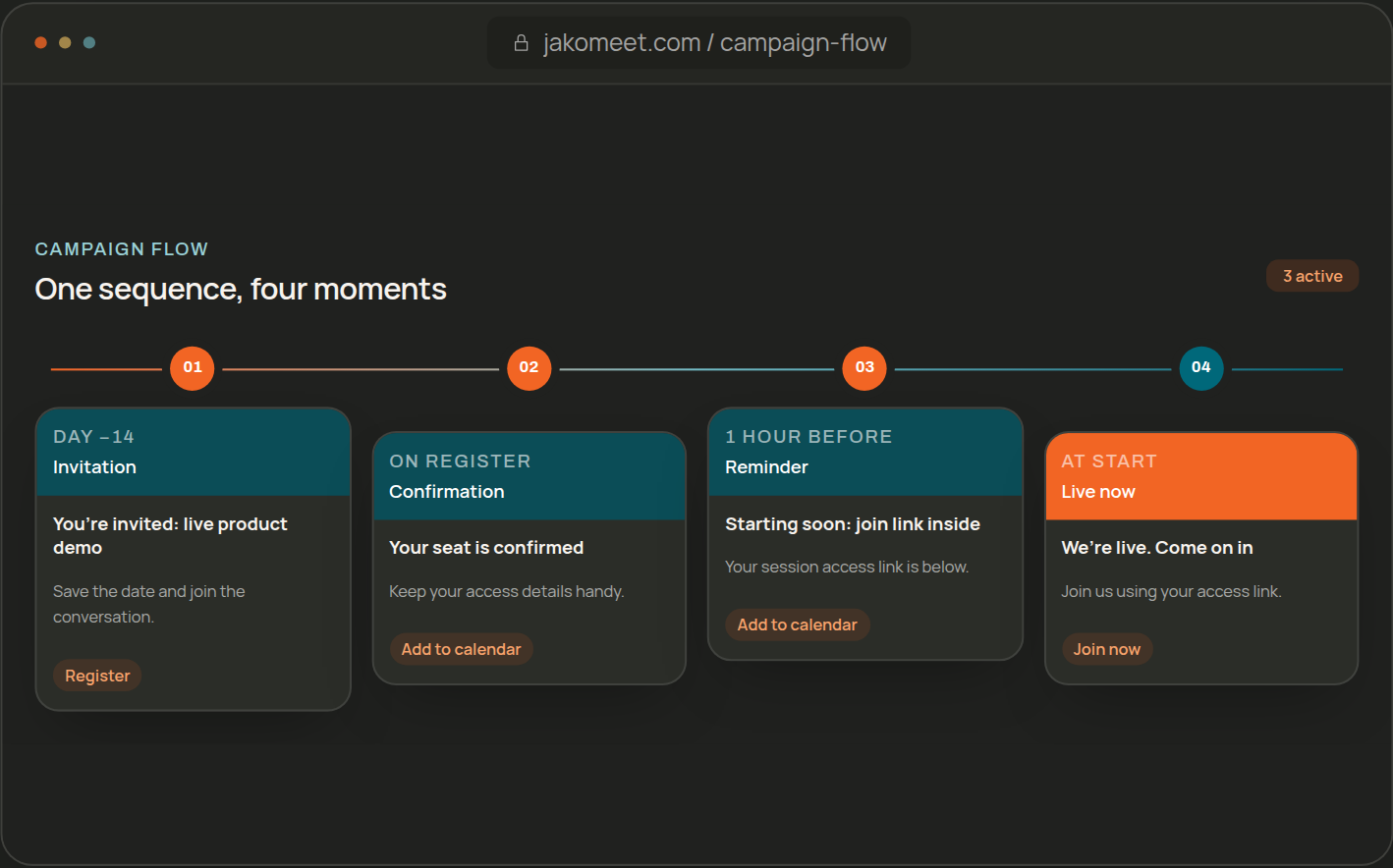
Promote the Event, Then Keep Registrants Informed
Share the event link in your own channels and reach new professionals with Audience Boost. JakoMeet confirms every registration and sends the reminders, so the room is warm before you go live.
03: RUN LIVE
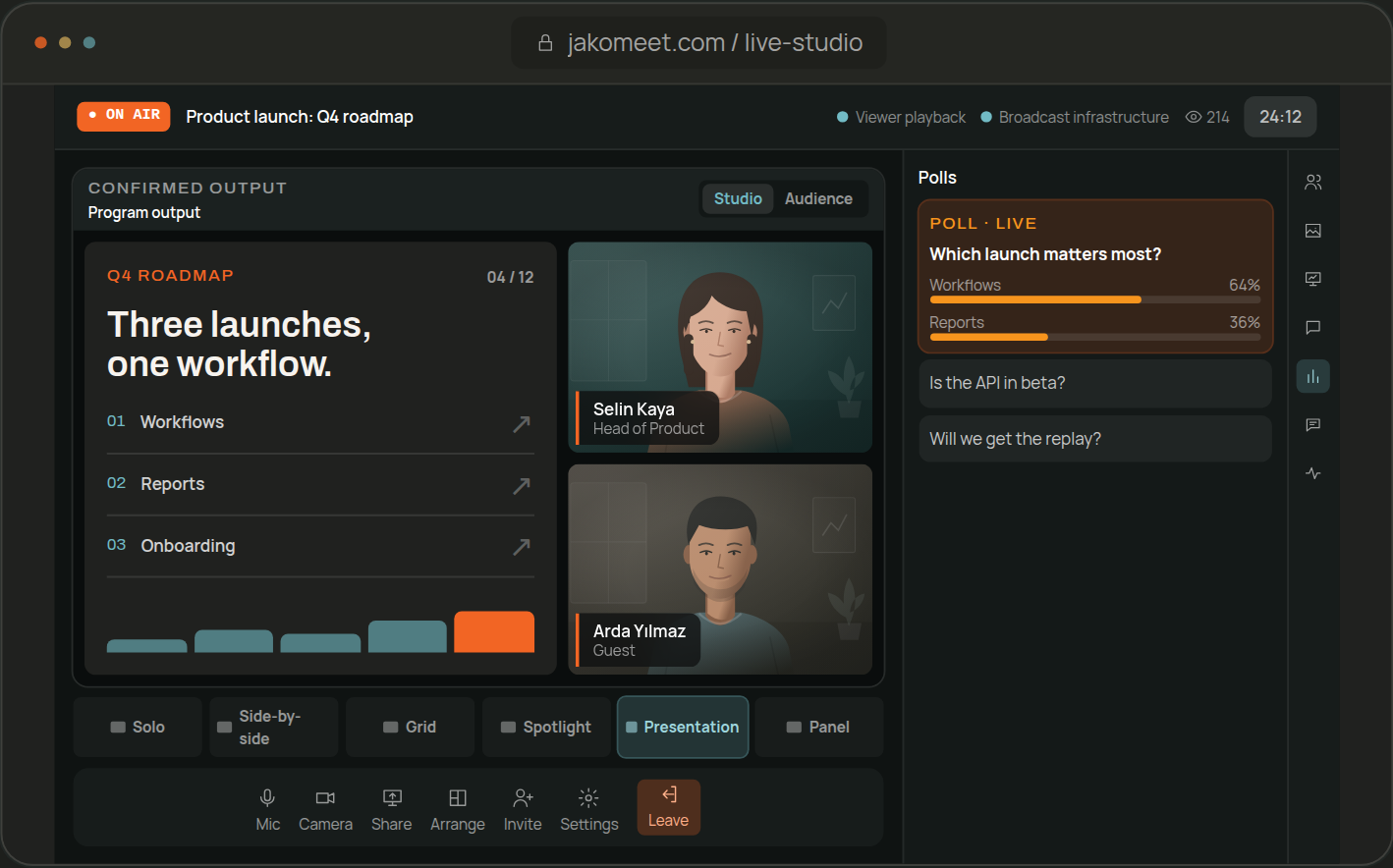
Go Live From the Control Room
Check camera and microphone, bring guests in through the backstage link, arrange the stage and go live from the Control Room in your browser. Live captions are on from the start, and viewers can read them in 10 languages.
04: ENGAGE
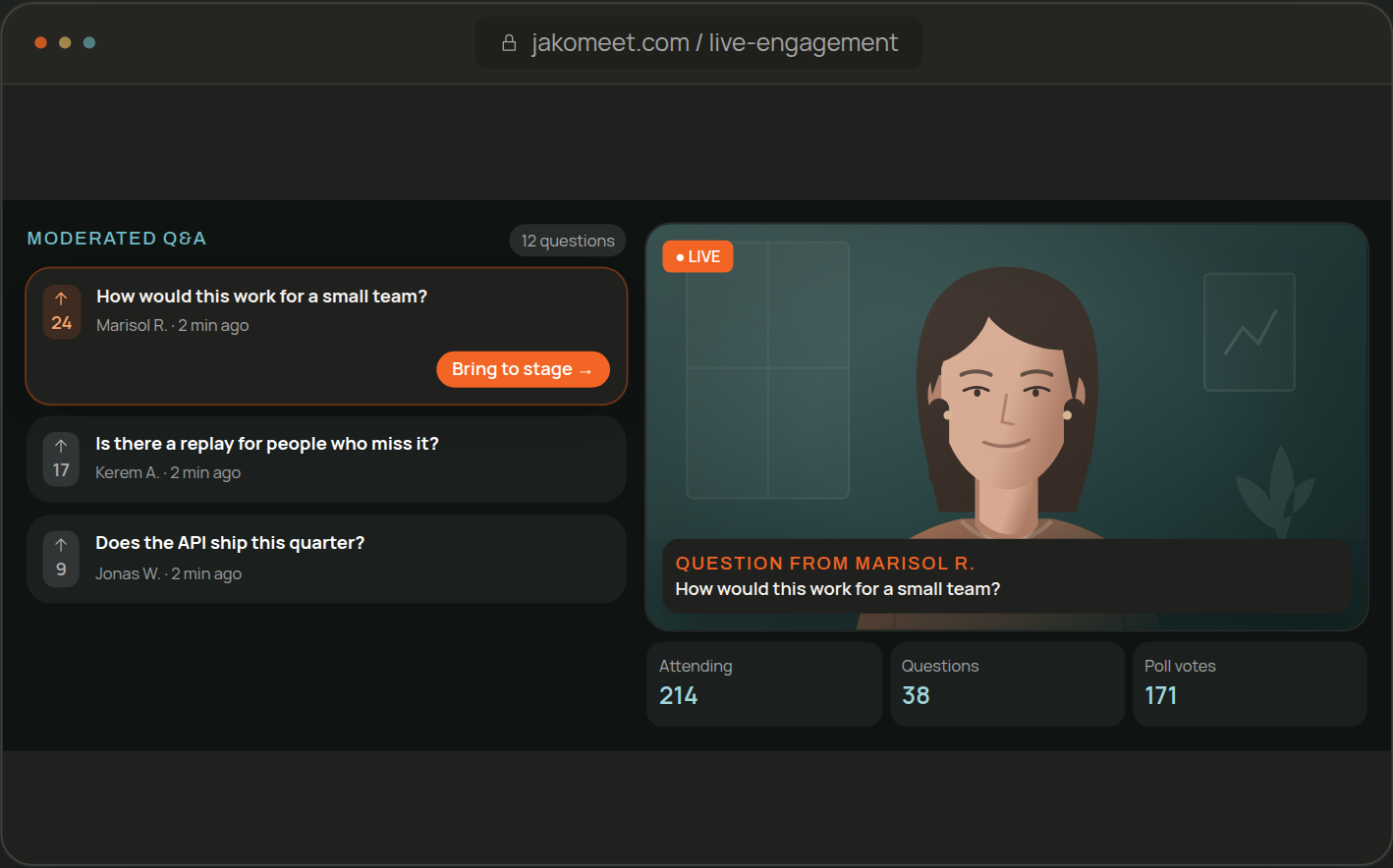
Engage With Chat, Q&A and Live Polls
Chat and moderated Q&A run alongside the stream, and a poll shows you where the audience stands.
05: FOLLOW UP
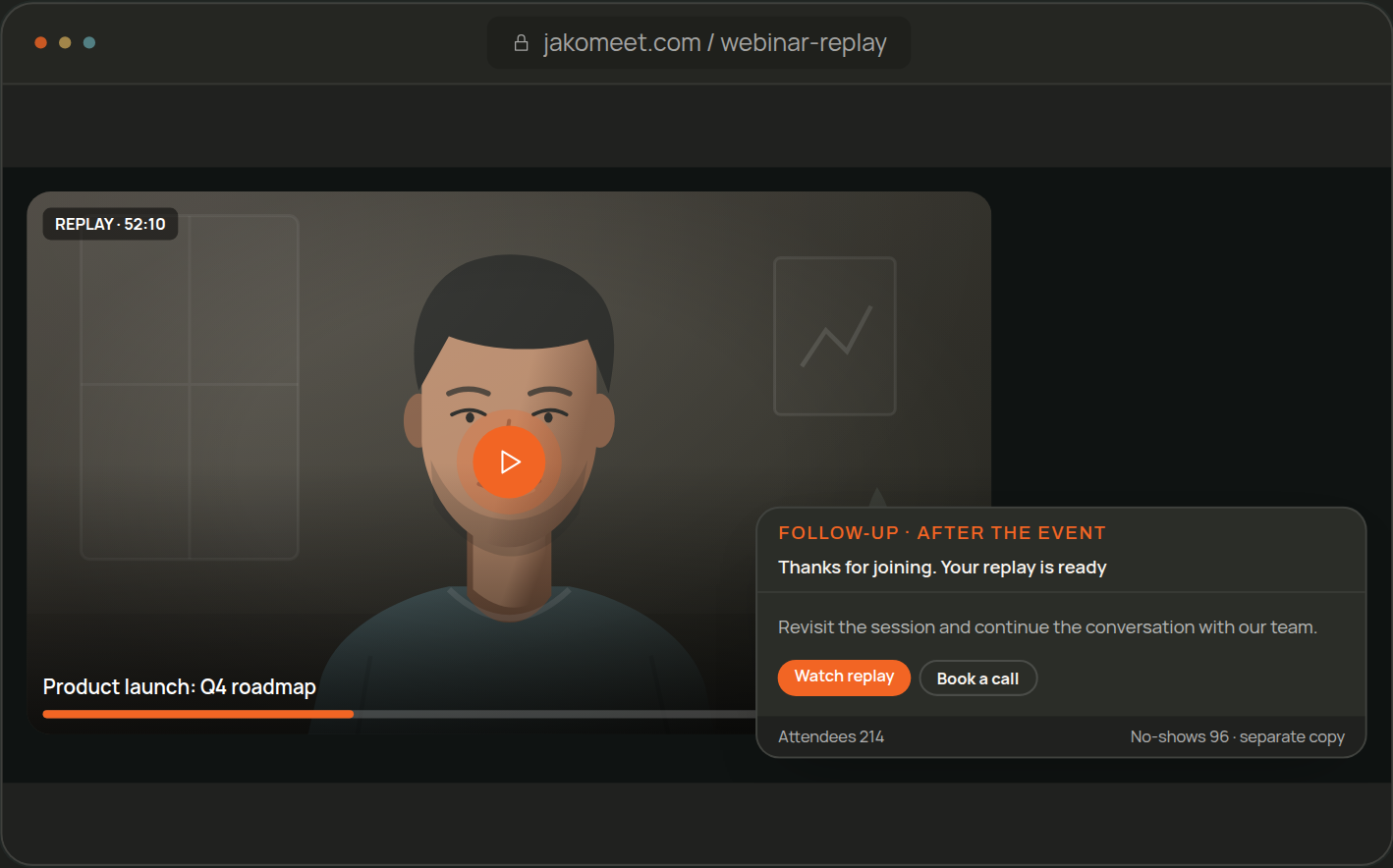
Share the Replay and Follow Up
Registrants watch the replay on the event page once the recording is ready. On Growth, attendees and no-shows each get their own follow-up, and new people can register to watch on demand.
06: MEASURE
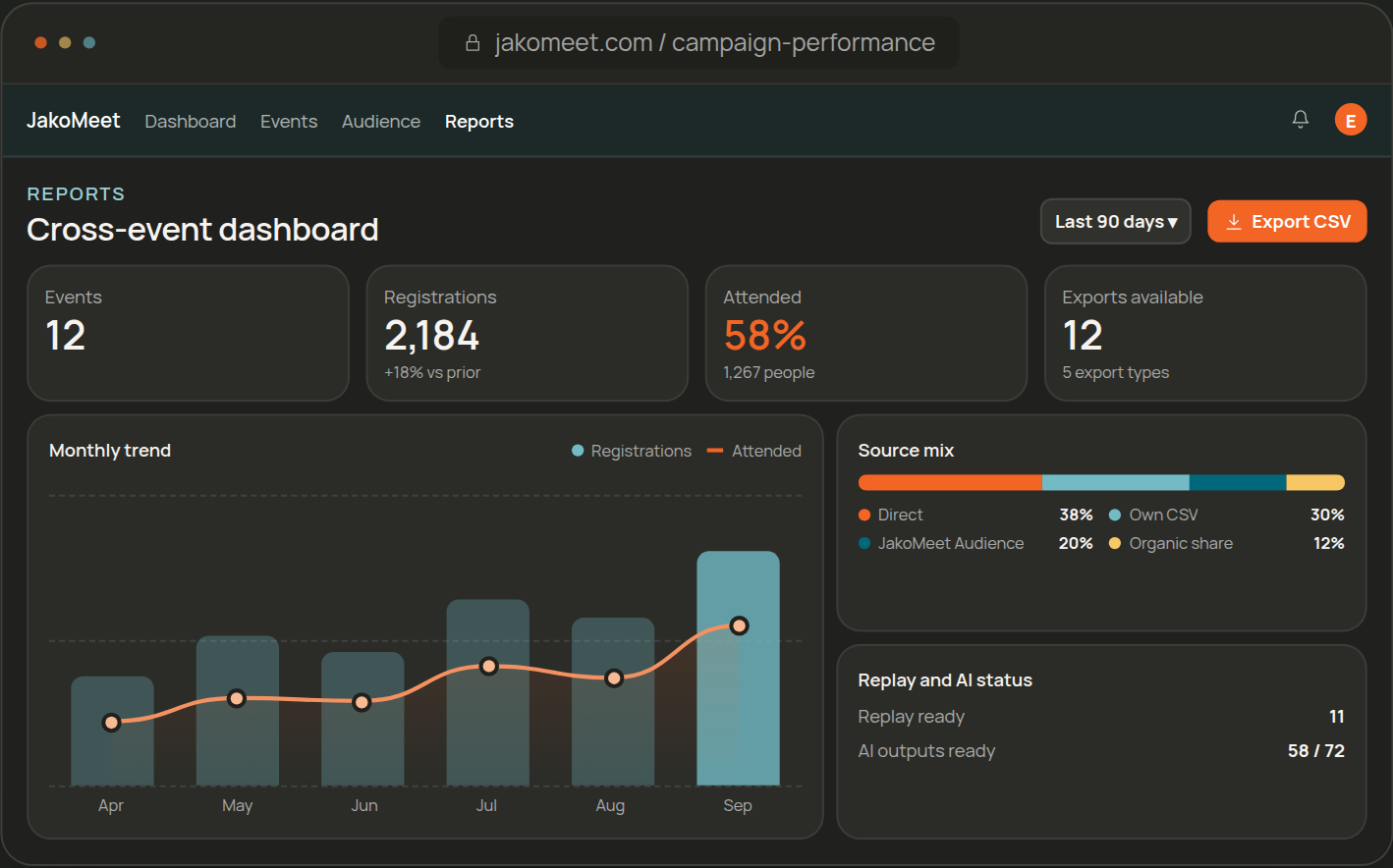
Review Webinar Analytics and AI Insights
Review registrations, attendance, sources, questions, poll results and the transcript. On Growth, compare webinars with each other and let AI Insights suggest the next step.
BEFORE YOU PUBLISH
Prepare the Event Before You Publish
Publishing opens registration, so the page is finished and reviewed first. Three steps stand between the draft and the live link.
01
Build the Event Page
Set the details, date, time zone and speakers. Choose Professional, Showcase or Focus, add your branding and preview the registration page.
02
Complete Content Review
JakoMeet reviews the event content before it goes public. Finish the page first; a change after the review may need another look.
03
Publish and Share
Publish on Launch or Growth, and registration opens. Share the event link and, for more reach, schedule an Audience Boost invitation.
ONE EVENT
Nothing Is Set Up Twice
Event details, speakers, registrations, emails and results belong to the same webinar. The speaker you add to the page is already backstage, the registrant who signed up is already on the reminder list, and the question asked live is already in the report.
RECURRING PROGRAMS
Compare Recurring Webinars on Growth
On Growth, every webinar you run lands on one Webinar Analytics screen, so you can see the pattern across sessions, and AI Insights adds a summary and next steps after each one.
- 01Create
- 02Promote
- 03Run Live
- 04Engage
- 05Follow Up
- 06Measure
HOW IT WORKS
Frequently Asked Questions About the JakoMeet Workflow
No. A short internal session may need only registration, reminders, the live session and the report, while a lead generation webinar uses Audience Boost, the follow-up emails and AI Insights as well.
Yes. Launch includes the owner and 1 co-host; Growth includes the owner and 3 people. Workspace roles are Admin, Co-host and Billing Admin. Guest speakers can join backstage through a link without a workspace account.
They join the registrant list and get the same confirmation, reminders and access as everyone else, with Audience Boost recorded as their source in the report.
Webinar Analytics is the record of what happened. AI Insights, on Growth, reads that record and the transcript and suggests what to do next.
Yes. Duplicate an event and it becomes a new draft with the same page, speakers and settings. Check the date and the emails, then publish it like any other event.
Try It on Free
Draft the event and rehearse on Free, run one webinar on Launch, or a monthly program on Growth.