
Customer Training & Onboarding
Run Live Customer Training and Onboarding Webinars
A Gentler Onboarding
Teach Customers Live and Share Replay Access
The registration page sets expectations, the live session gives the trainer room to demonstrate the product, and the replay lets customers go through the steps again at their own pace.
The Learning Path
From Registration to the Attendance Report
Share the event with the right customers, let the confirmations and reminders do their work, teach live, share the replay and see who attended. On Growth, attendees and no-shows each get their own follow-up.
-
CHAPTER ONE
Chapter One: Register
Customers register through the event page and receive confirmation with access details.
-
CHAPTER TWO
Chapter Two: Join easily
Reminder emails keep the session on the calendar, and customers join with the email they registered with.
-
CHAPTER THREE
Chapter Three: Learn live
Walk through the product step by step, in an order that builds understanding. A real person explains the parts that always cause questions.
-
CHAPTER FOUR
Chapter Four: Ask questions
Chat and moderated Q&A run alongside the session, and a quick poll checks whether the group is following.
-
CHAPTER FIVE
Chapter Five: Rewatch
Share the replay with registrants once the recording is ready; it stays online for 30 days on Launch and for the last 12 months on Growth.
-
CHAPTER SIX
Chapter Six: Continue
Send the follow-up once the replay is online. On Growth, attendees and no-shows each get their own.
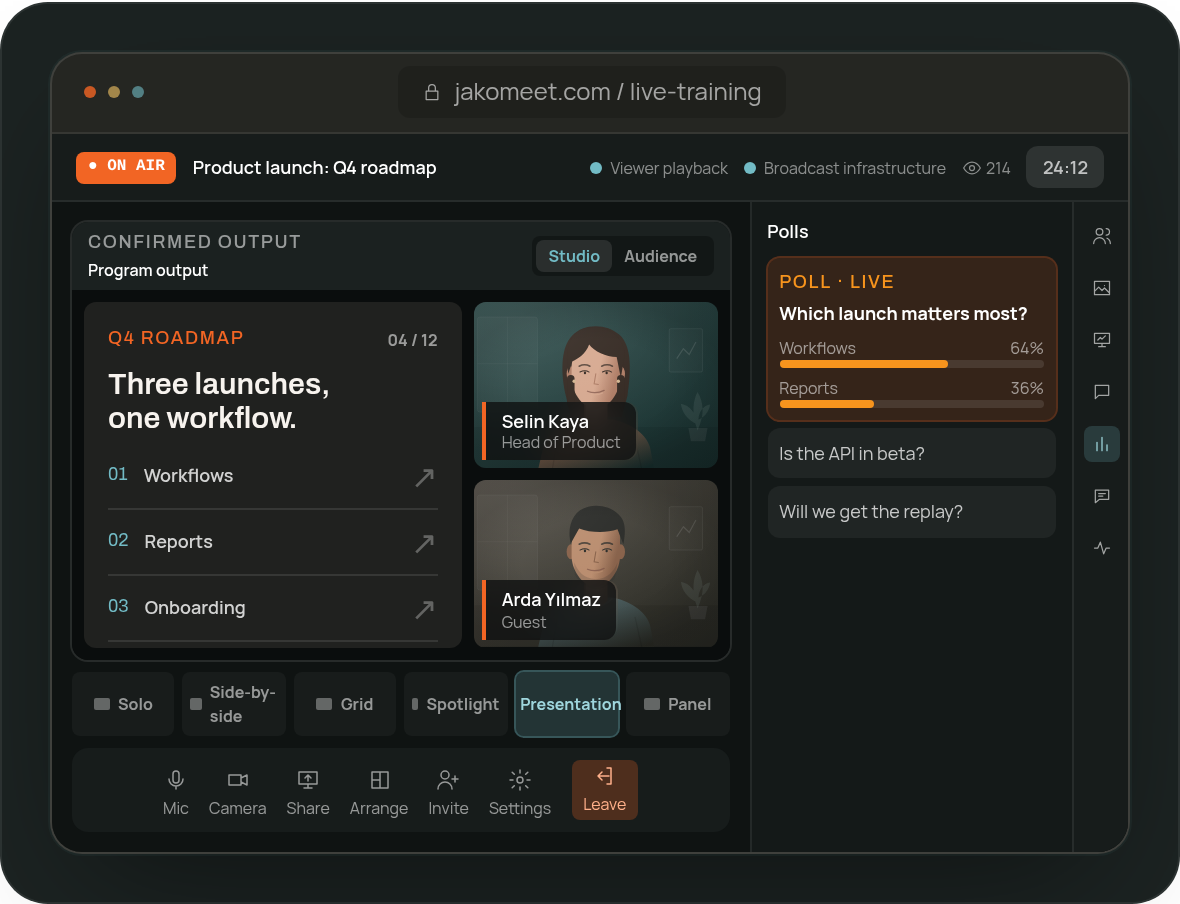
Live, But Unhurried
Answer Customer Questions and Run Live Polls
Moderators keep the chat and Q&A in order while the trainer presents, and a poll with two to six options checks understanding before moving on.
Customer Training FAQ
Frequently Asked Questions About Customer Training Webinars
Yes. Pick one of three templates, add your branding and choose the registration fields; consent is part of the form.
Yes. Once the recording is processed, registrants watch the replay on the event page: for 30 days on Launch and for the last 12 months on Growth. Paid plans also include recording download and a transcript.
Yes. The report lists registrants, attendees, no-shows and the attendance rate, plus questions, poll results and replay views.
Yes. Duplicate an existing event to reuse the setup. Growth also adds comparison across events for recurring programs.
No. JakoMeet is a webinar platform, not an LMS: it reports registration, attendance, questions, polls and replay views, not course completion or certificates.
Run Your Next Onboarding Session in JakoMeet
A clear registration path, a live teaching session, the replay and the attendance report, all on one event.