
Internal Training & Enablement
Run Internal Training and Enablement Webinars
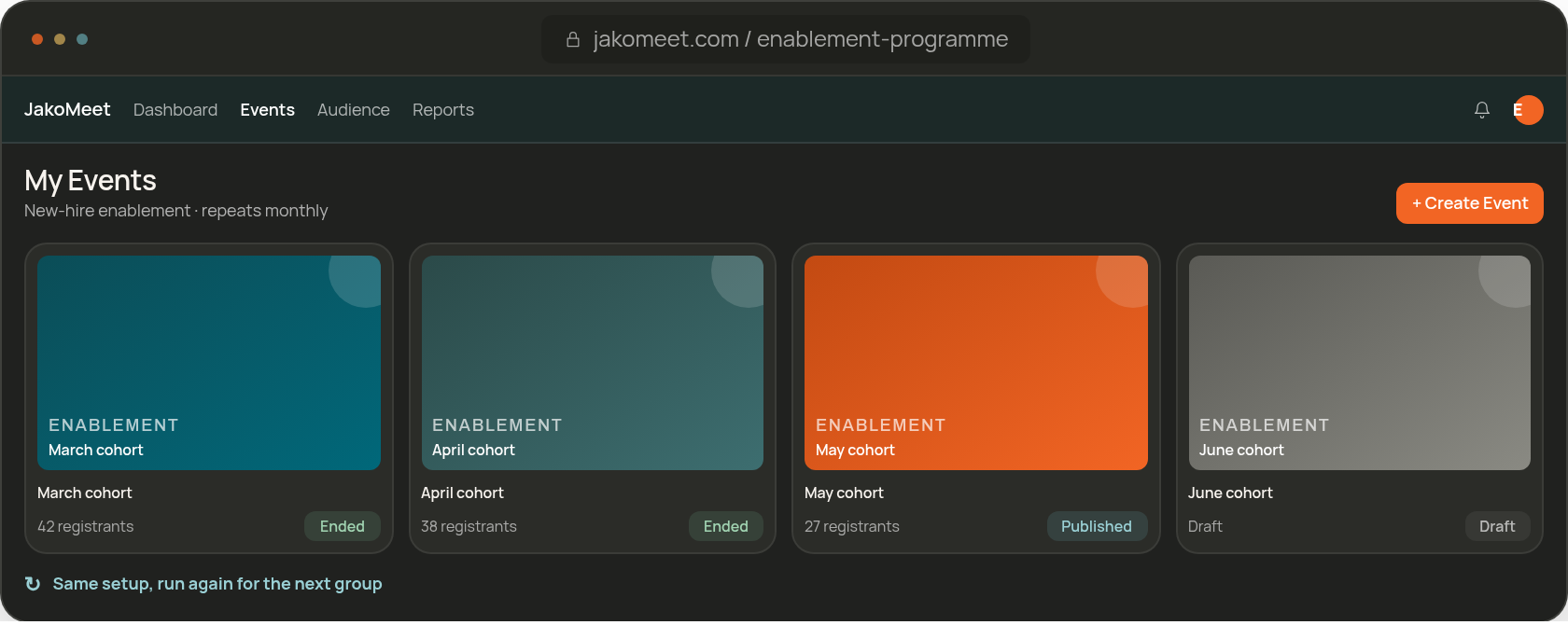
Create the session, share the link with the right colleagues, run it live with captions, take questions and review who took part. When the format runs again next month, duplicate the event instead of setting it up from scratch.
The Session Guide
Six Steps for Internal Training Webinars
Prepare, share, deliver, engage, share the replay, review: the same six steps every time.
-
01
Prepare: Set up the session once
Create a registration page for an enablement update, process walkthrough, or briefing for new employees.
-
02
Share: Bring the team in
Share the event link with colleagues and let confirmation and reminder emails keep the session on everyone's calendar.
-
03
Deliver: Present it live
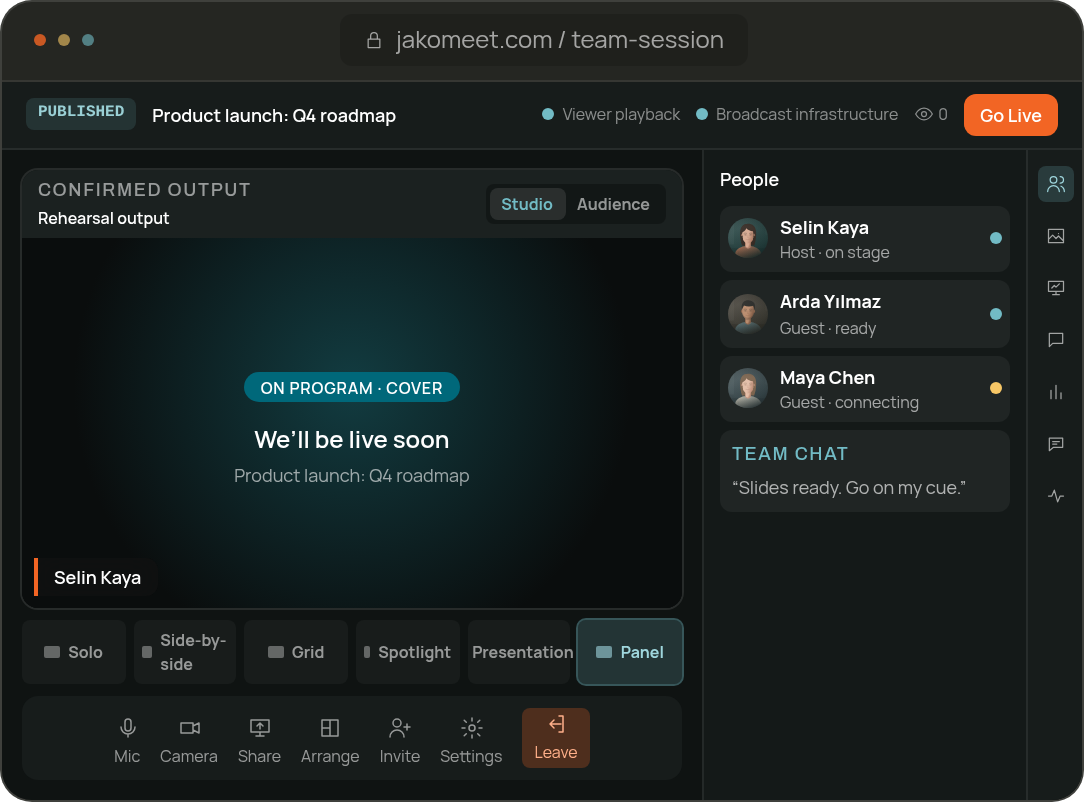
Run the session from the Control Room with slides, screen sharing and live captions.
-
04
Engage: Keep the room involved
Chat and moderated Q&A collect the questions, and a poll checks whether the message landed.
-
05
Replay: Catch up later
Everyone who registered can watch the replay once the recording is ready.
-
06
Review: See who took part
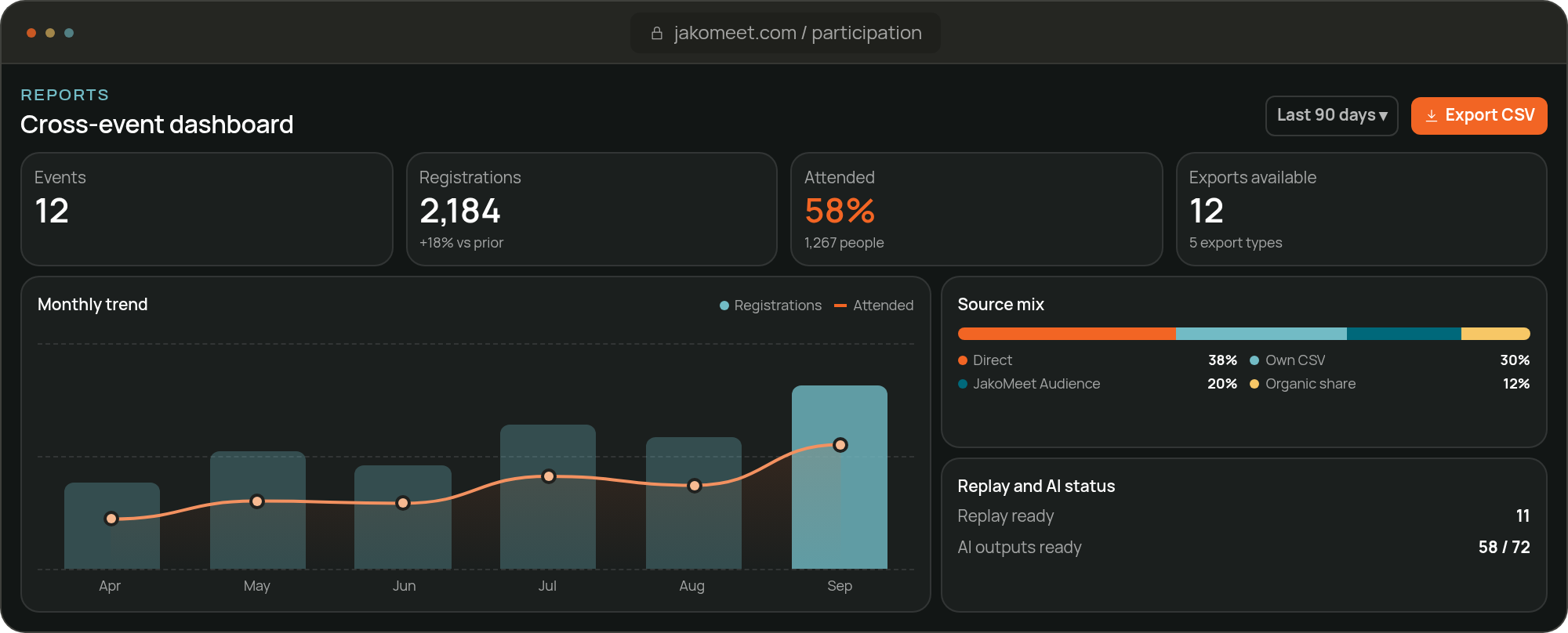
Review registration, attendance and engagement activity to see who joined and how involved the room was.
Duplicate the event setup for the next group, then update the title, schedule, speakers, and registration details.
Live Delivery
Present Live and Manage Questions
Prepare the speakers backstage, share screens, slides and video clips, and let moderated Q&A and chat collect the questions. The backstage team chat keeps the people delivering the session in sync.
ROLES
Give Each Presenter the Right Access
Your delivery team works in the workspace; invited speakers join through a backstage link and need no account.
Admin
Manage the Workspace and Event
Admins manage the workspace, the events and their settings, and decide who delivers which session.
Co-host
Prepare and Run the Live Session
Co-hosts create, publish and run events. Billing, email automations, event cancellation and workspace settings stay with the Admin.
Guest Speaker
Join Through Backstage
Guest speakers open their backstage link, with no workspace account. Backstage opens 30 minutes before the event for device checks, and the host decides who goes on stage.
Billing Admin is a separate role for invoices and subscriptions. Launch includes the owner and 1 co-host; Growth includes the owner and 3 people.
Explore the Control RoomReview Participation
Review Attendance, Questions, and Poll Results
See who registered, who attended, what they asked and how they voted, plus replay views. On Growth, compare the sessions of a recurring program over time.
Internal Enablement FAQ
Frequently Asked Questions About Internal Training Webinars
Yes. Duplicate the event, set the new date and publish it. Launch keeps 1 draft at a time and Growth 5.
Share the event link through your internal channels, such as email, chat or the intranet. Colleagues register with their work email and receive the confirmation and reminders.
Yes. Once the recording is processed, registrants watch the replay on the event page: for 30 days on Launch and for the last 12 months on Growth. Paid plans also include recording download and a transcript.
Yes, on Growth: Webinar Analytics compares the sessions side by side, which is useful when the same format runs every month.
No. JakoMeet reports who registered, attended, asked and voted. Course completion, certificates and performance scores are outside it.
Run Your Next Internal Session in JakoMeet
Registration, the live session, the replay and the attendance report on one event, ready to duplicate for the next group.