
Webinar Analytics
Track Webinar Registrations, Attendance, and Engagement
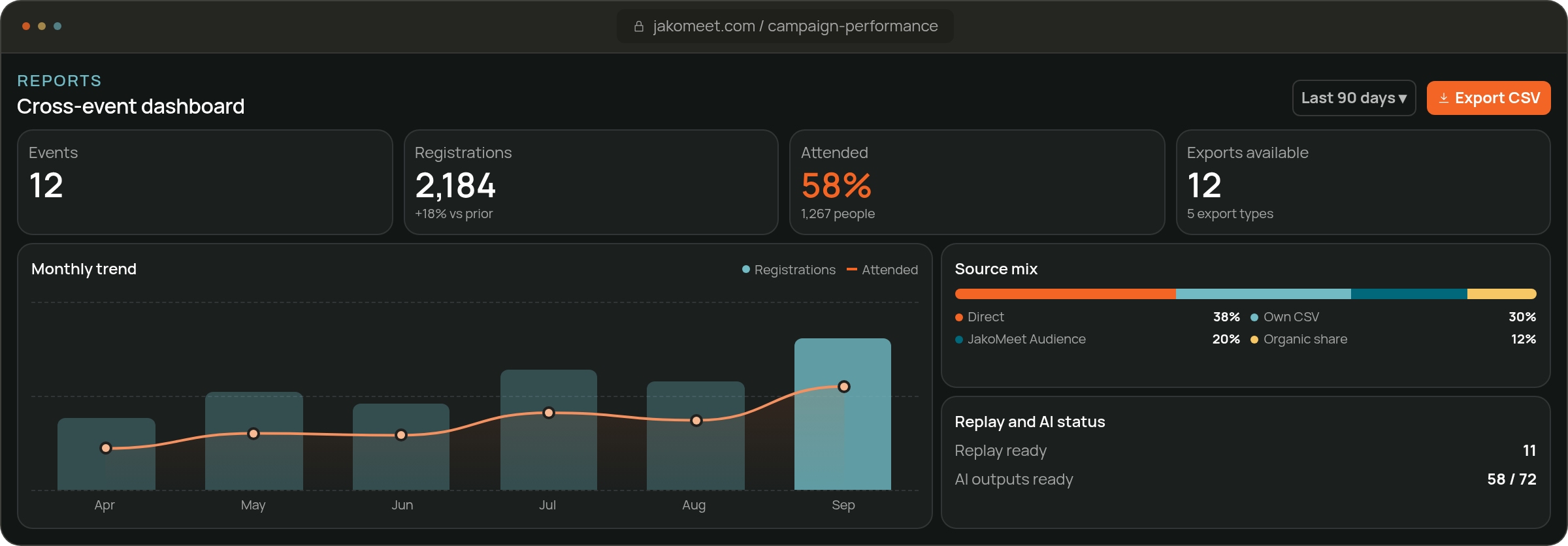
Webinar Analytics tells you what happened: who registered, who attended, which channel brought them, what they asked and how they voted. Every webinar gets its own report, and on Growth one screen compares all of them.
The Report
Review Registration, Attendance, and Engagement Results
Registration and attendance totals sit at the top, the source comparison shows which route filled the room, and questions, poll results and replay views follow.
The same report measures a lead generation webinar or the attendance of a customer training session.
Metric Definitions
- Registrants
- Completed registrations
- Attendees
- Registrants who joined live
- Registrants Who Did Not Attend
- Registered but did not attend live
- Attendance rate
- Live attendees divided by registrants, multiplied by 100
- Registration source
- Direct, organic sharing, JakoMeet network (Audience Boost) or on-demand
- Replay views
- Total and unique views
A registration source is one of four: direct, organic sharing, an Audience Boost invitation or, on Growth, on-demand replay registration. Every paid plan exports the report as CSV.
CSV EXPORTS
Export the Event Data Behind the Report
Export registrants, attendees, questions, live chat and poll results as CSV files and work with them wherever you like.
Review Registrants and Attendees
The registrant and attendee files include name, email, company, job title, role, seniority, industry, company size, country, registration source and the registration and attendance times.
On Growth, the AI Insights outputs export as well.
Explore Post-Event AI InsightsExport Questions and Live Chat
Questions and live chat export as two separate files, so the moderated Q&A stays apart from the chat stream.
On Growth, the AI Insights outputs export as well.
Explore Post-Event AI InsightsReview the Poll Results
The poll file lists each question, its options and the votes, ready to compare with attendance.
On Growth, the AI Insights outputs export as well.
Explore Post-Event AI InsightsTwo Different Jobs
Use Webinar Analytics With AI Insights
Webinar Analytics reports registrations, attendance and interactions. AI Insights, on Growth, turns that record and the transcript into a summary and suggested next steps.
Analytics · Evidence
Webinar Activity and Results
How many registered, attended, asked and voted: the numbers of the webinar.
AI Insights · Interpretation
AI Summaries and Suggested Actions
A reading of those numbers: a summary, interest signals and suggestions your team decides on.
FAQ
Frequently Asked Questions About Webinar Analytics
JakoMeet reports registrants, attendees, registrants who did not attend, and attendance rate for the webinar.
Yes. Each registration carries its source: direct, organic sharing, an Audience Boost invitation or, on Growth, on-demand replay registration. The report shows registrations and attendance per source.
Yes. The questions asked and the poll results are part of the report.
Yes. The report counts total and unique replay views once the replay is online.
Yes. Paid plans export registrants, attendees, questions, live chat and poll results as CSV, with the email address in the registrant and attendee files. Growth also exports the AI Insights outputs.
Yes. Growth’s Webinar Analytics screen compares all your webinars side by side and over time.
No. The report covers registrations, attendance, sources, questions, polls and replay views. Watch time and page conversion rate are outside it.
See the Webinar Report on Free
Start with the numbers, then let AI Insights help you read them.