
Product Demos & Launches
Run Product Demo and Launch Webinars
A launch needs a page that explains what is coming, reminders that bring people back on the day, a stage that shows the product well and a replay for everyone who missed it. JakoMeet covers all four on one event.
Act One: Before
Publish Registration and Prepare Webinar Emails
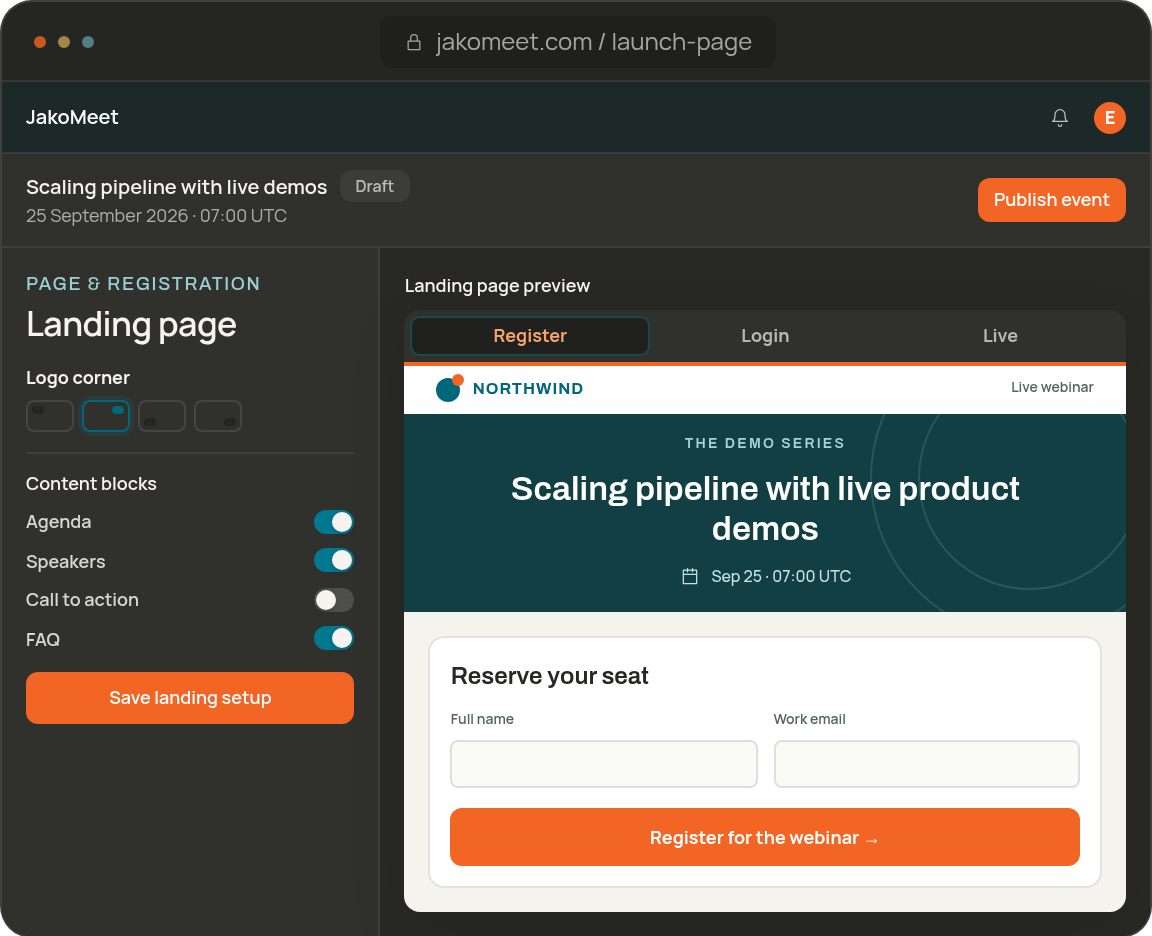
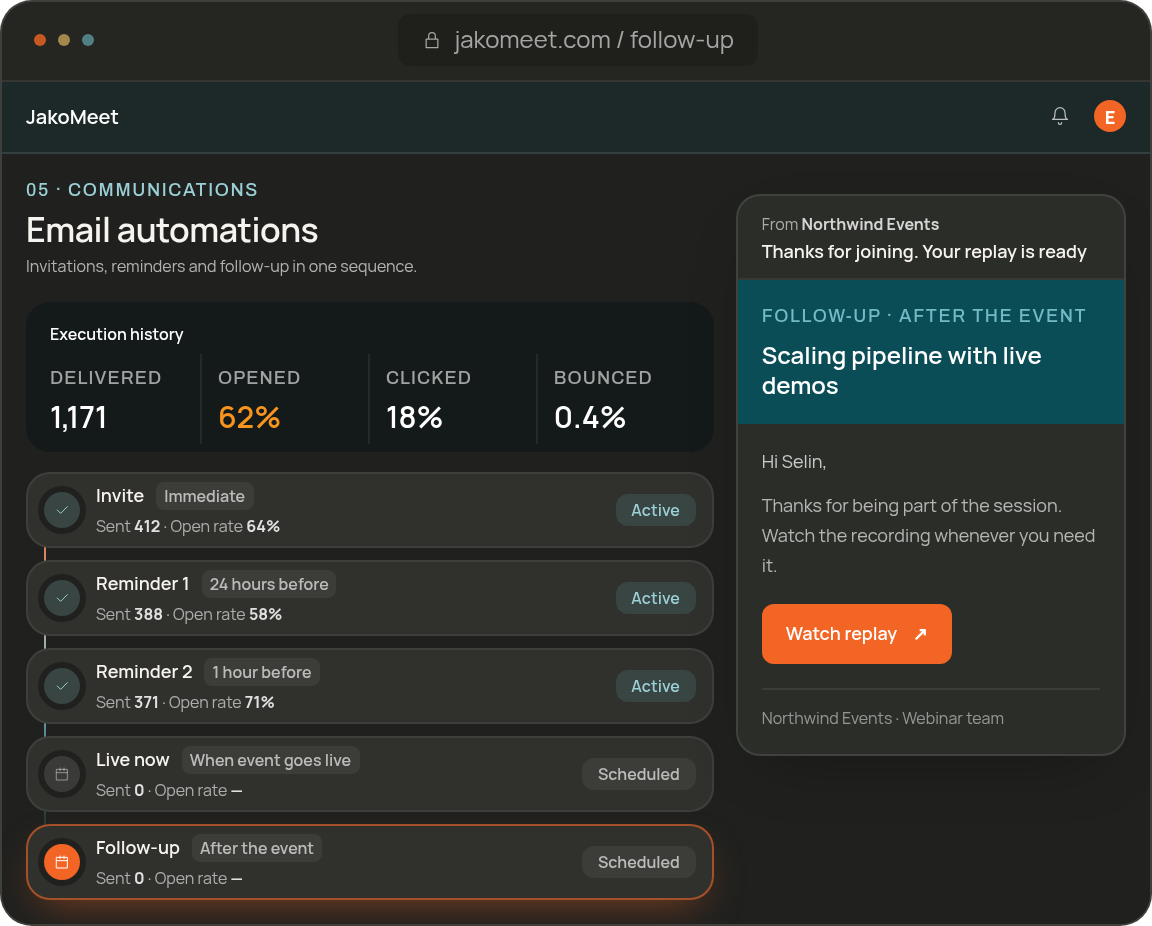
Use the event page to say what is being revealed, who it is for and when. The confirmation and reminders bring the context back as the date approaches, and Audience Boost can widen the audience beyond your own list.
Act Two: Live
Present the Product Live and Collect Questions
Share your screen, present slides and play a product clip from the Control Room. Prepare the stage and a branded cover before the reveal, then take questions in the moderated Q&A while the chat runs alongside.
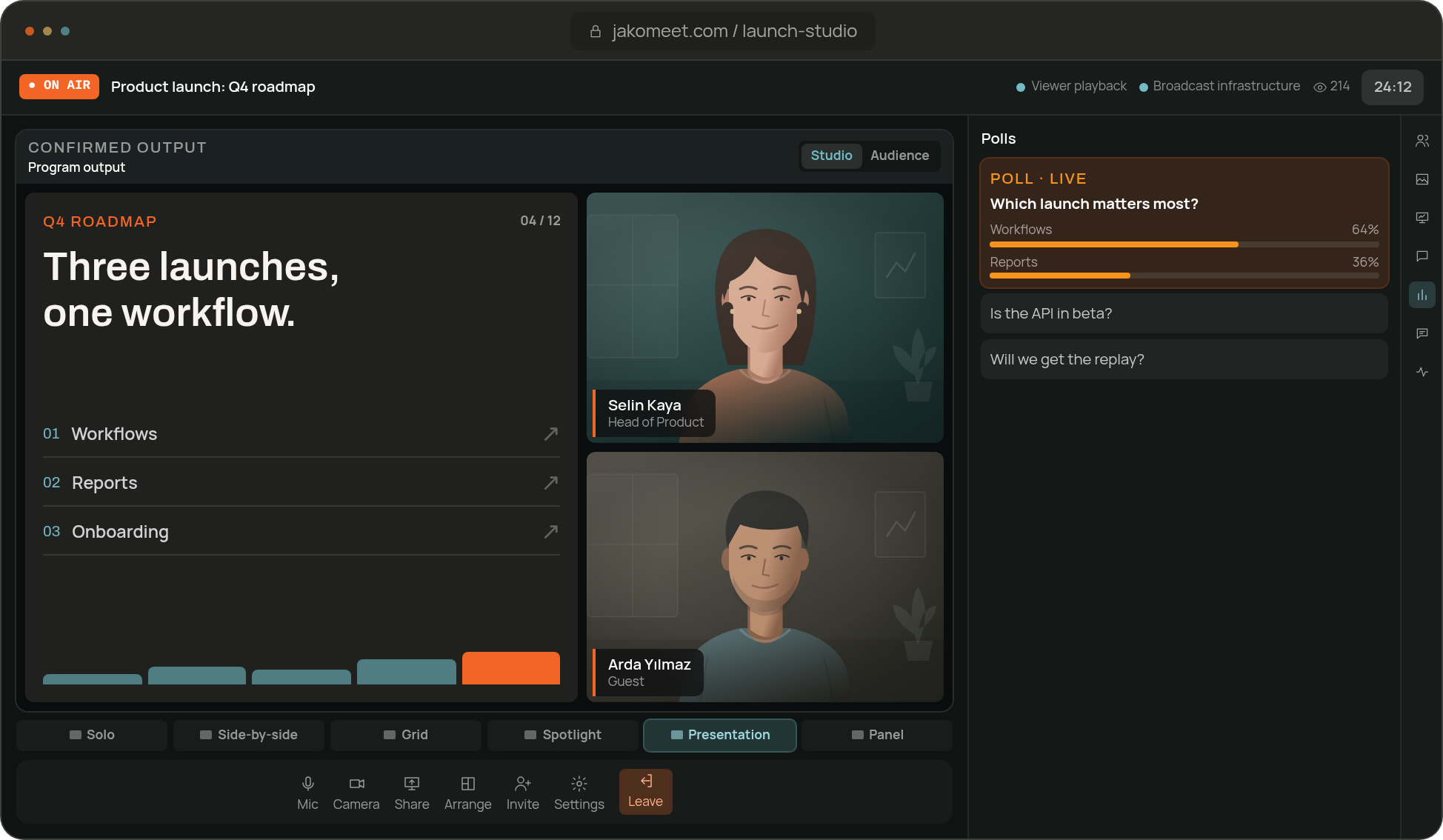
Invite guest speakers through backstage links, preview the stage and run through the demo before you go live.
Act Three: After
Share the Replay and Review Launch Webinar Results
Registrants watch the replay on the event page once the recording is ready, and the transcript is yours to download. On Growth, new people can register to watch on demand and AI Insights summarizes the questions the launch raised.
REUSE
Use the Last Demo as the Starting Point for the Next
Duplicate the event and the next demo starts with the same page, details and speakers.
- 01
Keep the Event Structure
Event details, page content and speakers are copied into a new draft. The date moves seven days ahead by default, so set the real date and time zone.
- 02
Prepare the New Event
Registrations and email settings start fresh for the new event. Check the automations, then publish.
Product Demo FAQ
Frequently Asked Questions About Product Demo Webinars
Yes. Guest speakers join the backstage area through a dedicated link that can be renewed or revoked.
Yes. Hosts and speakers can share screens and upload PDF or PowerPoint slides, so the live session can move between people and product content.
Yes. Prepare and preview a scene before applying it to the live stage.
Once the recording is processed, registrants watch the replay on the event page: for 30 days on Launch and for the last 12 months on Growth. On Growth, new people can register on the replay page to watch on demand.
Registrations by source, attendance, the questions asked, the poll results and replay views. On Growth, AI Insights adds a summary and suggested next steps.
Run Your Next Launch in JakoMeet
Registration, reminders, the live demo, the replay and the report, all on one event.