
Webinar Landing Pages
Build Webinar Landing Pages and Registration Forms
Start from an AI draft or one of three templates, add your branding and choose the content blocks and form fields the webinar needs. The page, the form and the emails are published in your audience’s language, and paid plans can serve the page from your own domain.
From Blank to Published
Set Up the Webinar Page and Registration Form
Six steps take the page from a blank event to a live registration form. Choose a thank-you page or a redirect for the moment after someone registers.
Every registration records its source for the report, and Audience Boost can bring in registrants from outside your own list.
- 01
Draft and Choose a Template
Let AI draft the event content or write it yourself, then choose the Professional, Showcase or Focus template.
- 02
Add the Event Identity
Title, description, date, time, time zone, logo, cover image and brand colors.
- 03
Add Speakers, Agenda, CTA and FAQ
Introduce who is speaking, show the run of show, and answer the questions people ask before they commit.
- 04
Choose the Registration Fields
Keep the required fields and the consent, and add the optional ones you need.
- 05
Publish
Publish the page, form and emails in the event language. On Launch and Growth, the page can live on your own domain through a redirect.
- 06
Confirmation and Access
Registrants get a confirmation email with the event address and join later with the email they registered with.
Three Ready Templates
Choose From Three Webinar Page Templates
Each template is a finished page layout. Add your logo, cover image and brand colors, let AI suggest colors from the logo if you like, and show or hide the content blocks the webinar needs.
The same templates serve lead generation webinars and product demos.
-
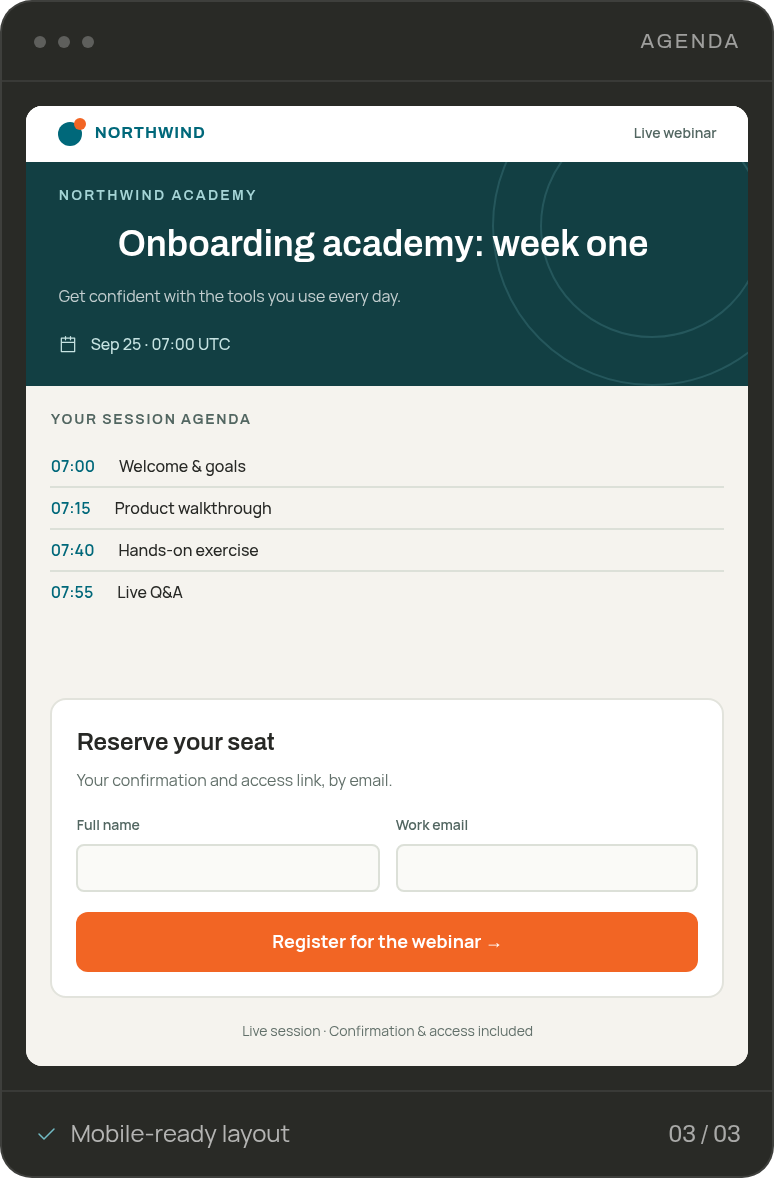
Professional
The registration form sits beside the headline, with the description, speakers, agenda and FAQ below it. The shortest route from the page to the form.
-
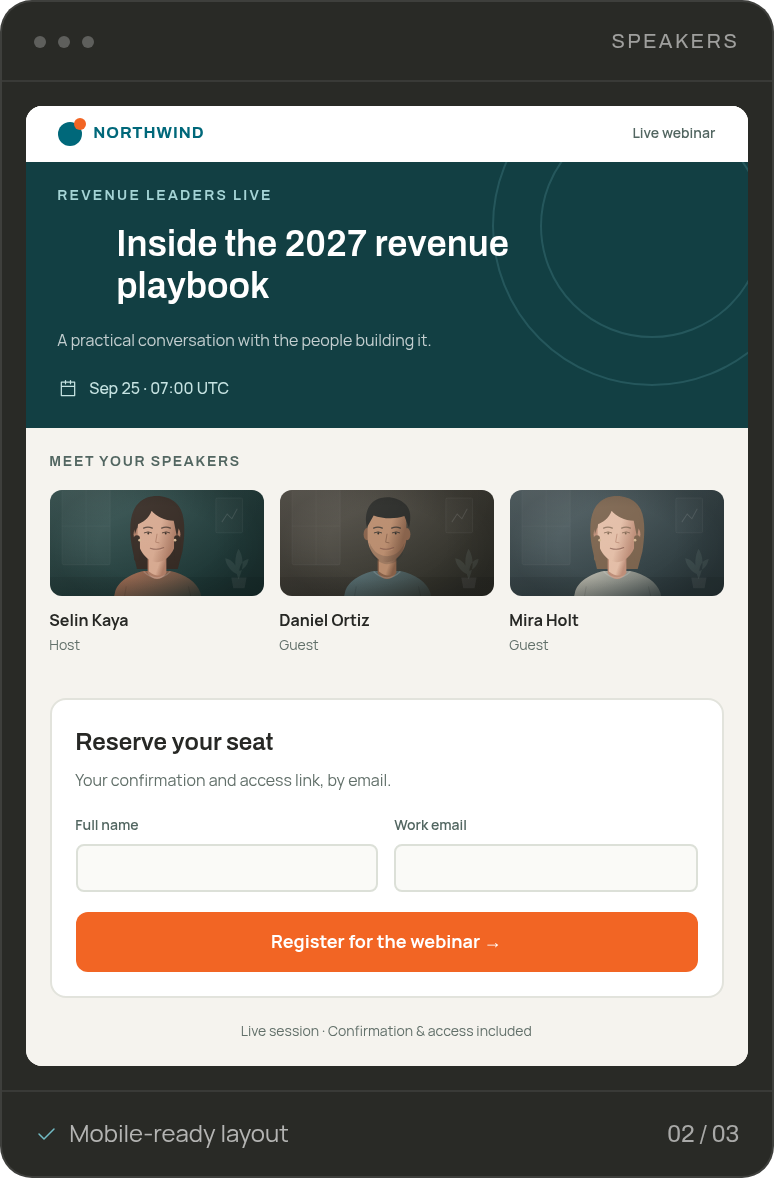
Showcase
A wide hero with the cover image and a Reserve my seat button, then the story: about, agenda and presenters before a full-width form. For launches that need to sell the session first.
-
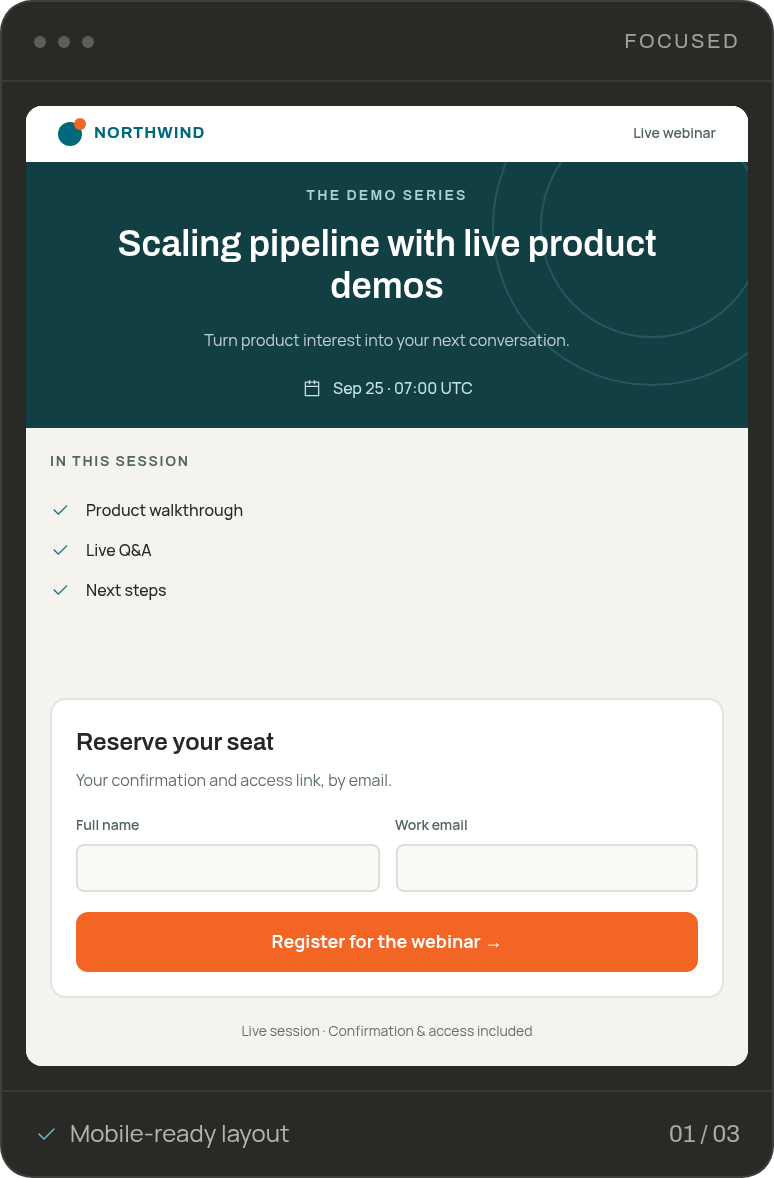
Focus
A compact page led by the session plan: agenda and speakers at the top, the form alongside. For training sessions and briefings where the content matters more than the pitch.
PAGE PREVIEW
Preview Each Step on Desktop and Mobile
Check the registration form, the sign-in page and the live page on desktop and mobile before you share the event.
Check the Form and Event Details
Preview the event time, the speakers and the form exactly as a visitor will see them, in the event language and time zone.
Check the Sign-In Page
See the page registrants use on the day: they enter the email they registered with and go straight to the stream.
Check the Live Page
Preview the page viewers watch on: the video area, your branding and the content blocks you kept, on both screen sizes.
FAQ
Frequently Asked Questions About Webinar Landing Pages
Three. Professional puts the form beside the headline, Showcase tells the story before the form, and Focus leads with the agenda. Pick the layout, fill in the content and the page is ready.
Your logo, cover image and brand colors. You also decide which blocks appear: agenda, speakers, call to action and FAQ.
Name, email, industry, role and seniority are always asked, and the country is filled in automatically. Job title, company size, phone, age and gender are optional, and a consent checkbox is part of every form.
Yes. Every registration includes a required GDPR consent, and JakoMeet records when it was given, from which IP address and under which version of the text.
Registrants get a confirmation email with the event address and can add the event to their calendar. On the day, they open the address and enter the email they registered with. You can show a thank-you page or redirect them to a page of your own.
Yes. Preview the registration page, the sign-in page and the live page on desktop and mobile, in the event language, before you publish.
The three templates are the layouts. Within them you control the branding, the blocks and the form, which keeps every page consistent and quick to publish.
Build Your First Event Page on Free
Draft the event with AI and preview the page on Free. Publishing it, and the emails that follow, come with Launch or Growth.