
AI Insights
Review Webinar Transcripts, Summaries, and Interest Signals
AI helps at both ends of the webinar. Before it, every plan drafts the title, description, agenda, FAQ and speaker bios and suggests colors from your logo. After it, on Growth, AI Insights reads the transcript, questions and polls and returns a summary, interest signals with their reasons and suggested next steps.
Source → Interpretation → Your Decision
How AI Insights Uses Webinar Content
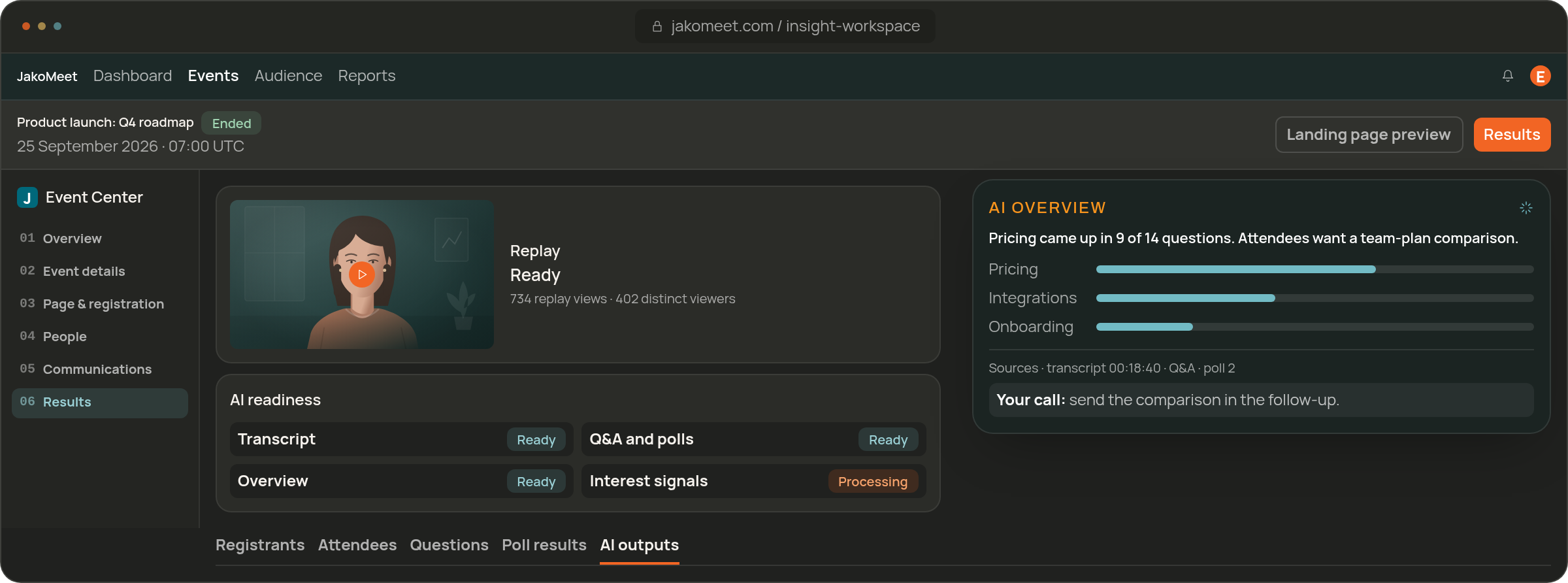
When the transcript and interaction data are ready, AI Insights summarizes the recurring questions, the poll results and the moments that stood out into one post-event overview for your team.
It reads the same way after a lead generation webinar or a product launch.
Human Stays in Control
Review AI Suggestions Before Taking Action
AI Insights suggests; your team decides what to send, publish or follow up on. Every interest signal comes with the reason it appeared, so the suggestion can be checked against the event itself.
See availability by plan on the pricing page.
Keep the Jobs Separate
Start With Webinar Analytics
Webinar Analytics gives you the facts; AI Insights helps you read them. Start with the report, then open AI Insights for the summary and the next steps.
DATA READINESS
Check the Data Behind AI Insights
AI Insights works from the recording and the transcript, so it is ready once those are processed, usually soon after the webinar ends.
Recording
Wait for the Required Recording Data
Processing starts when the webinar ends. The recording comes first, and the AI outputs follow once it is complete.
Transcript
Check Transcript Availability
The transcript is built from the live captions in the event language. Launch and Growth include it as a download; Growth also feeds it into AI Insights.
Review
Use the Output as a Starting Point
Read the summary, the interest signals and the suggested next steps next to the event report, and decide as a team what to act on.
FAQ
Frequently Asked Questions About AI Insights
Yes. Launch and Growth include a transcript built from the webinar’s live captions, which you can view and download. Growth also uses it for AI Insights.
Yes. It groups the recurring questions and summarizes the poll results, so the team gets the discussion in one read.
Moments in the webinar that suggest interest, such as a question about pricing or a cluster of questions on one topic. Each signal names the activity behind it, and your team decides whether it matters.
No. AI Insights points out interest signals and explains them; scoring and qualification stay with your team.
No. AI suggests next actions after the event; your team reviews them and decides what to do.
AI event drafts come with every plan, Free included. Launch and Growth include the transcript; AI Insights after the webinar is a Growth feature.
Explore Post-Event AI Insights
Measure the webinar first, then use AI Insights to turn questions, poll results and signals into a short list of next steps for the team.