
PRODUCT MARKETING
Product Demo Script Template: From Problem to Proof
Structure a live product demo around an audience problem, a realistic scenario, and visible proof, with presenter cues, production checks, backup actions, and a clear next step.
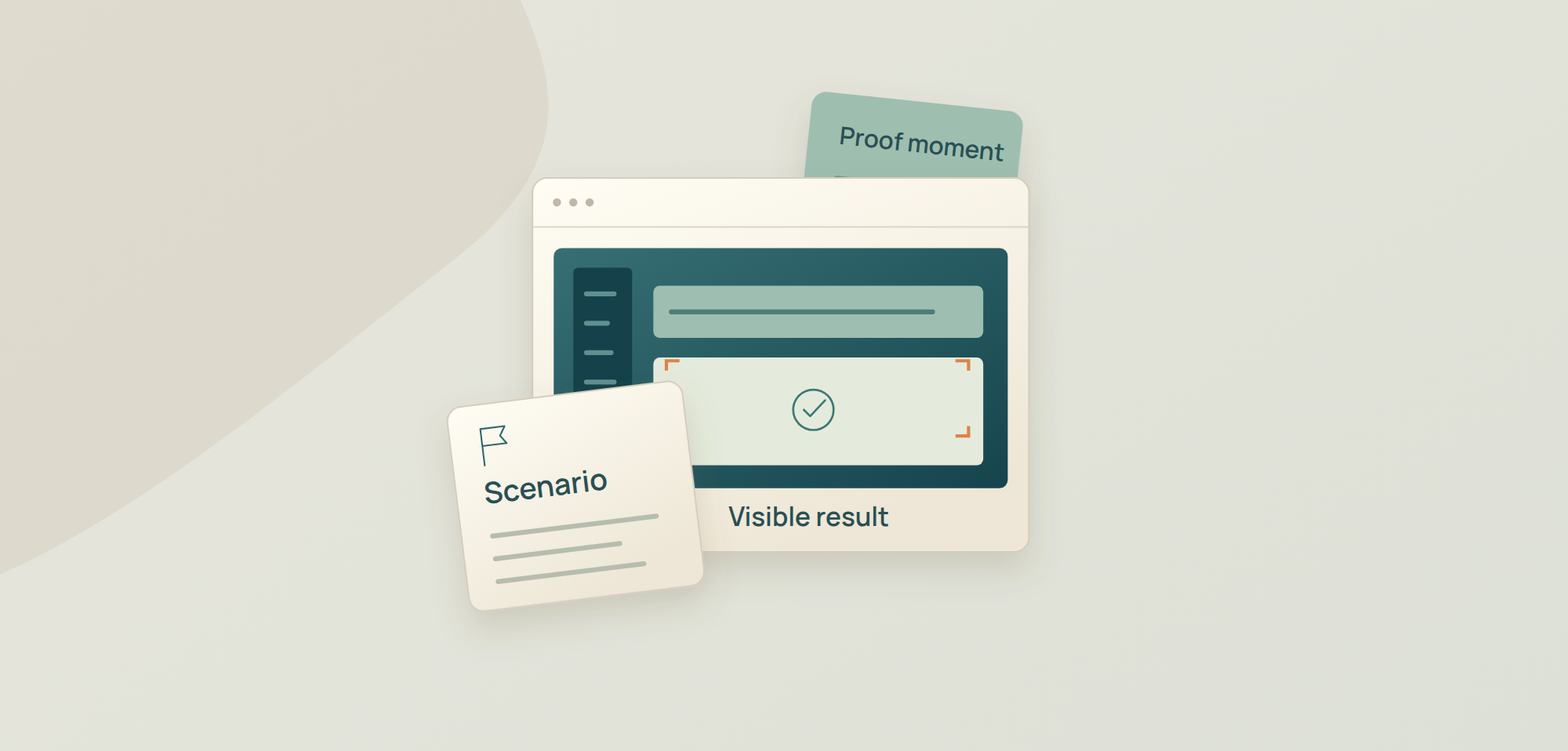
A product demo becomes hard to follow when the presenter narrates every feature instead of showing one useful workflow. The script below is an operating outline: it keeps the story moving, leaves room to respond naturally, and carries the production logic a live webinar needs. Someone controls the room, cues the presenter, prepares the demonstration state, manages questions, protects time and switches to a backup if the product or the connection fails.
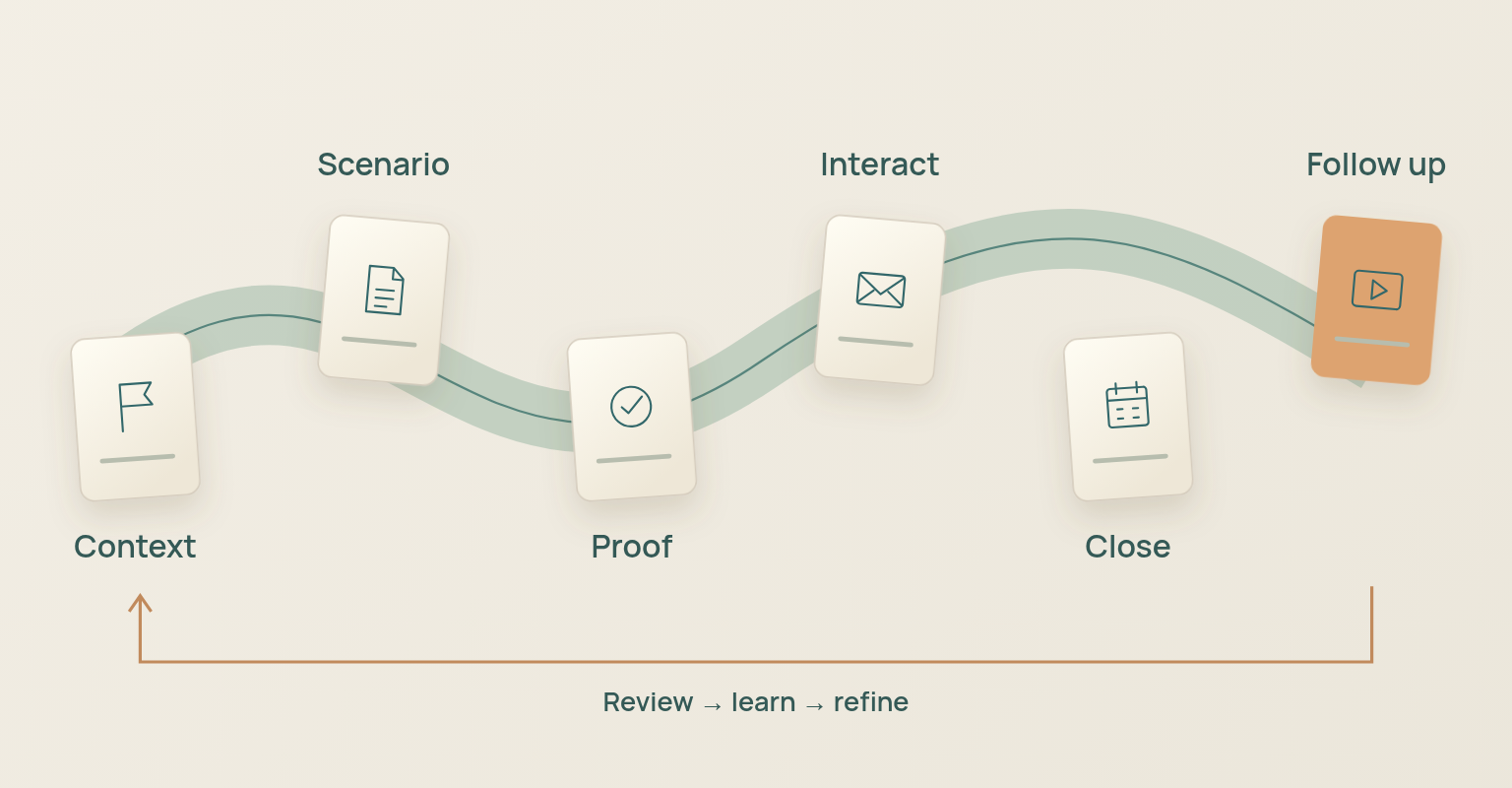
The framework moves from audience problem to visible proof, then into questions, next steps and follow-up. It works for a launch webinar, a demand-generation demo, a customer education session or a focused technical evaluation.
Product Demo Script at a Glance
| Stage | Audience Question | Presenter Job | Evidence or Asset | Exit Condition |
|---|---|---|---|---|
| Context | Why should I care? | Name the problem, audience, and desired outcome. | Audience language, scenario, relevant evidence. | The audience understands the decision being demonstrated. |
| Scenario | Whose workflow are we following? | Define the user, starting state, constraint, and success condition. | Demo account, sample data, workflow map. | The audience can recognize the situation. |
| Proof Moment 1 | Can the product perform the core job? | Show the first critical action and visible result. | Live product, cue, backup screenshot. | The core problem is materially reduced. |
| Proof Moment 2 | How does the workflow continue? | Show the connected action, handoff, or control. | Live product, comparison, relevant metric. | The workflow feels complete rather than isolated. |
| Proof Moment 3 | Can the team trust or operationalize it? | Show evidence, limits, ownership, or reporting. | Report, permissions, output, implementation context. | The audience understands what happens next. |
| Interaction | How does this apply to us? | Invite questions or a decision-relevant poll. | Moderated Q&A, poll, seeded questions. | Useful context is captured without losing control. |
| Close | What should we do now? | Recap the demonstrated outcomes and give one next step. | Resource, replay expectation, CTA, follow-up owner. | The audience knows the next action and support route. |
The stages are modular. A ten-minute demonstration may use one proof moment; a product launch webinar may use three; a technical evaluation may pause after each proof moment for questions. The audience problem and the closing action stay fixed even when the depth changes.
Choose the Demo Type before Writing the Script
A "product demo" can mean several events. A launch reveal, a first-look demand-generation webinar, a discovery-based sales demonstration and a customer training session should not share a script. Define the audience relationship and the decision first, then the level of detail.
| Demo Type | Audience State | Primary Promise | Recommended Depth | Likely Next Action |
|---|---|---|---|---|
| Launch reveal | Knows the category or brand; may not know the new product. | Understand what changed, who it is for, and why it matters. | Problem, reveal, key workflow, proof, roadmap boundary. | Replay, launch resource, evaluation path. |
| Demand-generation webinar | Exploring a problem or workflow. | Learn a practical method and see how the product supports it. | Education first, then selected proof moments. | Resource, nurture, selective demo request. |
| Discovery-based sales demo | Known account with documented context. | See how the product addresses agreed priorities. | Tailored scenario, relevant integrations, decision questions. | Technical validation, trial, stakeholder session. |
| Customer education demo | Existing user or customer. | Complete a task or adopt a workflow correctly. | Step-by-step operation, limits, support routes. | Practice, documentation, customer-success action. |
| Technical evaluation | Specialist buyer or implementation group. | Validate architecture, controls, constraints, and fit. | Detailed workflow, edge cases, data, permissions, failures. | POC, security review, technical follow-up. |
If the audience mixes roles, keep the main demonstration coherent and route deep implementation questions into a clearly owned follow-up rather than turning a public webinar into an enterprise validation session.
Define the Audience, Decision, and Scenario
The demo follows a person trying to complete a job, not a presenter visiting every menu. Product Marketing Alliance recommends a loose framework over a rigid word-for-word script and puts the weight on story, trust and relevance; TestBox likewise treats the script as a pre-planned outline that still adapts to the room. Before writing transitions, answer five questions:
- Who is the user in the scenario?
- What are they trying to accomplish?
- What is difficult, risky, slow or unclear today?
- What visible result will prove that the workflow improved?
- Which decision should the audience be able to make after the demo?
Write a One-Sentence Demo Scenario
| Scenario Formula[User or team] needs to [job] while dealing with [constraint]. During the demo, we will show how they move from [starting state] to [visible outcome], then explain the evidence, limits, and next action. |
Example: a product marketing team needs to launch a live product reveal without rebuilding registration, communication, live delivery and follow-up in separate tools. The demo shows how the team creates the event, prepares the live room, runs the reveal and reviews what happened afterwards.
Select Two or Three Proof Moments
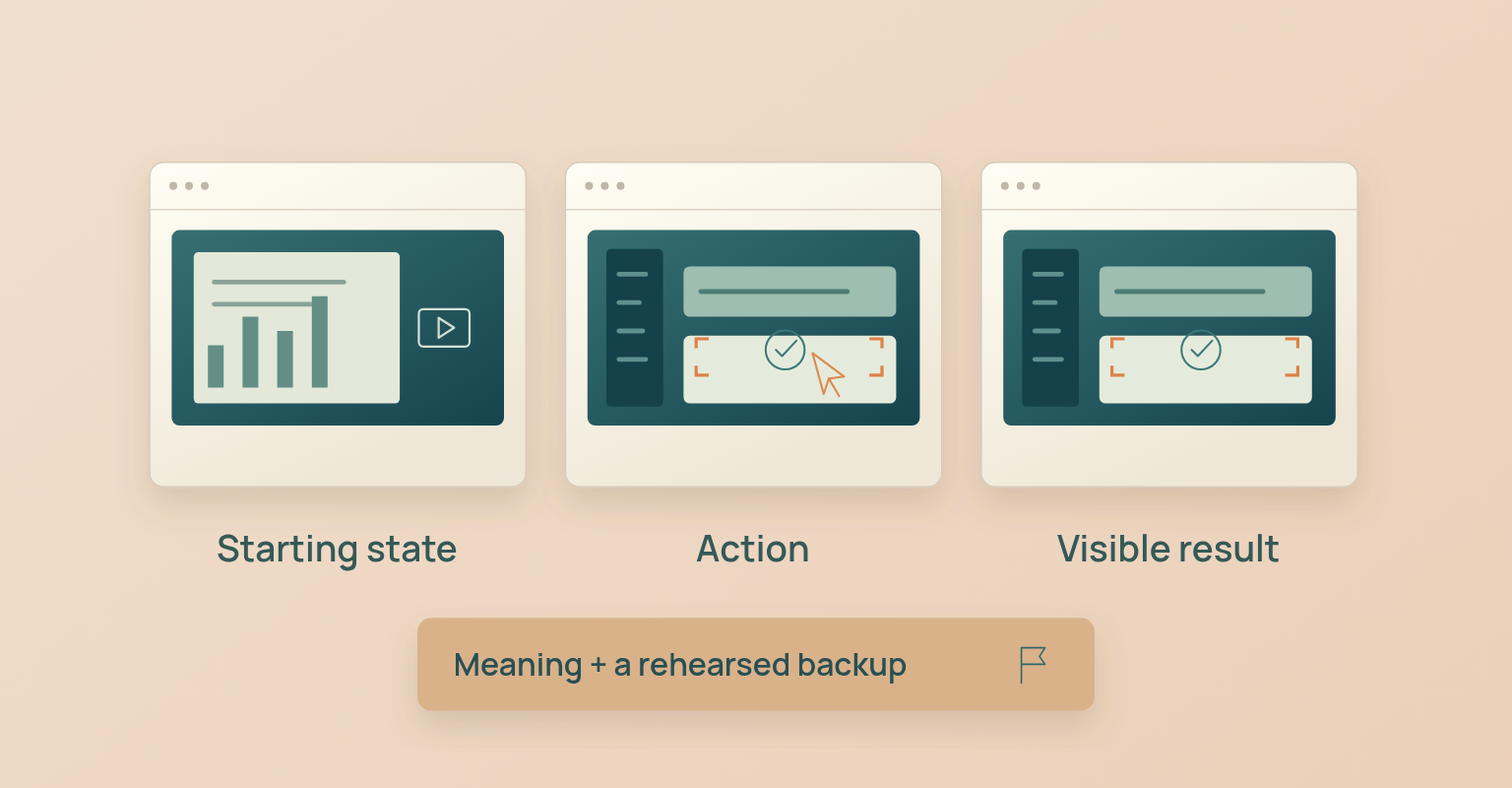
A proof moment is the smallest connected sequence that demonstrates a meaningful outcome: a starting state, an action, a visible result and what the change means for the business. A button click on its own proves nothing. Show only the features the scenario needs; everything else moves to Q&A, follow-up or a separate technical session.
| Proof Moment | Starting State | Action | Visible Result | Meaning |
|---|---|---|---|---|
| Create the event | No published registration experience. | Configure the event and publish the page. | A usable registration path exists. | The campaign can begin without a separate page build. |
| Run the live reveal | Speakers and assets are backstage. | Move the presenter live and share the approved product view. | The audience sees the planned workflow. | The reveal is controlled rather than improvised. |
| Review the outcome | The stream has ended. | Open the event report and question or poll evidence. | Attendance and interaction are visible. | The team can plan follow-up from observed facts. |
Storyboard the Demo before Opening the Product
Atlassian's product-demonstration guidance plans the audience, story, script and storyboard before production. Apply the same discipline to a live demo: write the sequence on paper before rehearsing inside the product, so the interface does not dictate the story. For each segment, document the audience view, the narration, the exact product state, the control owner, the expected result and the backup asset. That makes the script usable by the producer and the reviewer, not only by the presenter.
| Segment | Audience View | Presenter Narration | Control Owner | Backup |
|---|---|---|---|---|
| Context | Opening slide or host on camera. | Problem, audience, outcome, and session boundary. | Host. | Static opening slide. |
| Scenario setup | Demo account in the known starting state. | Who the user is and what must be completed. | Presenter and producer. | Annotated screenshot of starting state. |
| Proof moment | Live workflow with deliberate zoom and cursor movement. | Action, visible result, and meaning. | Presenter; producer protects layout. | Screenshots or short approved recording. |
| Interaction | Host or moderator with question queue or poll. | Connect audience input to the scenario. | Moderator. | Seeded question or prepared decision prompt. |
| Close | Summary slide or final product state. | Observed outcomes, limits, next action, and follow-up. | Host. | Static close slide. |
Use a Modular Script, Not a Memorized Performance
Gong's demo-script guidance uses a five-act structure that establishes the business context before the product appears. The exact model is vendor advice, but the principle holds: give the audience the narrative before asking them to interpret an interface.
Write complete language for the high-risk moments: the opening, factual claims, pricing or compliance statements, speaker handoffs, failure messages and the close. For the walkthrough itself, use concise prompts and proof statements. A modular script adapts when a relevant question arrives.
Use This Narration Pattern for Every Proof Moment
| Step | Presenter Prompt | Example |
|---|---|---|
| Set the state | “We are starting with…” | “The campaign exists, but the live speakers and assets are not staged yet.” |
| Name the job | “The team now needs to…” | “The producer needs to verify the room and prepare the presenter before opening the stream.” |
| Perform the action | Describe only the action the audience needs to follow. | “I will move the approved presenter from backstage to the live stage.” |
| Confirm the result | “You can now see…” | “The presenter is live in the selected layout and the audience view is controlled.” |
| Explain the meaning | “This matters because…” | “The team can separate rehearsal from the live stream and avoid sending guests directly into the live room.” |
| Bridge forward | “Next, we will…” | “Next, we will share the product workflow without leaving the control room.” |
Describe the decision, the action, the result and the meaning. A click that does not change the audience's understanding does not need narration.
Use a Live Product Demo Run of Show
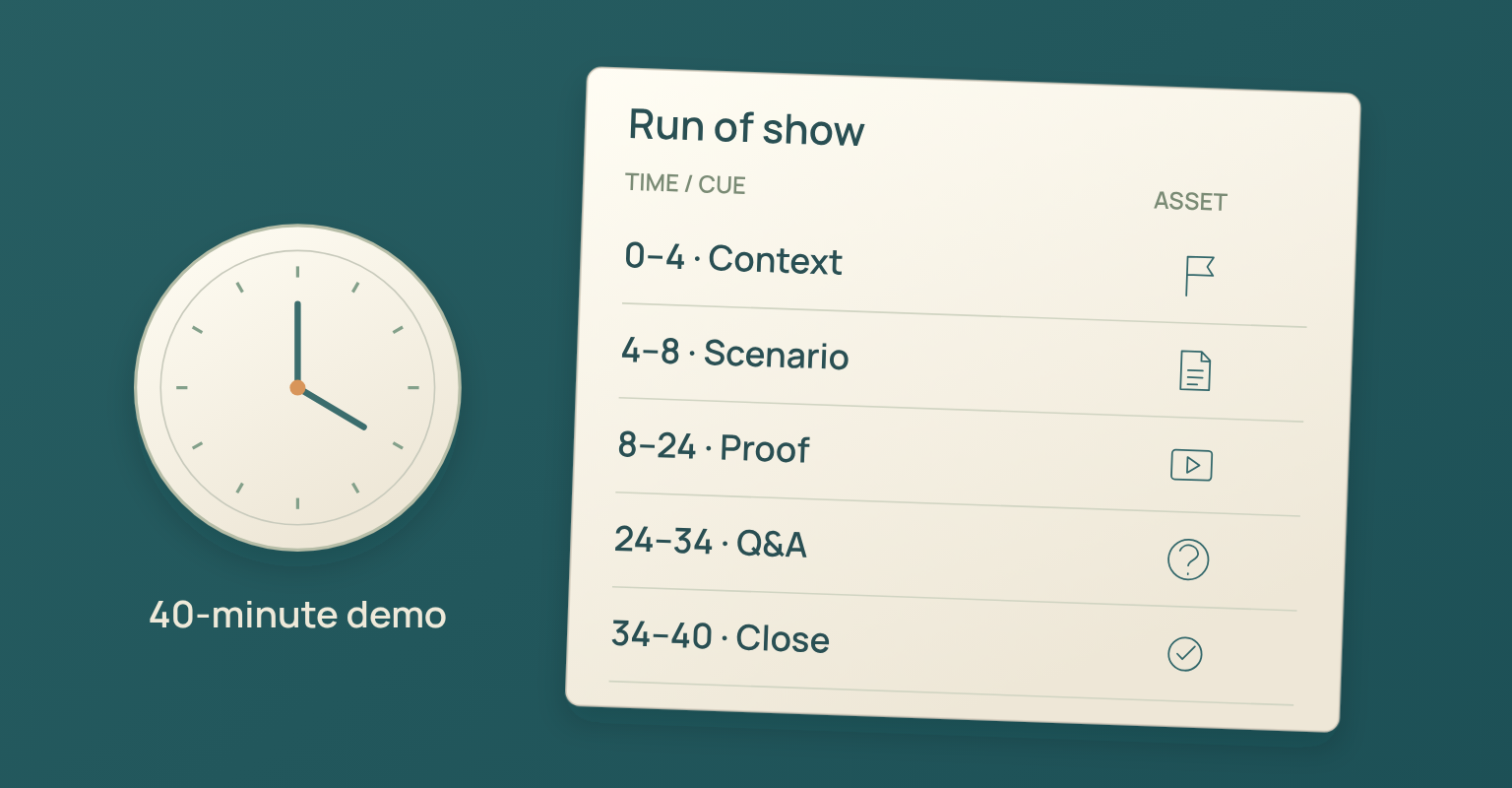
The product script and the run of show are separate but connected. The script tells the presenter what to explain; the run of show tells the team who acts, when, with which cue, asset and contingency. The hosting guide covers the production roles and rehearsal rules. The model below assumes a 40-minute B2B demo webinar.
| Time | Segment | Speaker or Owner | Primary Cue | Contingency |
|---|---|---|---|---|
| 00:00-00:03 | Welcome, outcome, recording and interaction expectations. | Host. | “We will show how [Audience] can [Outcome].” | Use opening slide while audio is restored. |
| 00:03-00:08 | Problem, scenario, and decision criteria. | Host or product marketer. | “Here is the workflow we will follow.” | Use scenario diagram if the live account is delayed. |
| 00:08-00:20 | Proof moments one and two. | Presenter; producer controls stage and sharing. | “I will show the first job from the user’s view.” | Switch to approved screenshots or recording. |
| 00:20-00:27 | Proof moment three, limits, and operating context. | Presenter or specialist. | “Now we will show what the team can verify afterward.” | Use report screenshots and explain the current limit. |
| 00:27-00:34 | Moderated Q&A or decision-relevant poll. | Moderator. | Group questions by theme. | Use seeded questions submitted before the session. |
| 00:34-00:38 | Summary of demonstrated outcomes and relevant use cases. | Host and presenter. | “You saw the workflow move from…to…” | Shorten examples, not the close. |
| 00:38-00:40 | CTA, replay expectation, support route, end stream. | Host and producer. | Explicit end cue. | State follow-up timing if replay is not ready. |
Write the Opening before the Feature Walkthrough
Before the first product screen appears, the audience should know who the scenario is for, what they will see, how long it takes and how questions work.
| Product Demo Opening ScriptHello, and welcome to [Demo Title]. This session is for [Audience] who need to [Job or Decision]. We will follow [User or Team] from [Starting State] to [Visible Outcome], using [Number] connected proof moments. The demonstration will take approximately [Demo Time], followed by [Q&A or Discussion Time]. Please send questions through [Method]. We will identify any feature, availability, security, pricing, or roadmap limits when they affect the workflow. Let us begin with the current situation. |
Remove any line the team cannot support. Do not promise a replay, a roadmap item, an integration, a result or a follow-up asset before it is approved.
Prepare a Stable and Safe Demo Environment
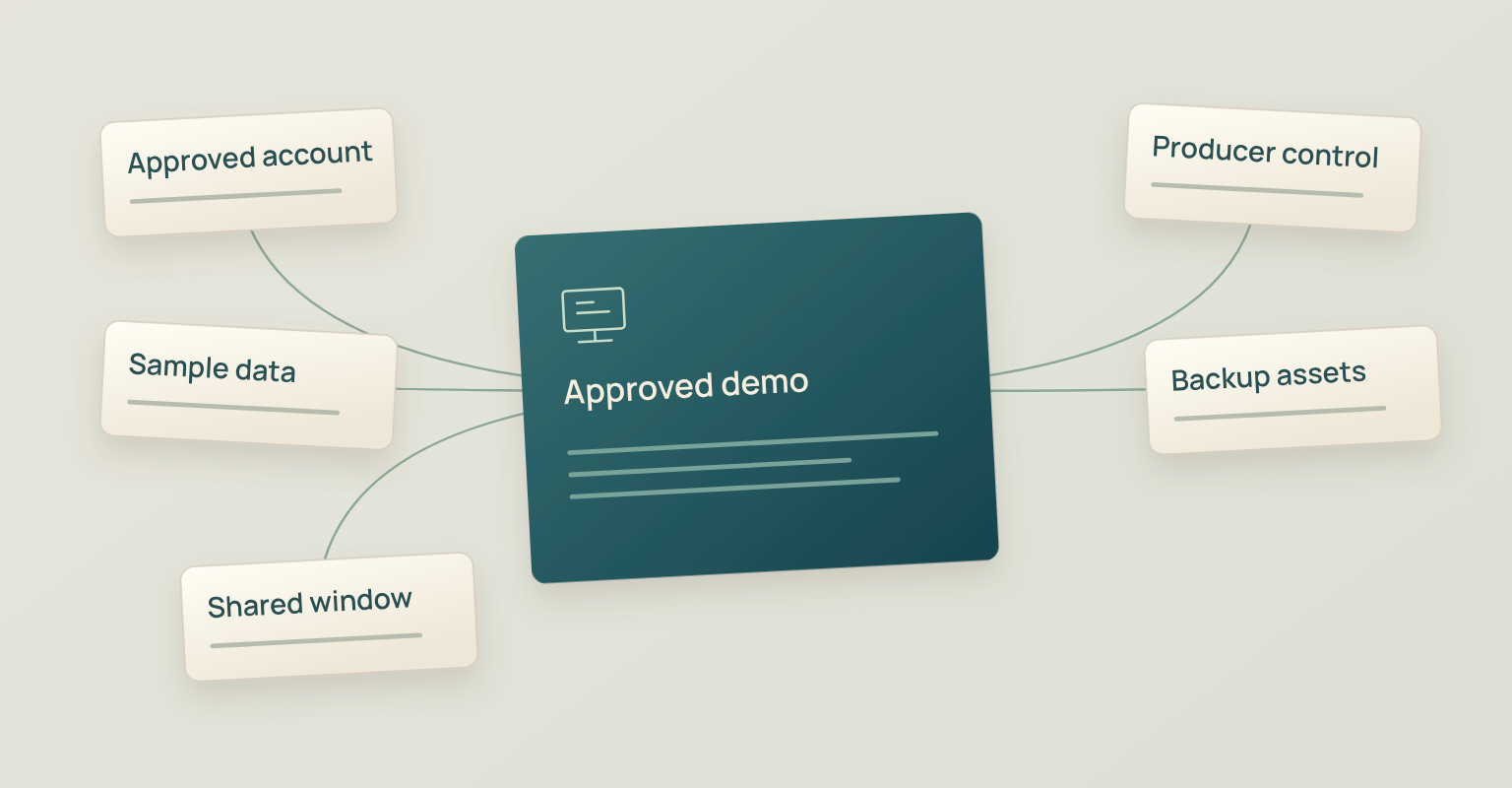
A demo should not depend on the presenter repairing the account live. Prepare a dedicated environment with a known starting state, controlled permissions, stable sample records and a reset process, and rehearse on the same account, browser, device and network path.
NIST defines de-identification as removing identifying information so data cannot be linked to specific individuals, and notes that it reduces privacy risk rather than eliminating it. For a public or semi-public demonstration, prefer synthetic data created for the scenario; if production-derived data is ever considered, route it through privacy and security review rather than assuming the names are gone.
Demo Environment Checklist
- A dedicated account or tenant is reserved for the demonstration, with a documented starting state and reset process.
- Sample records are synthetic or approved; names, emails, messages, files, tokens, API keys, customer data and internal URLs are reviewed.
- Permissions match the role being demonstrated.
- Notifications, messaging apps, browser autofill and unrelated tabs are closed, and the presenter knows which window or tab is safe to share.
- A screenshot set or short recording exists for every high-risk proof moment, and the producer can restore the planned layout if the wrong window is shared.
- The product team has confirmed current feature availability, terminology and limits.
Make the Visual Demonstration Understandable
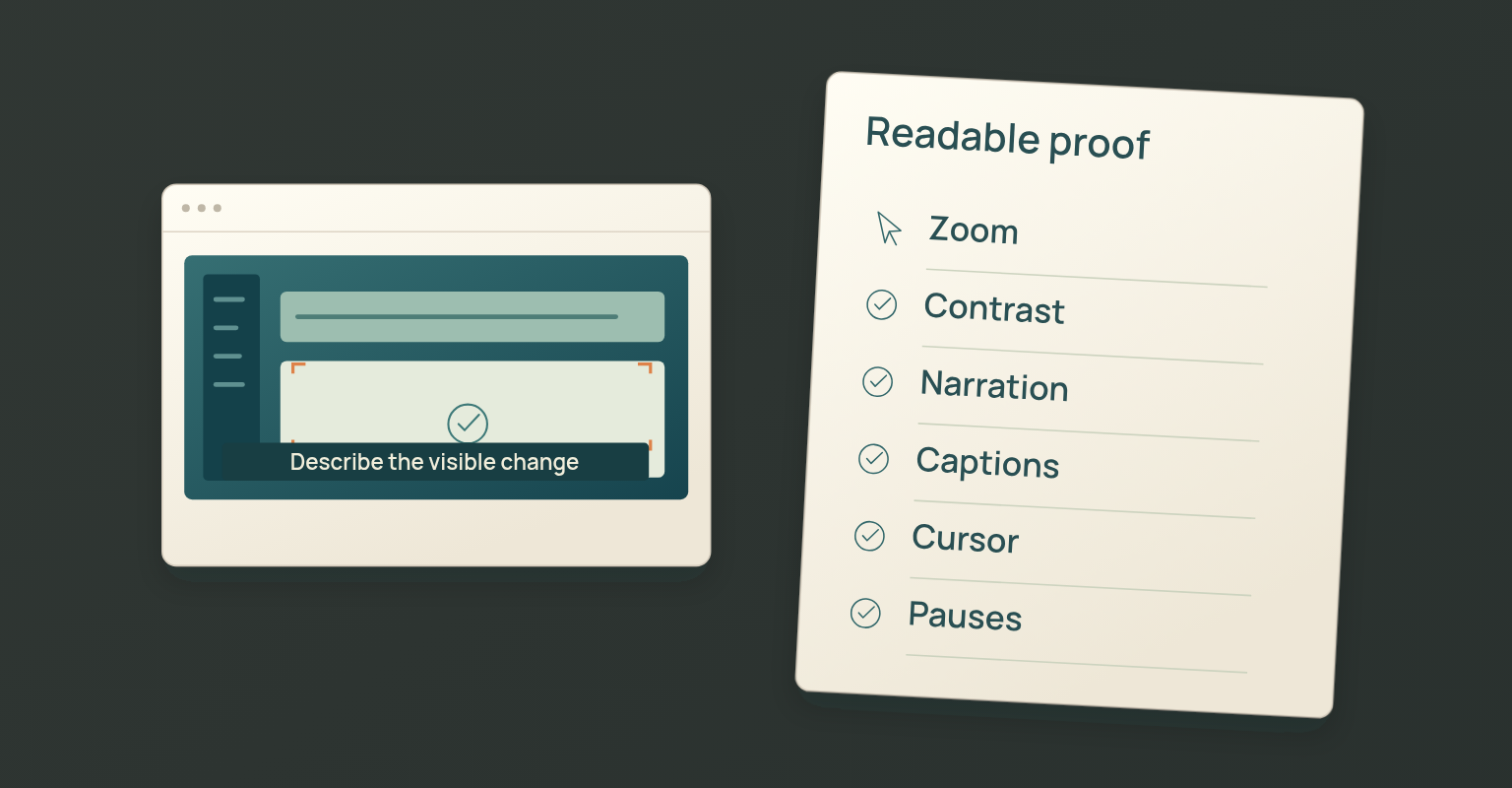
A live interface gets hard to follow when the presenter moves fast, uses a small pointer, jumps between windows or assumes everyone can see colour and position. Microsoft's PowerPoint accessibility guidance on readable fonts, colours and alternative text extends naturally to screen sharing and narration. Research on signalling in multimedia learning shows that cues help direct attention to critical material; used sparingly, that means zooming or highlighting the relevant area, announcing the next action, keeping the pointer still while explaining, and removing interface clutter.
Accessible Demo Delivery Check
- Readable zoom level, high-contrast slides and annotations, and a pace that pauses after each state change.
- Actions and results described aloud, not "click here" or "look over there"; status, risk and selection never conveyed by colour alone.
- Captions kept clear of important controls and slide text; charts, dashboards and comparisons explained in words.
- A transcript or accessible document provided when promised, and shared audio, video, animation and cursor visibility tested inside the actual webinar platform.
Design Questions and Interaction around the Decision
Questions should improve understanding without forcing the presenter off the scenario. Decide which questions get answered during the demo, which belong in the final Q&A and which need a specialist follow-up. The moderator keeps the original wording and does not treat a question as automatic purchase intent.
| Question Type | Best Response | Owner | Follow-Up |
|---|---|---|---|
| Clarification about the visible workflow | Answer at the natural pause if it helps the full audience. | Presenter or moderator. | None unless detail is promised. |
| Implementation or integration question | Give the verified boundary; avoid improvising architecture. | Specialist or named product owner. | Technical resource or specialist session. |
| Security, privacy, legal, or compliance question | Acknowledge and route to approved evidence. | Qualified specialist. | Controlled written response. |
| Pricing or packaging question | State verified public information or route appropriately. | Commercial owner. | Pricing page, sales review, or written answer. |
| Roadmap request | Describe current capability only unless the roadmap statement is approved. | Product owner. | Documented follow-up if appropriate. |
| Unrelated support issue | Protect the main session and assign a support route. | Moderator or support owner. | Direct support follow-up. |
Prepare two or three seeded questions for an empty queue and introduce them honestly as common or pre-submitted questions, never as a named attendee asking live.
Rehearse the Complete Demo, Including Failure
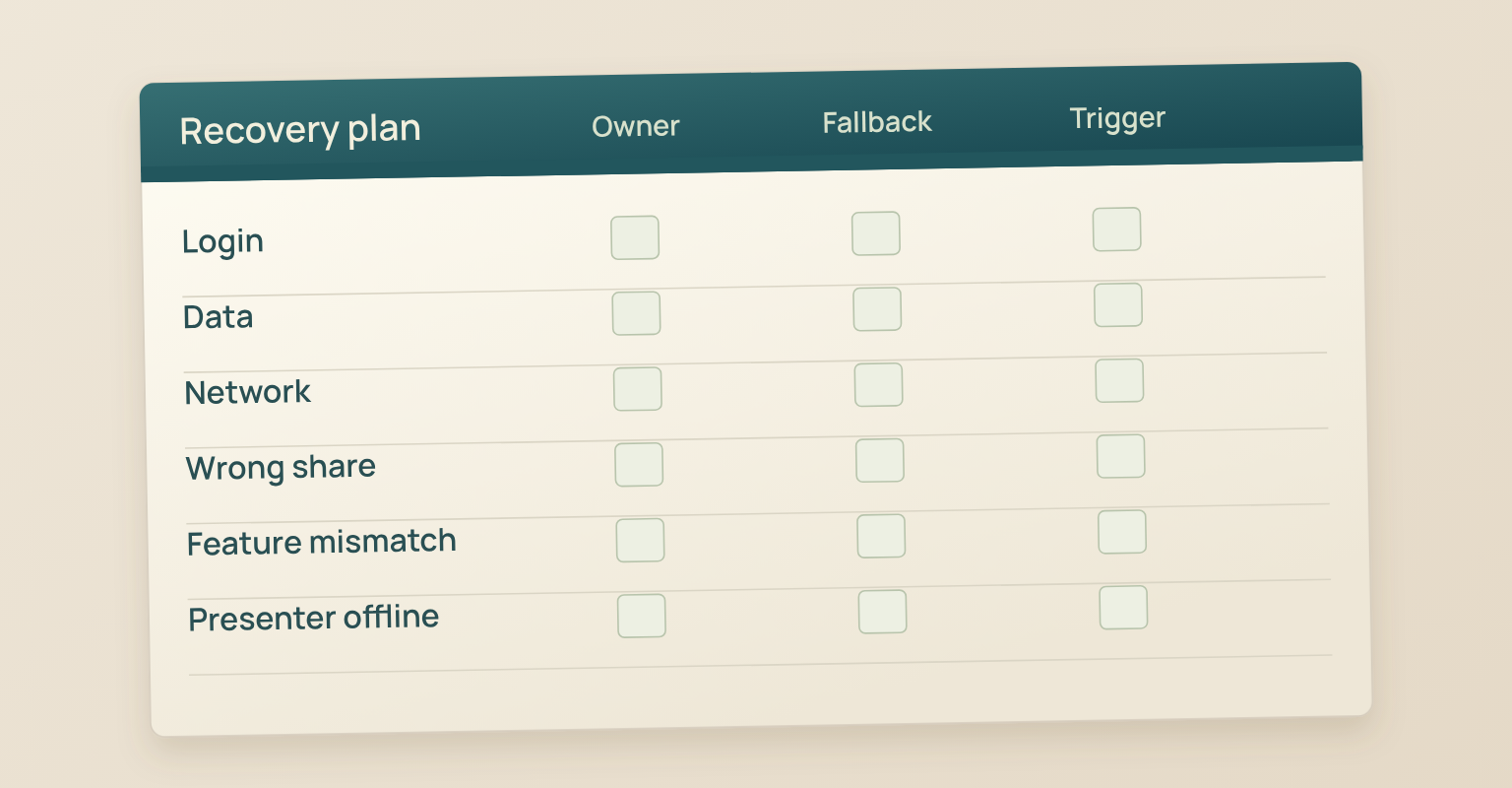
A rehearsal tests the real access path, the demo environment, the production roles, narration, timing, questions, the close and the backup transitions. Over-scripting makes a presenter robotic; rehearsal should make them more flexible, not less human. Run the demonstration once without interruption, then repeat the high-risk moments and at least two failure scenarios, so the team knows when to retry, when to switch to backup and when to state a limitation instead of attempting an uncertain recovery. The rehearsal is complete when every proof moment has worked through the real path and every backup has been triggered once.
Failure-Response Matrix
| Issue | Immediate Action | Audience Language | Backup Owner |
|---|---|---|---|
| Login, permission, or session failure | Stop repeated retries and open the prepared state or asset. | “We will use the prepared example while the environment resets.” | Producer and product owner. |
| Unexpected or empty data state | Move to the reset account or approved sample dataset. | “We are switching to the prepared scenario so the workflow remains clear.” | Presenter and demo-environment owner. |
| Slow network or frozen interface | Return to the stage or slide and continue the explanation. | “The live environment is delayed, so we will use the recorded proof moment.” | Producer. |
| Wrong window or sensitive content appears | Stop sharing immediately, return to the safe layout, and assess exposure privately. | Use a neutral pause only if the audience saw the issue. | Producer and incident owner. |
| Feature behaves differently from rehearsal | State the observed result and do not invent an explanation. | “That is not the expected state; we will verify it and follow up.” | Product owner. |
| Presenter loses connection | Host moves to the next question, summary, or proof asset. | “We will continue while [Name] reconnects.” | Host and backup presenter. |
| Time is running out | Remove optional examples, not the recap, limitation, CTA, or close. | No special message unless timing changes materially. | Host. |
Close with Outcomes, Boundaries, and One Next Step
The close summarises what the audience saw. No return to a long feature list, no new claim in the final minute: state the demonstrated outcomes, the relevant limitation, the promised follow-up and one next action.
| Product Demo Closing ScriptToday you saw how [User or Team] moved from [Starting State] to [Outcome One], [Outcome Two], and [Outcome Three]. We also noted [Important Limit or Boundary]. The next useful step is [One CTA or Resource]. [Accurate Replay or Follow-Up Expectation.] Thank you to [Speakers] and everyone who joined. We will answer remaining questions through [Follow-Up Route], and we are ending the stream now. |
Complete the Post-Demo Handoff
The live demonstration ends before the campaign ends. Verify the recording, attendance, questions, poll responses, resources, product claims and follow-up ownership before sending a generic message, and separate people who attended, registered but did not attend, asked a specific question or need a specialist response.
Use the webinar email templates for the follow-up, then review attendance, questions and poll responses as evidence. Where supported, transcript, question and poll themes add an interpretation layer under human control.
| Audience State | Primary Follow-Up | Product or Sales Review | Avoid |
|---|---|---|---|
| Attendee with no direct question | Recap, replay, promised resources, and the next relevant step. | Only when account or relationship context supports it. | Immediate generic sales request. |
| Attendee with a product question | Answer the exact question and share the relevant evidence. | Route to the qualified owner if the question indicates an evaluation need. | Replacing the question with a vague “high intent” label. |
| No-show | Concise summary, replay path, and useful section or resource. | Only with additional fit or account evidence. | Language that assumes attendance. |
| Customer or existing opportunity | Continue through the known relationship owner. | Coordinate at account level. | Creating a disconnected new-lead workflow. |
| Unresolved technical or security question | Confirm ownership and expected response path. | Specialist review required. | Improvised promises or unverified answers. |
Copyable Product Demo Script Template
Replace every bracketed field with approved information and remove the modules the event does not need. The template is a working structure; the audience and product review still happen.
| 1. Audience and DecisionAudience: [Role, Team, or Account Context]Current situation: [Problem or Workflow]Decision after the demo: [What the audience should be able to assess]Primary CTA: [One next action] |
| 2. OpeningHello, and welcome to [Demo Title]. This session is for [Audience] who need to [Job]. We will follow [User or Team] from [Starting State] to [Visible Outcome]. The product demonstration will take [Time], followed by [Q&A]. Please use [Question Method]. [Approved Recording, Caption, Replay, or Access Notice.] |
| 3. ScenarioThe user is [Persona or Team]. They are trying to [Job] while dealing with [Constraint]. Success means [Visible Result and Business Meaning]. |
| 4. Proof Moment OneStarting state: [State]Presenter cue: [Cue]Action: [Product Action]Visible result: [Result]Meaning: [Why It Matters]Backup asset: [Screenshot, Video, or Static Walkthrough] |
| 5. Proof Moment TwoStarting state: [State]Presenter cue: [Cue]Action: [Product Action]Visible result: [Result]Meaning: [Why It Matters]Backup asset: [Screenshot, Video, or Static Walkthrough] |
| 6. Proof Moment Three, OptionalStarting state: [State]Presenter cue: [Cue]Action: [Product Action]Visible result: [Result]Meaning: [Why It Matters]Limit or boundary: [Approved Limitation]Backup asset: [Screenshot, Video, or Static Walkthrough] |
| 7. InteractionQuestion or poll purpose: [Decision or Learning Goal]Moderator cue: [Cue]Questions answered live: [Scope]Questions routed to follow-up: [Scope and Owner]Seeded questions: [Two or Three Honest Prompts] |
| 8. CloseYou saw [Outcome One], [Outcome Two], and [Outcome Three]. [Important Boundary.] The next useful step is [CTA or Resource]. [Replay or Follow-Up Expectation.] Remaining questions will be handled through [Route]. |
| 9. Production and RecoveryHost: [Name or Role]Presenter: [Name or Role]Producer: [Name or Role]Moderator: [Name or Role]Demo environment owner: [Name or Role]Backup presenter: [Name or Role]Private channel: [Route]Stop or end authority: [Role]Backup asset location: [Location] |
Common Product Demo Script Mistakes
- Starting with navigation. A tour of the menu asks the audience to build the story themselves. Begin with the user, the problem and the outcome.
- Showing every feature. A feature inventory eats the time needed for connected proof, questions and the close.
- Memorising every sentence. A rigid script makes the presenter ignore relevant questions. Script the structure and the high-risk language.
- Using uncontrolled data or one live environment. Real customer data, internal messages and secrets create privacy and credibility risk; a login issue or a product defect should not end the session.
- Narrating clicks without meaning. The audience needs the action, the visible result and the business meaning.
- Improvising roadmap or compliance answers. State verified capability and route specialist questions; do not fill silence with commitments.
- Letting Q&A consume the close. Protect the recap, limitation, CTA, replay expectation, support route and the formal end of stream.
- Sending the same follow-up to everyone. Attendees, no-shows, customers, questioners and active opportunities need different context.
How JakoMeet Supports Product Demo and Launch Webinars
JakoMeet keeps the registration page, the webinar emails, the live Control Room, audience interaction, replay and reporting on the same event. Teams prepare product demo and launch webinars with a published event page, confirmation and reminders, guest backstage access, stage layouts, screen or presentation sharing, live captions, chat and moderated Q&A and live polls, then run the demo in the Control Room with explicit Go Live and End controls and review attendance, questions and poll responses afterwards.
JakoMeet does not make the product claims, choose the scenario, secure the demo account or decide that an attendee is qualified; the script, product review, data safety, contingency plan and follow-up stay with the campaign team. For the wider lifecycle, see how a webinar runs in JakoMeet or compare the plans.
Frequently asked questions
What Is a Product Demo Script?
A product demo script is an operating outline for showing how a product helps a defined audience complete a meaningful job. It sets the scenario, proof moments, speaker cues, transitions, interaction, backup actions, and close. It should guide the presenter without forcing a word-for-word performance.
How Long Should a Product Demo Be?
The right length depends on the audience, product complexity, and decision. A focused live demonstration may take 10 to 20 minutes inside a longer webinar. Use enough time to prove the selected workflow, answer the important questions, and close clearly without touring unrelated features.
Should a Product Demo Be Fully Scripted?
Script the structure, transitions, factual claims, risky steps, and closing action. Do not force every sentence. A modular outline makes the presenter sound natural while protecting the sequence and allowing relevant questions.
How Many Features Should a Product Demo Show?
Show the smallest set of capabilities needed to prove the promised outcome. Group them into two or three connected proof moments rather than listing everything the product can do. Additional features can move to Q&A, follow-up, or a separate technical session.
What Should the Product Demo Opening Say?
State the audience problem, the scenario, the outcome the audience will see, the expected duration, and how questions will work. Avoid beginning with company history, a long agenda, or a tour of the navigation.
How Do You Prepare a Safe Product Demo Environment?
Use a dedicated demo account, controlled permissions, realistic but non-sensitive sample data, a known starting state, hidden notifications, and approved backup assets. Rehearse the exact account, browser, device, and network path used during the live session.
What Should You Do If the Live Demo Fails?
Return to the audience outcome, activate a prepared screenshot, recording, or static walkthrough, and continue the explanation while the producer investigates privately. Do not repeatedly retry the same failure while the audience waits.
What Should Happen after a Product Demo Webinar?
Send the promised replay or resources, answer unresolved questions, separate attendees and no-shows, and route buying-context questions to the right owner. Review attendance, questions, poll responses, and follow-up actions without treating every interaction as purchase intent.
Sources and Further Reading
- Product Marketing Alliance: Scripted Demos Are Killing Your Deals - Here Is How to Do Better: Loose frameworks, authentic delivery, audience relevance, storytelling, and avoiding robotic feature dumping (opens in a new tab)
- Gong: The 5 Acts of Winning Sales Demo Scripts: Context before product, structured demo acts, questions, and sales-demo narrative (opens in a new tab)
- Atlassian: Top Tips for Product Demonstration Videos and Examples: Audience planning, scripting, storyboarding, and production preparation (opens in a new tab)
- Microsoft Support: Make PowerPoint Presentations Accessible: Accessible slide design, fonts, colors, alt text, reading order, and accessibility checking (opens in a new tab)
- NIST IR 8053: De-Identification of Personal Information: Definition, methods, and limitations of de-identification and privacy-risk reduction (opens in a new tab)
- TestBox: How to Write a Demo Script: Demo scripts as adaptable outlines, question frameworks, audience needs, and software-demo preparation (opens in a new tab)
- Springer: A Meta-Analysis of Signaling in Multimedia Learning Environments: Research on cues that direct attention to critical material in multimedia learning (opens in a new tab)