
AUDIENCE & PROMOTION
Webinar Email Templates: Invitation, Confirmation, Reminder, and Follow-Up
Use copyable B2B webinar email templates to guide contacts from invitation to follow-up, with subject lines, message roles, and checks for each stage of the campaign.
Each webinar email should answer the recipient's next question: an invitation helps a relevant contact decide whether to register, a confirmation proves that registration worked, and a reminder removes friction before the session. A start notification provides immediate access, and follow-up reflects whether the person attended.
Repeating the same promotional paragraph at every stage creates confusion, because the audience has a different question after registration than before it. This guide provides a practical sequence, copyable templates, subject line options, operational checks and a measurement framework for B2B webinar programmes.
Webinar Email Sequence at a Glance
| Audience | Primary Job | Essential Content | |
|---|---|---|---|
| Initial Invitation | Relevant contacts who have not registered | Earn a registration decision | Audience problem, outcome, logistics, proof and one registration CTA |
| Last-Call Invitation | Relevant nonregistrants | Add a specific reason to act now | New proof or takeaway, date and time, accurate urgency and registration CTA |
| Registration Confirmation | New registrants | Confirm success and set expectations | Date, time zone, calendar action, access plan, sender identity and support route |
| Reminder | Registrants | Reduce forgetfulness and joining friction | Exact time, access expectation, one value reminder and support route |
| Start Notification | Registrants | Provide immediate access | Direct join action, session title, support route and minimal distraction |
| Attendee Follow-Up | Live attendees | Reinforce value and support the next action | Recap, replay, promised resource, unanswered questions and one relevant CTA |
| No-Show Follow-Up | Registrants who did not attend live | Reopen the value without pretending attendance | Short summary, replay path, useful section or resource and a low-friction CTA |
The sequence is one operating model, not a fixed rule. Add or remove messages according to audience familiarity, event importance, time zones, existing customer communication and the number of contacts already receiving other campaigns.
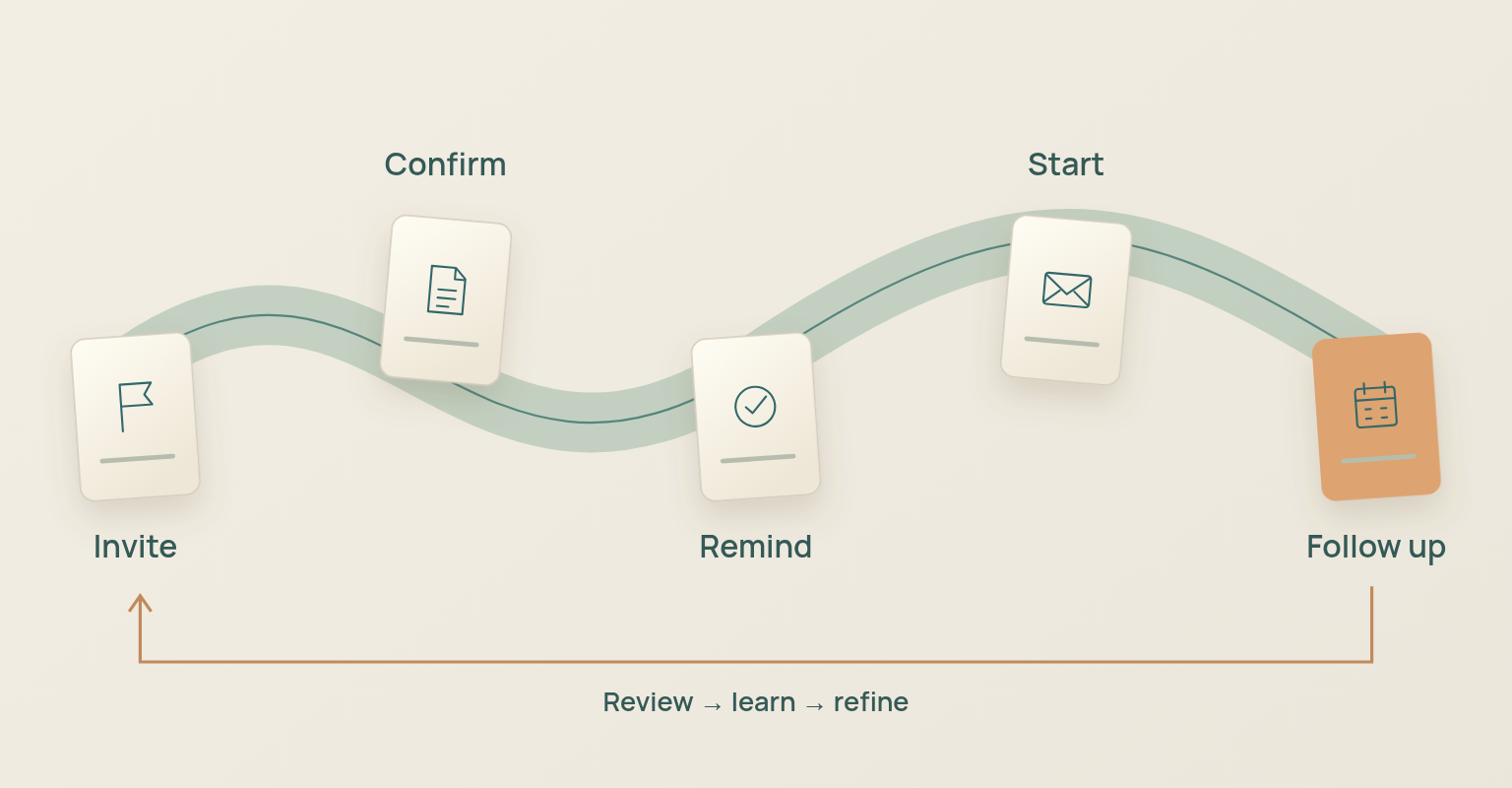
Prepare the Sequence Before Writing Individual Emails
The fastest way to create inconsistent webinar email is to write each message in isolation. Define the audience states, sender, access path and primary next action before drafting subject lines.
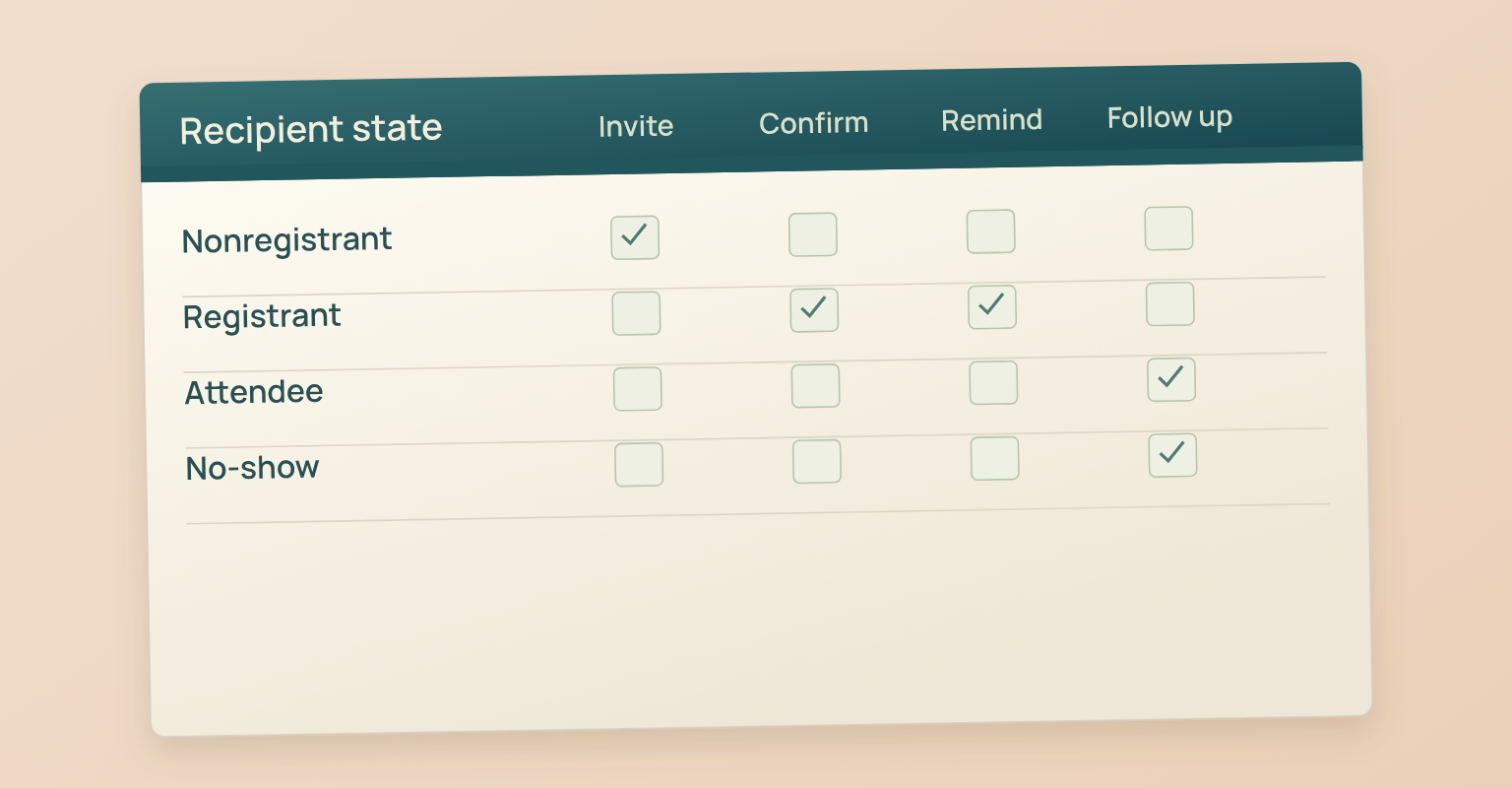
Separate Nonregistrants, Registrants, Attendees, and No Shows
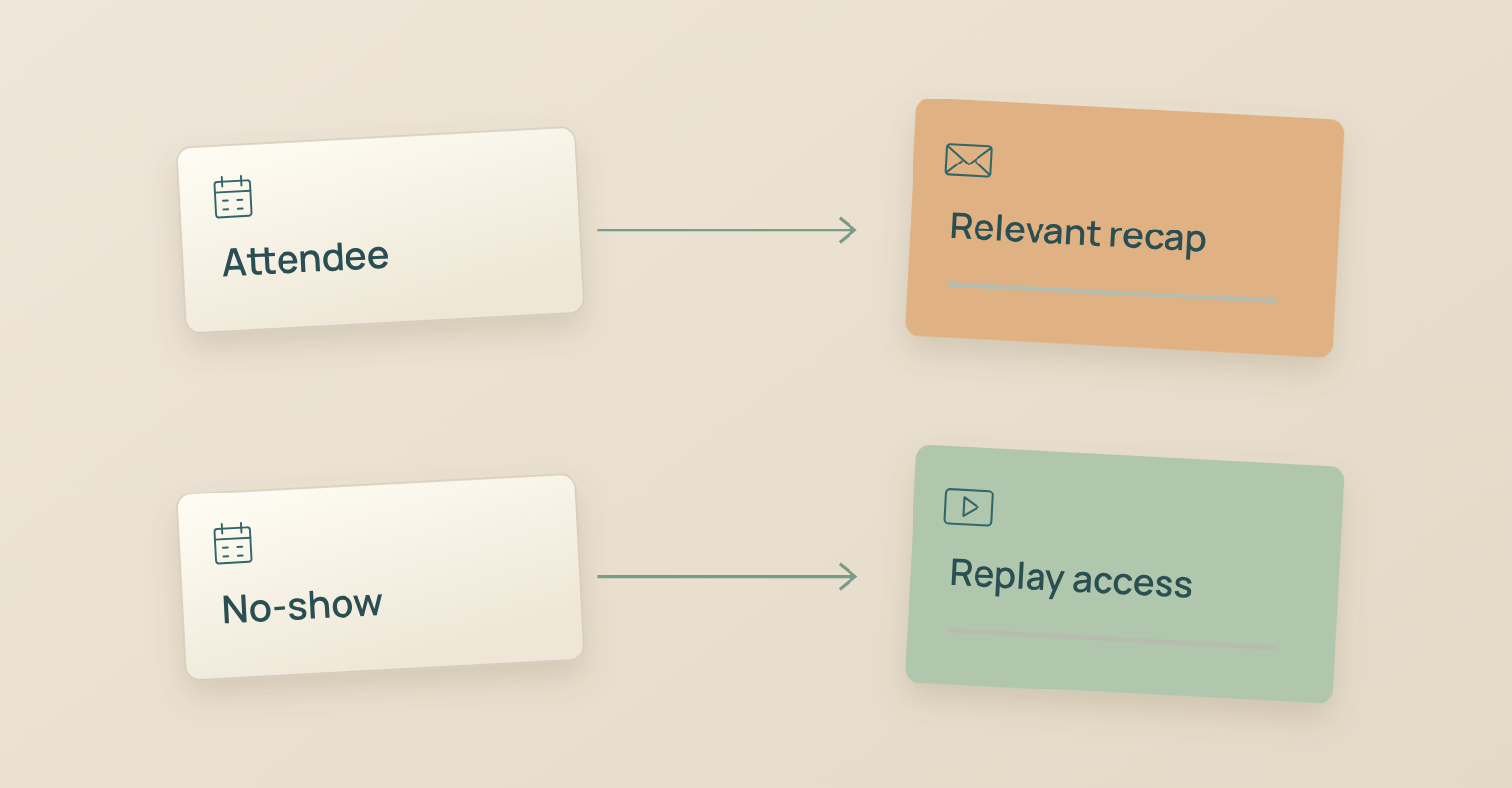
A nonregistrant still needs a reason to give time and information. A registrant needs confidence that the event is on the calendar and easy to join. An attendee needs the promised resources and a relevant next step. A no-show needs a useful way back into the content without language that assumes live participation. Move people out of acquisition messages after they register whenever the system supports it; continuing to ask a registrant to register makes the campaign look disconnected and adds unnecessary volume.
Use a Recognizable Sender and Reply Path
Choose a sender identity the audience can recognise and keep it consistent across the sequence. The visible from name, sending domain and reply address should support the same relationship. Decide who monitors replies, questions, access problems and speaker requests before the first invitation goes out.
Finish the Registration and Access Path First
The invitation should not point to an unfinished page. Build the webinar registration page before sending invitations, then test the form, confirmation, calendar information, join expectation and mobile experience as a registrant.
Assign One Job and One Primary CTA to Every Message
The invitation CTA is registration. The confirmation CTA is usually calendar or preparation. The reminder CTA is joining or reviewing logistics. The follow-up CTA may be replay access, a promised resource or a relevant business next step. No single email should carry registration, product demo, sales meeting, newsletter and social sharing requests at the same time.
A Practical Webinar Email Schedule
Use the following as a starting model. Short buying cycles, customer education sessions, partner events and high-consideration programmes may need different timing.
| Timing | Audience | Message | Job |
|---|---|---|---|
| 14 to 28 Days Before | Relevant nonregistrants | Initial invitation | Introduce the problem, outcome, and CTA. |
| 5 to 7 Days Before | Relevant nonregistrants | Last-call invitation | Add a new reason to register rather than repeating the first email. |
| Immediately after Registration | New registrants | Confirmation | Confirm success, repeat logistics, explain access and offer a calendar action. |
| About 24 Hours Before | Registrants | Reminder | Reduce joining friction and restate the reason to attend live. |
| Closer to Start, Optional | Registrants | Second reminder | Use only when it adds access value and fits the audience and plan. |
| At Stream Start | Registrants | Start notification | Provide a direct join action and support route. |
| Same Day or Next Business Day | Attendees and no shows in separate groups | Follow up | Deliver replay or resources and the next action after assets are ready. |
A second reminder is useful only when it serves a different operational need. If a late reminder repeats the previous message and adds no access value, remove it.
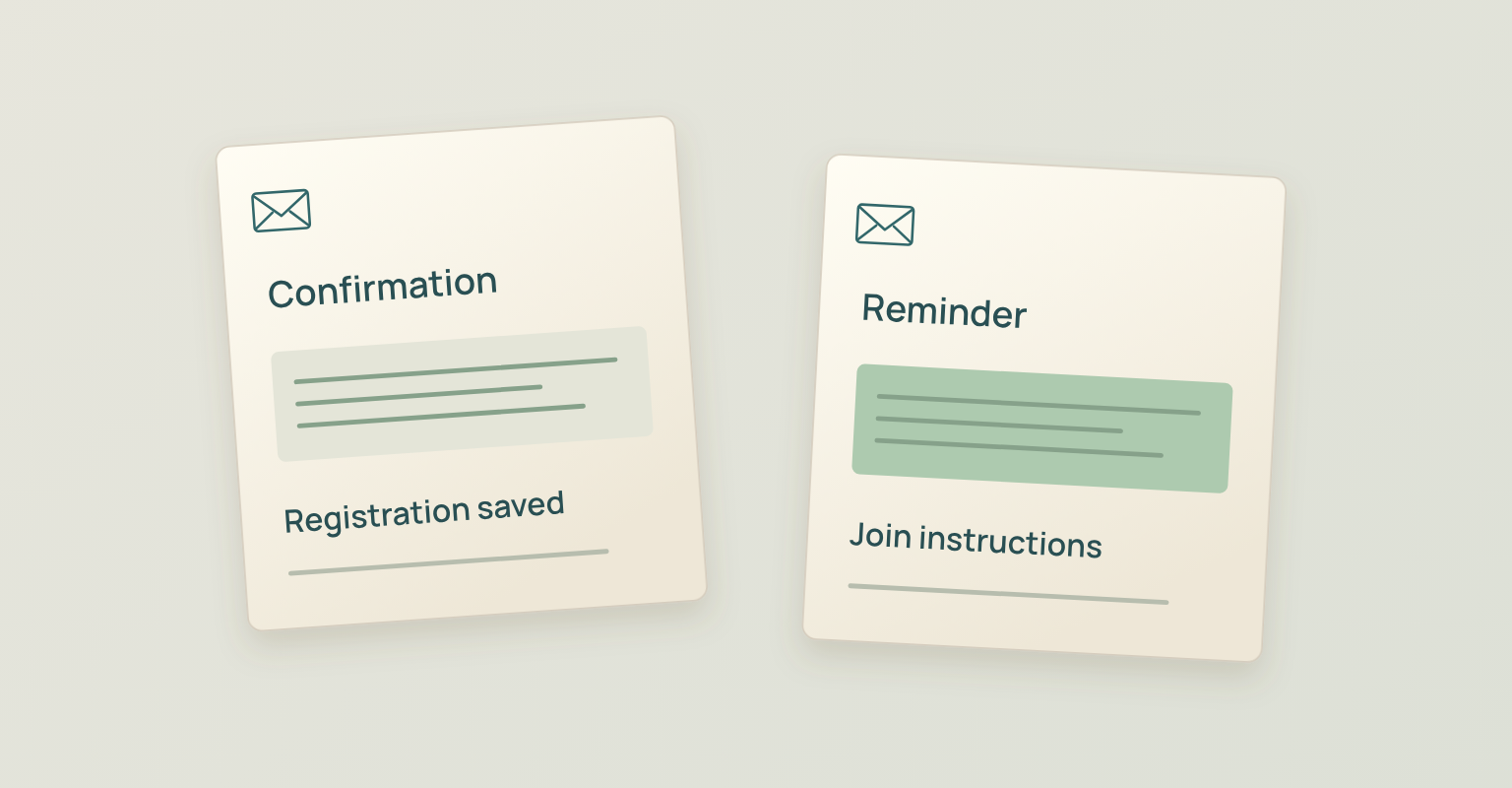
Build Every Webinar Email from Six Components
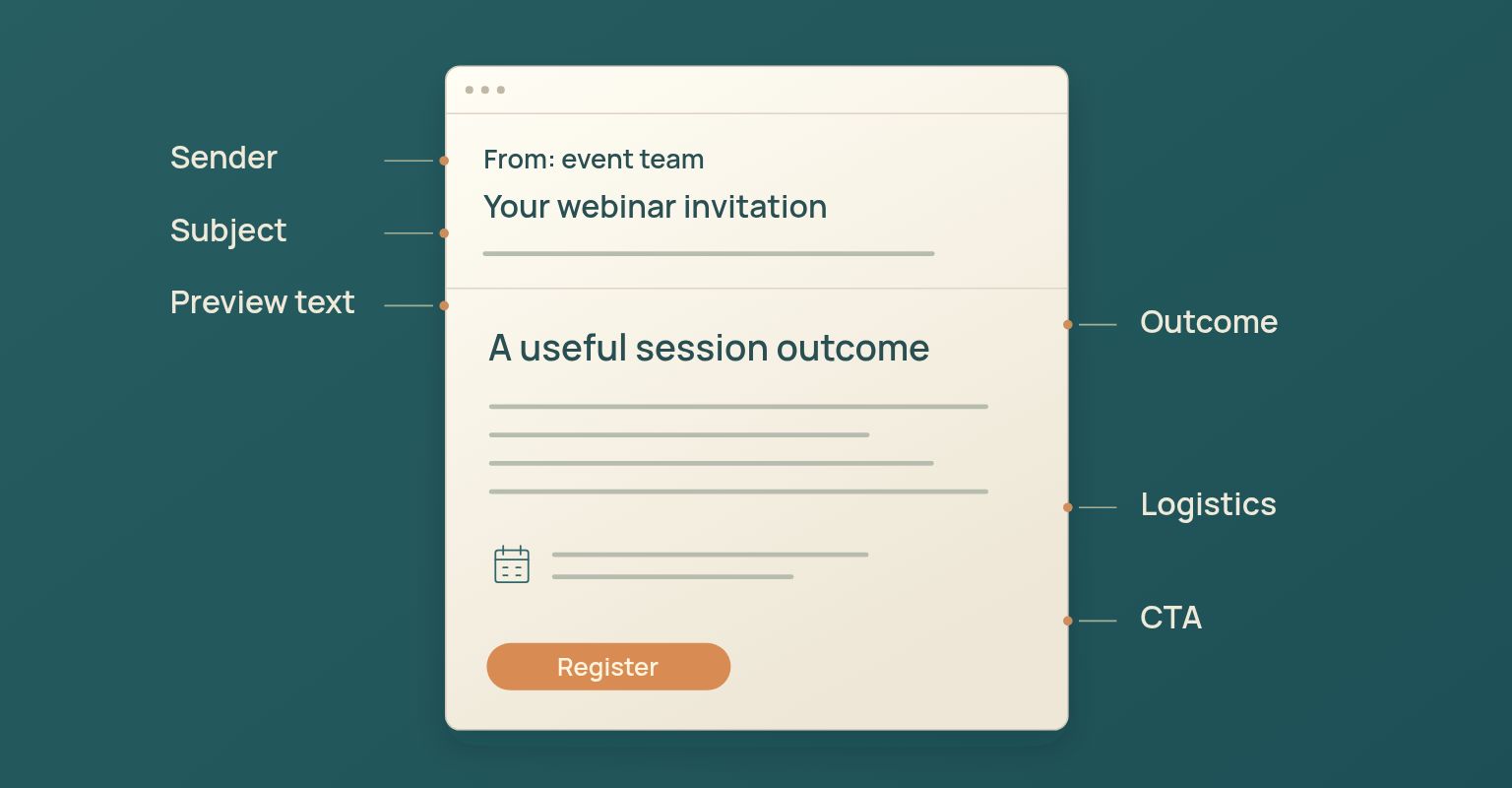
- Recognisable sender. A from name and domain the audience can connect to the organiser, brand or event, with a monitored reply path when replies are expected.
- Accurate subject line. The outcome or operational status, without false urgency, fake reply prefixes or claims the body cannot support.
- Useful preview text. Context that complements the subject line rather than repeating it, and never system text that became the preview by accident.
- Purposeful opening. A first sentence that establishes relevance: invitations recognise the audience problem, confirmations and reminders state their operational purpose immediately.
- One primary CTA. One action that matches the message state. Secondary links should be genuinely supportive, such as calendar, support or privacy information.
- Operational footer. Sender identity, required business information, preference or unsubscribe handling where applicable, and a route for support or privacy questions.
Copyable Webinar Email Templates
Replace every bracketed field with final information before scheduling and remove optional lines the campaign cannot support. The templates are working structures, not permission to send generic copy without adapting it to the audience and event.
Template 1: Initial Webinar Invitation
Subject Line Options
Preview Text [Speaker] will show [Audience] how to [Specific Result] in a live [Duration] session. Email Copy Hi [First Name], [Audience] often run into [specific problem or decision]. On [Date], [Speaker Name and Relevant Role] will lead a live session on how to [specific attendee outcome]. You will learn how to:
[Webinar Title] [Date] at [Time] [Time Zone] [Duration] | [Live format or Q&A expectation] Register for the Webinar: [Registration URL] Best, [Sender Name or Team] Use This Template When Send to relevant contacts who have not registered. Adapt the first paragraph to the audience source instead of using one generic introduction for every list. |
Template 2: Last-Call Invitation for Nonregistrants
Subject Line Options
Preview Text Join [Speaker] for a practical session on [Outcome]. Email Copy Hi [First Name], [Webinar Title] is happening on [Date]. If [specific decision or problem] is relevant to your work, the session will cover [new detail, example or speaker perspective that was not used in the first invitation]. [Date] at [Time] [Time Zone] [Duration] One question we will answer: [specific audience question]. Reserve Your Place: [Registration URL] Best, [Sender Name or Team] Use This Template When Send only to relevant nonregistrants. Use accurate urgency and add new information instead of repeating the first invitation word for word. |
Template 3: Webinar Registration Confirmation
Subject Line Options
Preview Text Add the session to your calendar and review how access will work. Email Copy Hi [First Name], You're registered for [Webinar Title]. [Date] at [Time] [Time Zone] [Duration] [Access expectation: the join link is below / the join link will arrive before the session / access will be available from the event page] Add to Calendar: [Calendar URL or Calendar Action] Before the session: [optional preparation, question submission or device guidance]. Questions or access problems? Contact [Support Route]. See you there, [Sender Name or Team] Use This Template When Send immediately after successful registration. The confirmation should remove doubt about success, time zone, access and support. |
Template 4: Webinar Reminder
Subject Line Options
Preview Text [Join or access expectation] plus the key reason to attend live. Email Copy Hi [First Name], [Webinar Title] starts [tomorrow / today] at [Time] [Time Zone]. We will cover [one concise reason to attend live, such as a demonstration, decision framework or moderated Q&A]. [Date] at [Time] [Time Zone] [Duration] View Access Details: [Access or Event URL] Need help joining? Contact [Support Route]. Best, [Sender Name or Team] Use This Template When Send to registrants. Keep the message operational and easy to scan. Do not ask them to register again. |
Template 5: Webinar Start Notification
Subject Line Options
Preview Text Use the direct access action and support route below. Email Copy Hi [First Name], [Webinar Title] is starting now. Join the Webinar: [Join URL] If the link does not open, use [Backup Access Route] or contact [Support Route]. Use This Template When Send at the stream start or immediately before it, according to the access model. Remove nonessential copy so the join action is obvious. |
Template 6: Attendee Follow-Up
Subject Line Options
Preview Text The replay, promised resource and next action are ready. Email Copy Hi [First Name], Thank you for joining [Webinar Title]. The main point was [one sentence summary that reflects the actual session]. Watch the Replay: [Replay URL] Resources:
We did not have time to answer every question. [Explain how unresolved questions will be handled, if applicable.] [One relevant next action connected to the session outcome.] Best, [Sender Name or Team] Use This Template When Send to live attendees after the replay and promised resources are ready. Reference what actually happened in the session rather than using a generic thank you. |
Template 7: No-Show Follow-Up
Subject Line Options
Preview Text Here is the replay and the most useful place to begin. Email Copy Hi [First Name], You registered for [Webinar Title] but could not join live. The session covered [one sentence summary]. Watch the Replay: [Replay URL] A useful place to begin is [section, chapter or timestamp if available], where [specific value]. You can also use [resource] to [practical result]. [One next action that does not assume live attendance.] Best, [Sender Name or Team] Use This Template When Send only to registrants who did not attend live. Avoid thanking them for attending or using language that creates guilt. |
Template 8: Follow-Up to an Unanswered Question
Subject Line Options
Preview Text Here is the answer and the most relevant supporting resource. Email Copy Hi [First Name], You asked: “[Question or concise paraphrase].” We did not have enough time to answer it fully during [Webinar Title]. [Direct answer in two to four sentences. Distinguish known facts from recommendations.] This resource may help: [Resource URL and explanation]. If you want to clarify the context, reply to this email. Best, [Named Owner] Use This Template When Use as a personal or assigned follow up, not a generic mass message. Confirm that the question can be shared and answered appropriately. |
Write Subject Lines and Preview Text for the Message State
The subject line should make the purpose recognisable before the email is opened. Invitation subject lines can lead with the audience outcome. Confirmation, reminder and start messages should make their operational status obvious. Follow-up should state whether the message contains a replay, resource or answer. Avoid deceptive reply prefixes, false deadlines, invented scarcity and wording that makes a promotional message look like an account alert.
| Message | Subject Pattern | Writing Principle |
|---|---|---|
| Invitation | [Outcome]: live session on [Date] | Lead with value and sufficient event context. |
| Confirmation | You're registered: [Webinar Title] | Confirm success immediately. |
| Reminder | Tomorrow: [Webinar Title] at [Time] [Time Zone] | Make timing and event identity easy to scan. |
| Start | We're live: join [Webinar Title] | Make the join action obvious. |
| Attendee Follow-Up | Replay and resources: [Webinar Title] | State the deliverable. |
| No-Show Follow-Up | Could not join live? Watch [Webinar Title] | Acknowledge the state without guilt. |
Preview text adds the detail the subject line cannot carry: the speaker, the outcome, the time zone or what is included.
Protect Deliverability, Permission, and Recipient Control
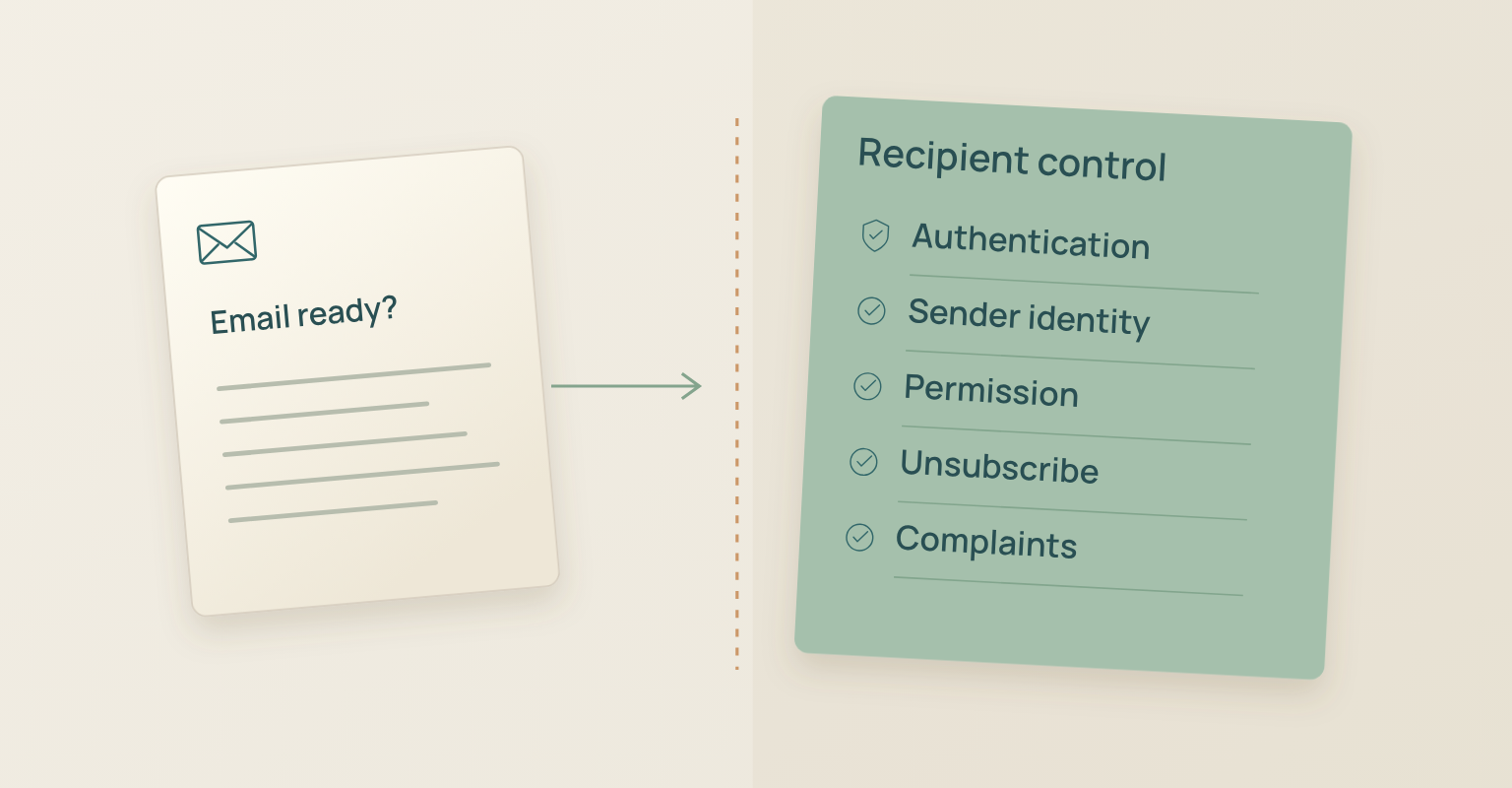
Strong copy cannot compensate for weak sending practices. Webinar email should come from authenticated infrastructure, use a stable and recognisable identity, reach people who have a legitimate reason to receive it and make preference or unsubscribe actions easy where required.
Gmail's email sender guidelines set authentication and sender requirements for mail delivered to personal Gmail accounts, with additional requirements for higher-volume senders, and Yahoo's sender best practices likewise emphasise authenticated mail, relevant messages, low complaint rates and easy unsubscribe. Sender setup, domain alignment, complaint levels and unsubscribe behaviour are part of campaign quality, not back-office details. RFC 8058 defines one-click unsubscribe signalling in list email headers; a visible footer link and provider-level one-click unsubscribe are related but not identical, so the sending system and deliverability owner should confirm which mechanisms the programme needs.
The FTC CAN-SPAM compliance guide is one example of jurisdiction-specific rules for commercial email, covering accurate sender information and subject lines, business identification and opt-out handling. Other jurisdictions use different frameworks. An invitation that promotes a webinar and a confirmation that delivers requested access serve different purposes, but that does not create an automatic legal classification: the organiser, legal owner and sending provider need to agree on message type, permission, suppression and unsubscribe behaviour for the audience and market.
Make Webinar Emails Accessible and Useful without Images
A recipient should be able to understand the event, logistics and primary action even when images are blocked, colours are changed or assistive technology is used. Put essential information in real text, use headings and paragraphs in a logical order, descriptive links, meaningful alternative text and buttons large enough to activate comfortably on a phone. Litmus's guidance on accessible email covers semantic structure, alternative text, readable contrast, link clarity and mobile interaction; use it as an implementation checklist, then test the final email in the actual sending system and common clients.
Never place the webinar title, date, time or join instruction only inside a banner image. Decorative images can use empty alternative text, while informative images need concise text that explains their role.
Email Accessibility Check
- The email is understandable with images turned off.
- The webinar title, date, time zone and CTA are real text.
- Links describe their destination instead of using only "click here".
- Informative images have meaningful alternative text.
- Colour is not the only way status or urgency is communicated.
- Buttons and links are usable on a narrow mobile screen, and the reading order stays logical in the final client output.
Connect the Email Sequence to the Event Workflow
The sequence works best when the page, registration state, access details and follow-up audience stay connected. Before the invitation goes out, plan the full webinar campaign and build the registration page and form in JakoMeet. Keep acquisition and attendance communication separate, and after the event use actual attendance status instead of sending one generic message to the entire registration list.
Measure the Sequence beyond Open Rate
Open rate can be a directional diagnostic, but it should not be the primary proof that the sequence worked. Apple's Mail Privacy Protection prevents senders from seeing whether protected users opened a message, which makes opens an incomplete signal rather than a clean measure of human attention.
| Metric | Question Answered | Definition or Source |
|---|---|---|
| Delivered invitations | How many messages were accepted for delivery? | Sending platform |
| Invitation clicks | Did recipients move to the registration page? | Email links |
| Email-attributed registrations | Did invitation traffic complete registration? | Source tracking and registration |
| Click-to-registration conversion | What share of email visitors registered? | Registrations attributed to email divided by unique landing page visitors from email, multiplied by 100 |
| Attendance rate by source | Did email-attributed registrants attend live? | Live attendees from the source divided by registrants from the source, multiplied by 100 |
| Start-notification clicks | Did the access message help people enter? | Start email link data |
| Replay and resource clicks | Did follow up extend the session value? | Follow-up link data |
| Unsubscribes and complaints | Is the audience, permission or frequency creating resistance? | Sending and mailbox-provider data |
Use consistent source naming and compare like with like. A customer announcement list, a partner list and a cold paid audience should not be expected to behave the same way. You can review registration sources and attendance data in JakoMeet and connect the sequence to the wider campaign objective.
Common Webinar Email Mistakes
- Sending the same message to every audience state. A registrant should not receive another invitation, and a no-show should not be thanked for attending.
- Repeating the invitation without adding information. A follow-up invitation adds a speaker insight, a specific question, an example or an accurate deadline. Repetition alone is not a sequence.
- Treating the confirmation as a receipt. "Registration successful" is not enough. Explain the time zone, calendar action, access path and support route.
- Hiding the join action in the reminder. Long promotional copy and several competing CTAs create friction when the person is trying to join.
- Using one follow-up for attendees and no-shows. The two groups had different experiences. Their recap, replay framing and next action should reflect that.
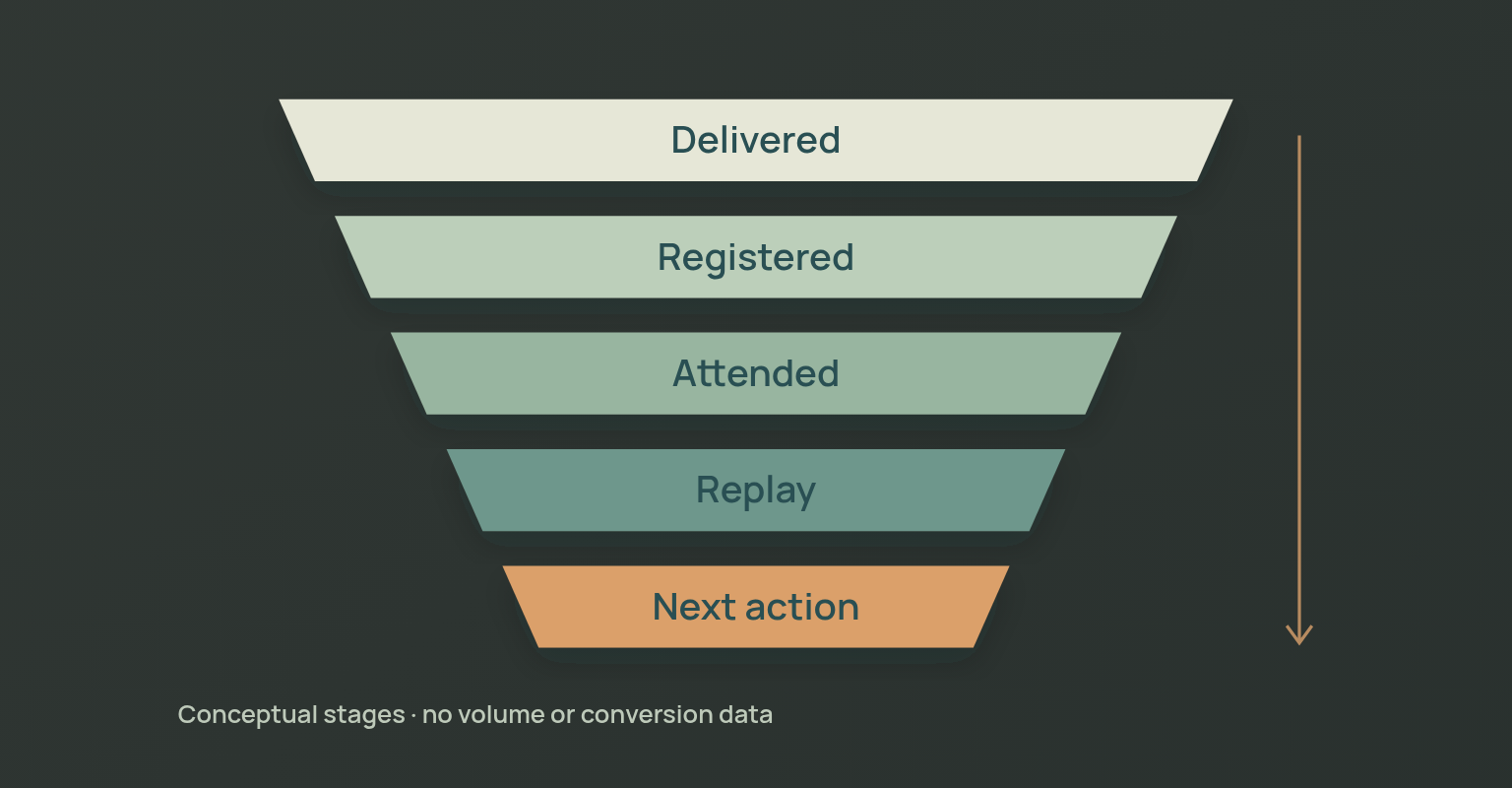
- Using open rate as the main success metric. Open data is incomplete and does not show registration, attendance or useful post-event action.
- Adding legal language without an operational decision. A footer cannot repair an unclear permission model. Define audience source, message type, suppression, unsubscribe and ownership before sending.
- Copying a template without replacing the thinking. The audience problem, webinar promise, speaker proof, logistics and next action still need campaign-specific decisions.
How JakoMeet Supports the Webinar Email Sequence
JakoMeet connects registration confirmation and access details, pre-event reminders, live-start notifications and post-event replay or follow-up to the same event, in the event language. Organisers choose the tone and whether each automation is active; subjects, bodies and send times are fixed. JakoMeet does not send invitations to imported lists: share the event link through your own email tools or channels, or reach new people with Audience Boost, and new registrants enter the confirmation and access flow. Launch includes one basic reminder. Growth adds a second reminder and can separate attendee and no-show follow-up.
You can send webinar confirmations, reminders and follow-up in JakoMeet, see the full webinar workflow, or compare JakoMeet plans and email automation limits.
Frequently asked questions
How Many Emails Should a Webinar Email Sequence Include?
A focused sequence usually needs an invitation, immediate registration confirmation, at least one reminder, a start notification when useful and post event follow up. Add another invitation or reminder only when it has a distinct job and is sent to the right audience state.
When Should Webinar Reminder Emails Be Sent?
There is no universal timing that fits every audience. A practical starting model is one reminder about a day before the session and an optional second reminder closer to the start. Adjust for time zones, audience habits, event importance and the number of earlier messages.
What Should a Webinar Confirmation Email Include?
Confirm that registration succeeded, repeat the exact date, time and time zone, explain how access will work, provide a calendar action, identify the sender and give a support route. If the join link will arrive later, say so clearly.
Should Attendees and No Shows Receive the Same Follow-Up?
No. Attendees can receive a concise recap, replay, promised resources and the next action. No shows need a short explanation of what they missed, a useful path into the replay and a next action that does not pretend they attended.
Should Webinar Invitation Emails Include an Unsubscribe Option?
Promotional webinar invitations should follow the permission, identity and opt out requirements that apply to the sender, audience and jurisdiction. Confirmation and access messages may have a different operational role, but classification depends on content and law. Review the final sequence with the appropriate legal and deliverability owners.
How Soon Should You Send a Webinar Follow-Up Email?
Prepare the message before the event and send it after the replay, resources and audience status are ready. For many programs that means the same day or the next business day, but the correct timing depends on the promised deliverable and the follow up process.
What Makes a Good Webinar Email Subject Line?
A useful subject line is recognizable, accurate and specific about the outcome or event status. Invitations can lead with the attendee outcome. Confirmations, reminders and start notifications should make the operational purpose obvious.
Sources and Further Reading
- Gmail Help: Email Sender Guidelines: Authentication, sender requirements, complaint rates and unsubscribe expectations for mail sent to personal Gmail accounts (opens in a new tab)
- Yahoo Sender Hub: Sender Best Practices: Authentication, relevance, complaint management and easy unsubscribe for reliable delivery (opens in a new tab)
- Federal Trade Commission: CAN-SPAM Act Compliance Guide for Business: US requirements for commercial email identity, subject lines, business information and opt-out handling (opens in a new tab)
- RFC Editor: RFC 8058: The technical standard for signaling one-click functionality for list email headers (opens in a new tab)
- Litmus: 2026 Guide to Creating Accessible Emails: Practical guidance on semantic structure, alternative text, link clarity, contrast and mobile interaction (opens in a new tab)
- Apple Support: Mail Privacy Protection: Why open tracking is incomplete for recipients using protected Apple Mail activity (opens in a new tab)