
AUDIENCE & PROMOTION
How to Promote a Webinar: A 4 Week B2B Promotion Plan
Organize webinar promotion across four weeks, with clear message roles, channel priorities, and separate paths for earning registrations and helping registrants attend.
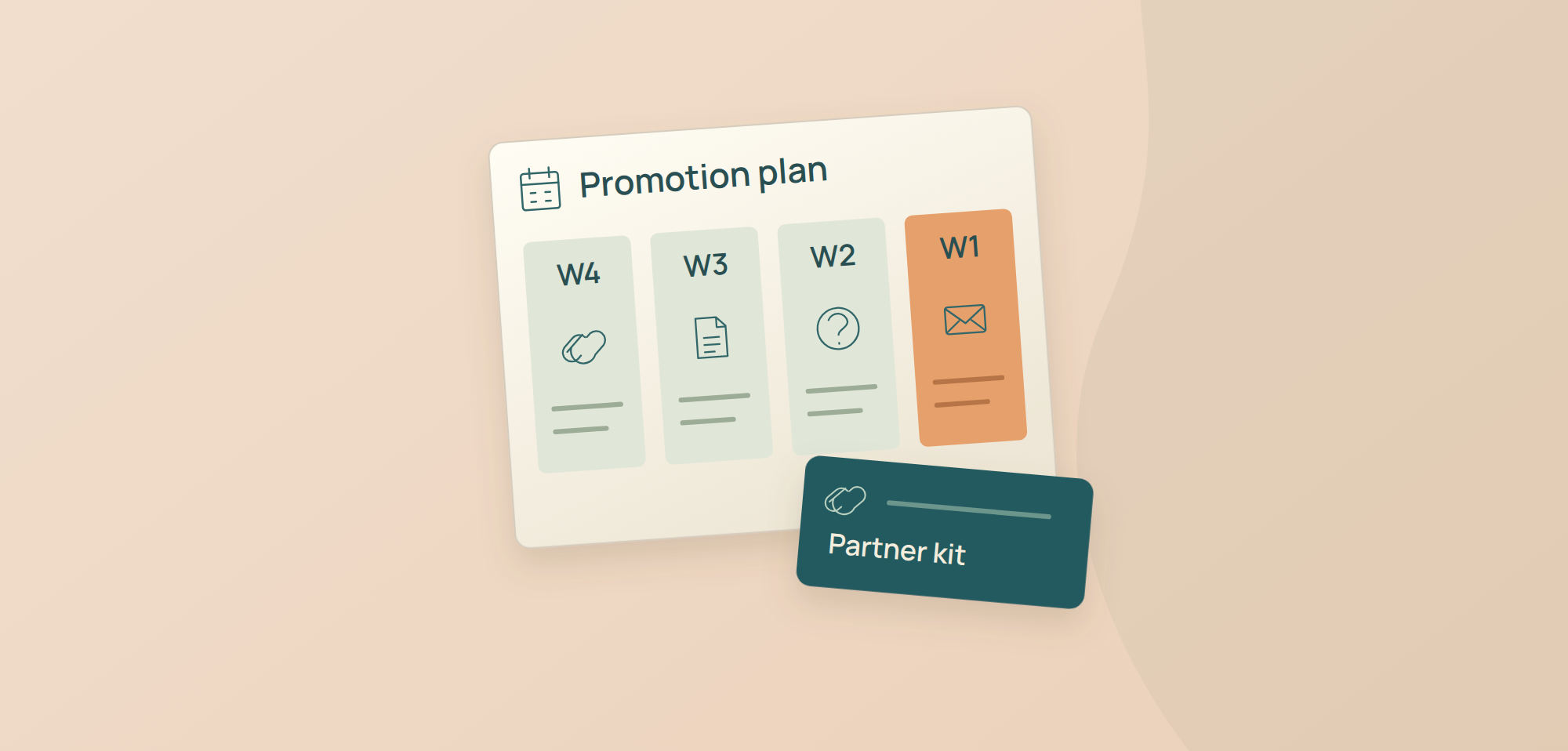
Posting the webinar link repeatedly gives people little new reason to register. Promotion works as a sequence when each message adds context and the campaign shifts toward attendance after someone signs up.
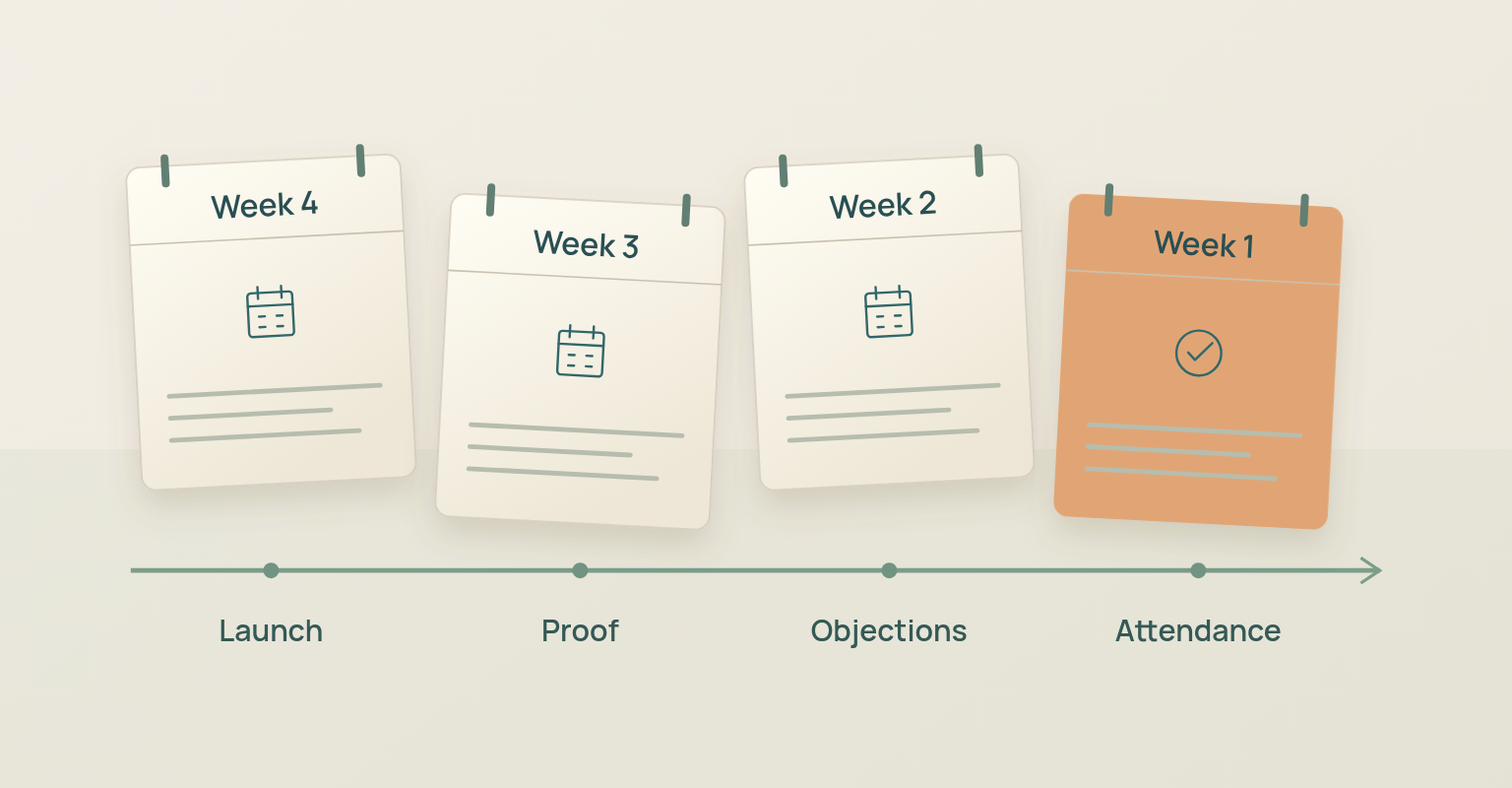
A practical B2B promotion plan starts four weeks before the session. Week 4 establishes the page, message and core distribution. Week 3 adds expertise and partner reach. Week 2 answers objections and expands the channel mix. Week 1 separates nonregistrants from registrants, makes the final acquisition case and removes friction from attendance. The four-week model is a starting point: short customer sessions may need less time, while partner programmes, executive speakers, original research, paid media and new audiences may need more.
Webinar Promotion Plan at a Glance
| Stage | Primary Goal | Main Audience | Core Actions | Primary Measures |
|---|---|---|---|---|
| Week 4 | Launch the campaign | Relevant nonregistrants and core network | Publish the page, send the first invitation, activate speakers and partners, set source tracking | Visits, registrations, source coverage |
| Week 3 | Add proof and reach | Nonregistrants who need more evidence | Share a speaker insight, specific question, example, partner post and employee assets | Qualified visits, registrations by source |
| Week 2 | Resolve objections and broaden distribution | Interested nonregistrants and selected paid audiences | Publish agenda detail, FAQ, short clip or visual, community contribution and paid test if justified | Conversion by source, cost and audience fit |
| Week 1 | Create an accurate final decision | Nonregistrants and registrants in separate flows | Send the final invitation, stop acquisition to registrants, send reminders, verify time zones and access | Late registrations, attendance readiness |
| Live and Post Event | Protect access and continue value | Registrants, attendees and no shows | Send start access, segment follow up, share replay and measure attendance by source | Attendance, replay and next actions |
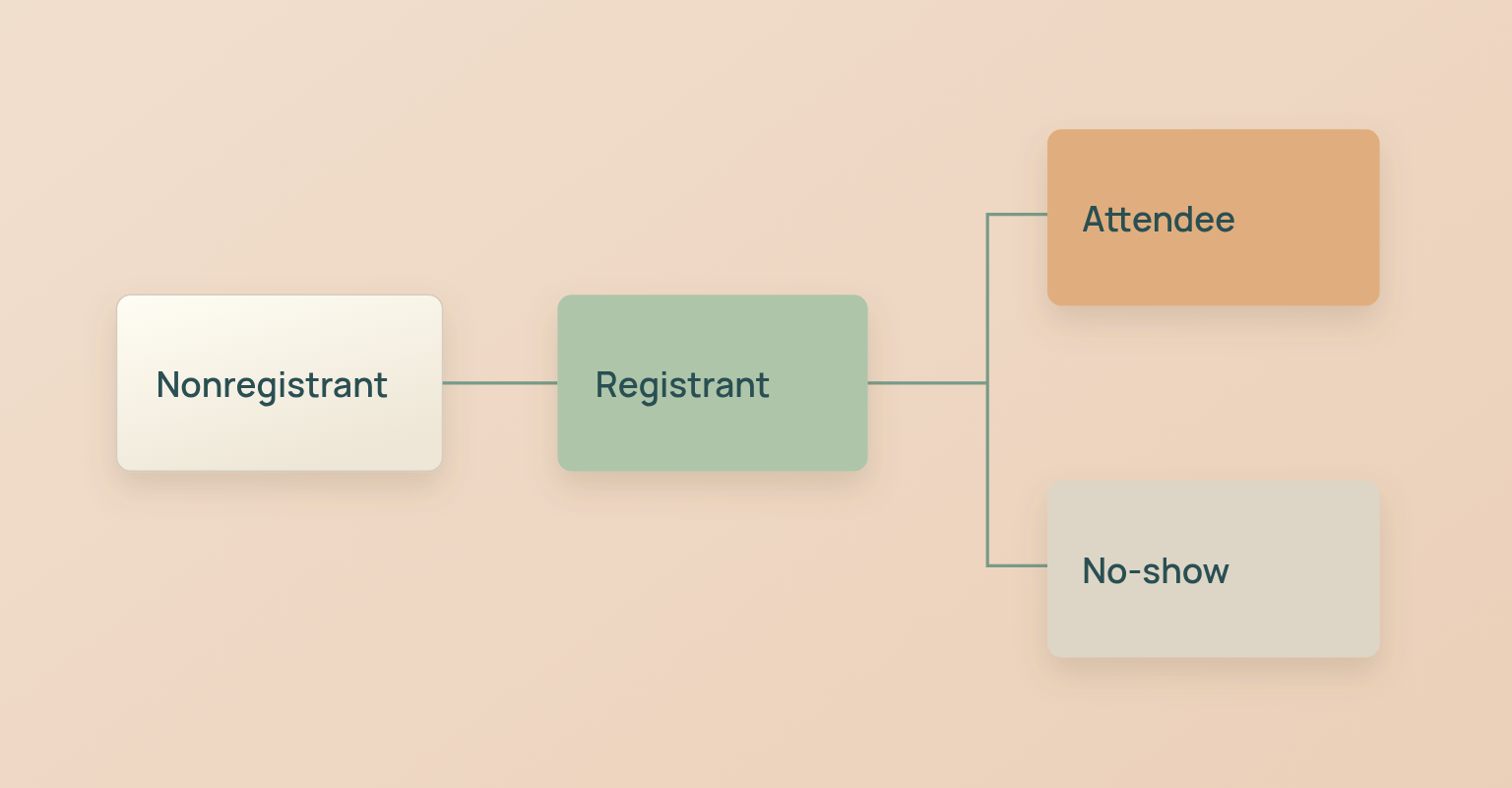
The plan changes as the audience state changes. A person who has not registered needs relevance and proof. A registrant needs confirmation, calendar context and a simple path to attend. An attendee or no-show needs follow-up that reflects what actually happened.
Define the Audience and Outcome Before Choosing Channels
Channel selection begins with the audience. "B2B marketers" is too broad to guide a campaign. "Demand generation managers at B2B software companies who need to build qualified webinar reach beyond a small owned list" creates clear decisions about message, partners, speakers and paid targeting.
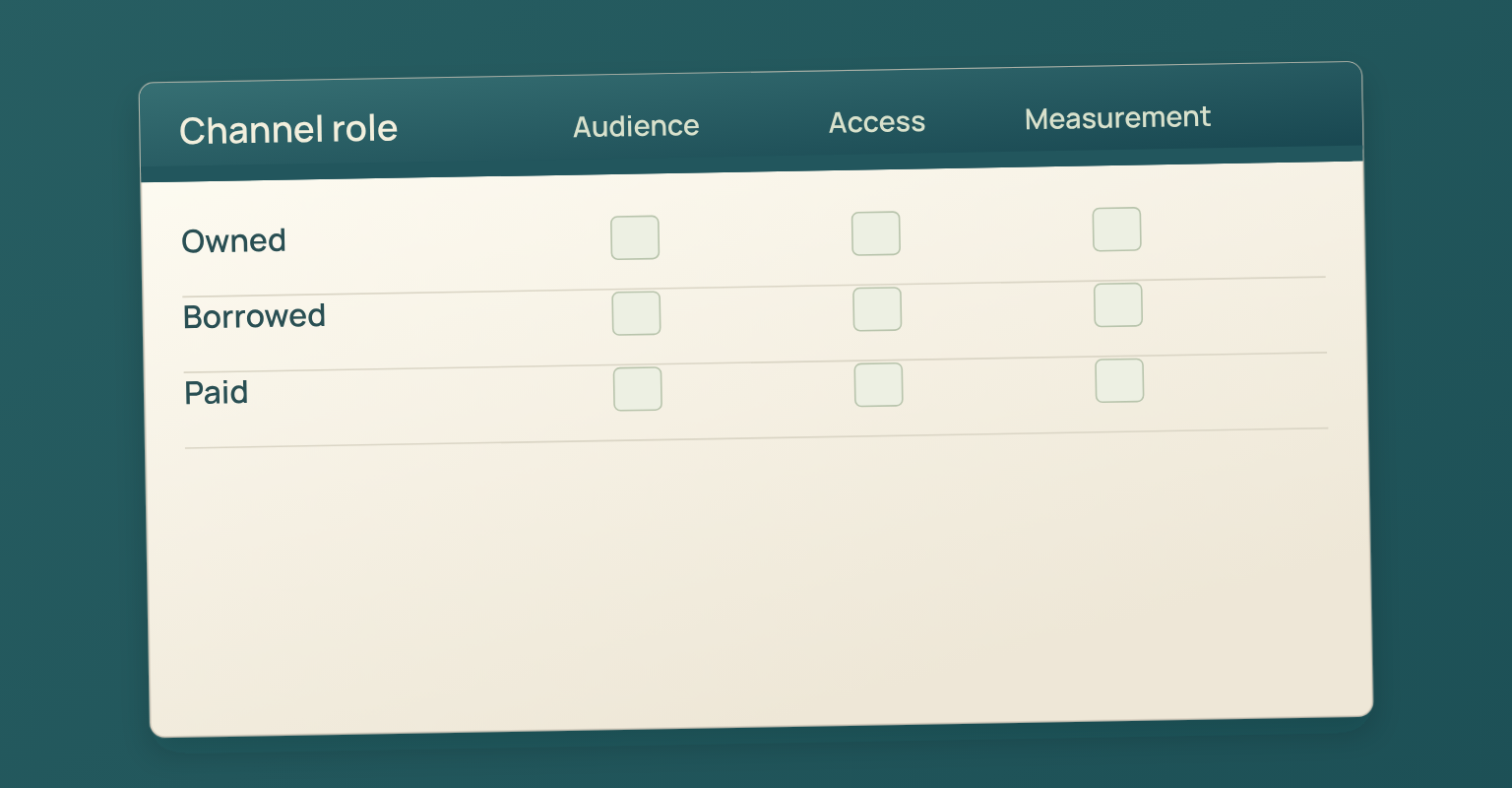
Audience research should reveal which social accounts, websites, newsletters, podcasts, YouTube channels, communities and topics already receive the audience's attention. SparkToro's audience report guidance recommends using relative audience attention to identify sources that are both relevant and reachable. Create a short channel hypothesis before launch: for each proposed route, write who is reachable there, why they would care, what asset fits the channel and how the source will be measured. Remove channels that cannot answer those questions. The audience research guide covers the method in detail.
Make the Promotion Promise Match the Webinar
The campaign should make the same promise as the session. If the landing page offers a practical framework, promotion should preview the framework, show the problem it solves and give evidence that the speakers can deliver it. Do not promote a tactical webinar with broad brand slogans, and do not promote a product pitch as independent education.
The Edelman and LinkedIn B2B Thought Leadership Impact Report surveyed nearly 3,500 management-level professionals and frames useful thought leadership as content that makes business leaders reconsider their challenges. Applied to promotion: share a useful idea, question or decision before asking for registration. The event link supports the insight rather than replacing it.
Set the Campaign Objective and Guardrails
Choose one primary promotion objective: qualified registrations, attendance from a named account list, customer education participation, partner audience reach or product launch awareness. Then define the constraints: audience permission, geographic scope, budget, channel owners, speaker availability and the maximum message frequency the wider marketing calendar can support. For the full strategy and ownership model, plan the webinar campaign before opening registration. Promotion cannot repair an undefined audience, a weak outcome or an unfinished registration journey.
Build the Registration and Measurement Path Before Launch
Do not begin promotion while the event page, form, confirmation or source tracking is unfinished. A campaign creates demand for a journey, not just for a URL. Test the page as a registrant on desktop and mobile, confirm the time zone, check the thank-you state and make sure the confirmation explains what happens next. The webinar landing page guide covers the registration promise, page structure, form fields and confirmation experience.
Create a Source Naming Convention
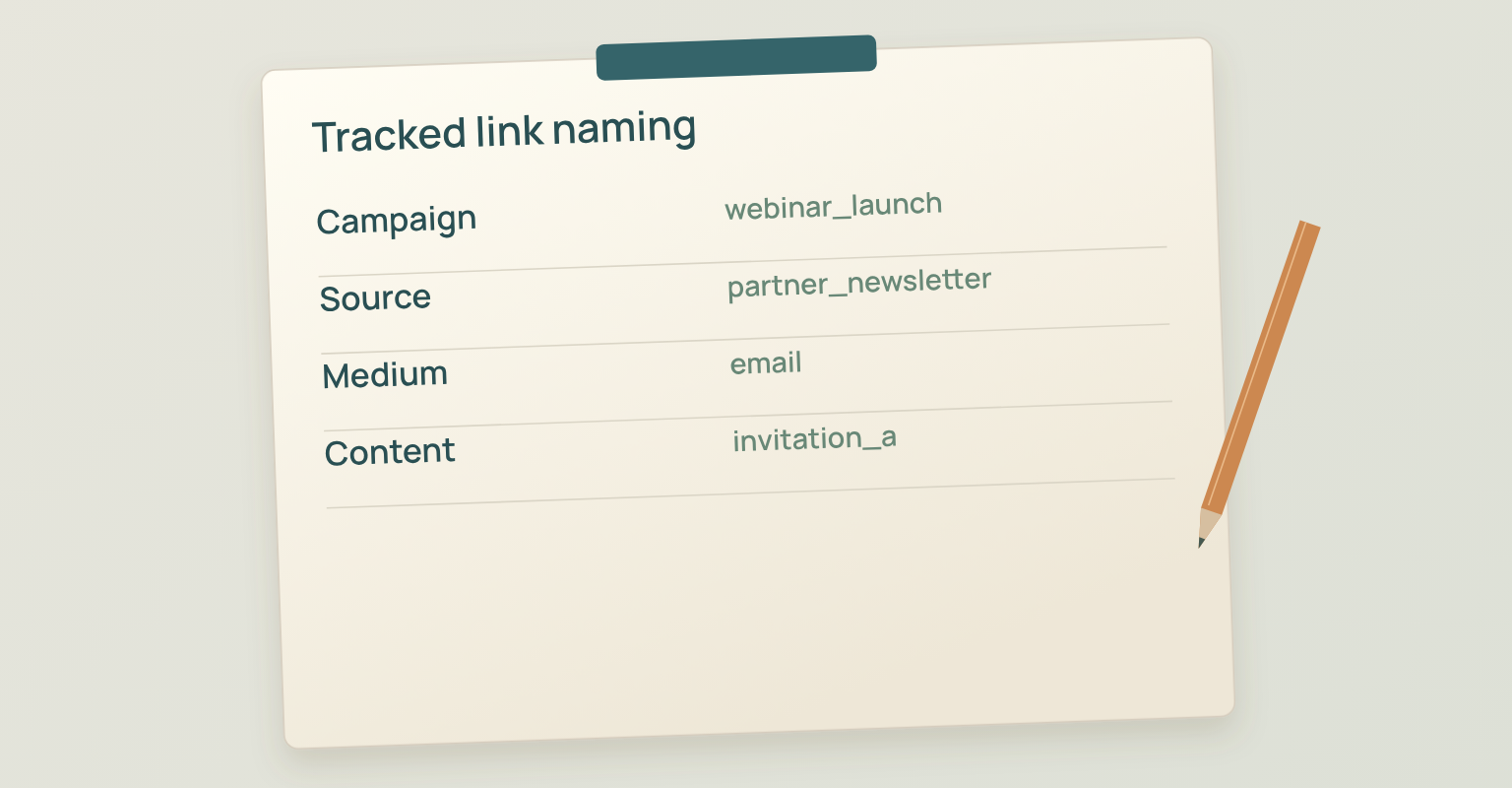
Matomo's campaign tracking guidance explains how campaign, source, medium and content parameters identify where visits came from and what they did after arriving. Choose the convention before the first link is shared; it is far easier than adding consistent tags to a campaign that has already started.
| Field | Purpose | Example |
|---|---|---|
| Campaign | The shared campaign name across every route | webinar_registration_2026_q4 |
| Source | The specific publisher, partner or owner | owned_newsletter, speaker_name, partner_name, linkedin |
| Medium | The channel type | email, organic_social, partner, paid_social, community |
| Content | The specific asset or placement | launch_post, speaker_clip, final_invite, event_ad_a |
Use lowercase values, one separator and a documented vocabulary. "LinkedIn", "linkedin organic", "LI" and "social linkedin" should not become four labels for the same route. Keep personal data out of campaign parameters, because URLs get stored and shared.
Define the Baseline
Record the size and quality of the owned audience, expected partner support, paid budget, historical registration and attendance patterns, and any known deliverability or channel limits. The purpose is to make the campaign explainable after the event, not to forecast a perfect result.
Launch Readiness Check
- The landing page, form, confirmation and calendar details have been tested.
- Source, medium, campaign and content naming rules are documented.
- Every distribution owner has the correct tracked link.
- The baseline audience, budget and historical context are recorded.
- Registrants can be removed from acquisition messages where the system supports it.
Week 4: Launch the Page and Activate the Core Network
Week 4 establishes the campaign. Publish the registration page, send the first owned invitation and give speakers, partners and employees the assets they need before asking them to post. The objective is clean initial reach, reliable tracking and early evidence about which messages and sources attract the intended audience, rather than maximum frequency.
Send the First Invitation to Relevant Owned Contacts
The first invitation should identify the audience problem, the practical outcome, the relevant speaker or evidence, the date and time zone, and one registration action. Segment where the topic or relationship requires different context: a customer list, a prospect list and a partner community may need different openings even when they lead to the same page. The webinar email templates keep the invitation, confirmation and reminders aligned with the page promise.
Publish One Strong Company Post, Not a Stack of Announcements
A strong launch post makes one useful point before introducing the webinar. It can frame a costly mistake, show a short decision model, summarise a question from customers or share a specific claim the speaker will examine. The event details and link come after the value is clear.
In its live event guidance, LinkedIn Marketing Solutions recommends setting up an event at least two to four weeks ahead and using the event page and paid Event Ads to support discovery. JakoMeet's four-week model uses that range as a practical starting point.
Give Speakers and Partners a Distribution Kit
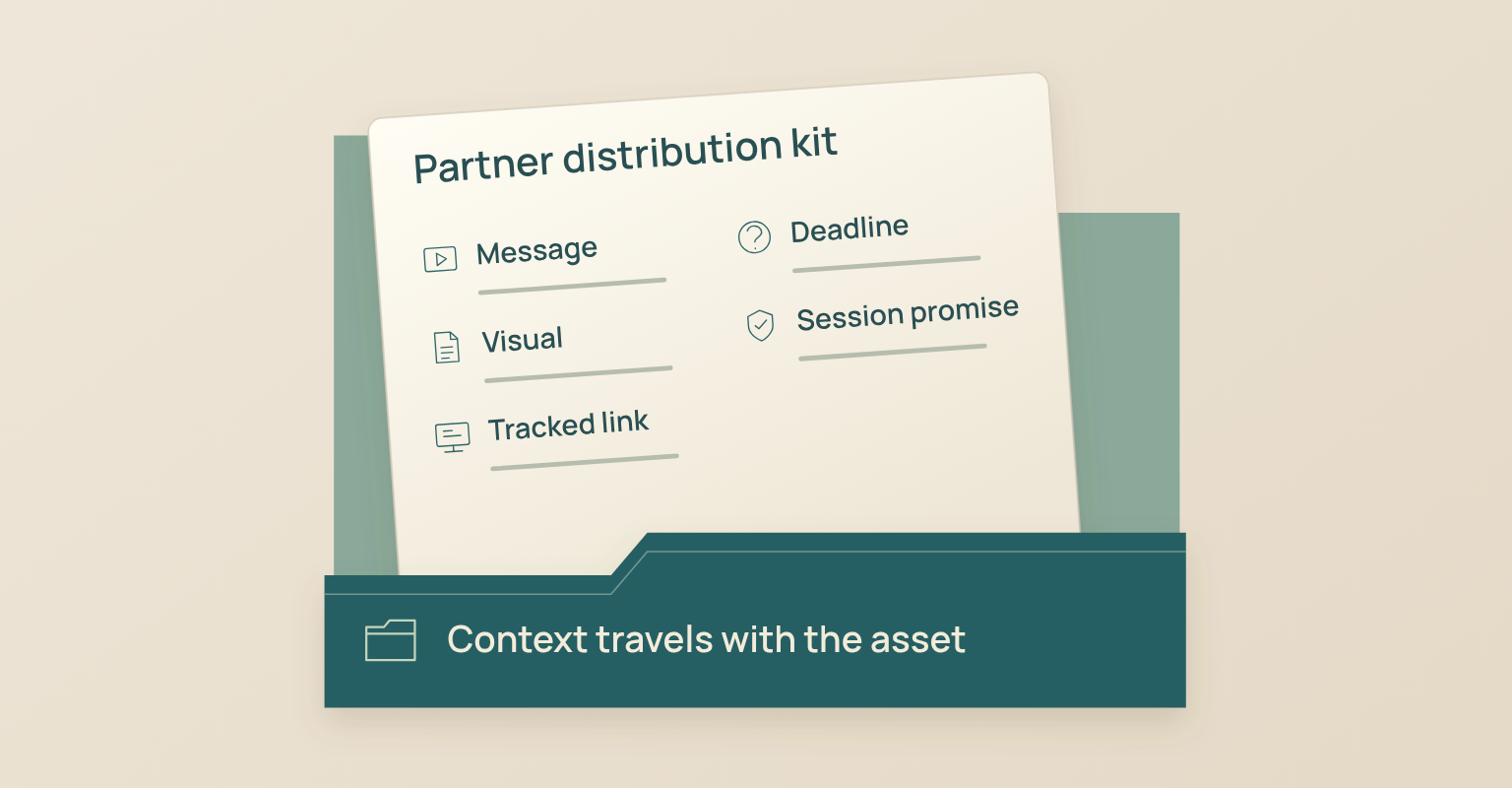
Do not send a speaker the registration link and ask them to "share when you can". Provide two or three adaptable post options, one short email paragraph, a clean visual, the tracked link assigned to that person or organisation, the session promise and a clear deadline. Give partners room to use their own voice while protecting the event facts and audience promise.
Ask each contributor which channel and audience they can realistically reach. A speaker with a trusted niche newsletter may be more useful than a large but unrelated social following. Judge a partner by audience fit and willingness to explain the topic, not by list size.
Week 4 Check
- The page is published and the full registration path works.
- The first invitation reaches only relevant contacts.
- The company launch post leads with a useful idea.
- Speakers and partners have adaptable assets and unique tracked links.
- Early registrations are reviewed by source and audience fit.
Week 3: Add Proof, Specificity, and Borrowed Reach
Week 3 should not repeat the launch. Add information that makes the decision easier: a speaker point of view, a real question the session will answer, a brief example, a framework preview or a practical resource connected to the event. People who ignored the first announcement get a new reason to consider the session.
Turn One Webinar Idea into Several Promotion Assets
| Asset | Primary Job | Best Owner | Suitable Routes |
|---|---|---|---|
| Speaker insight | Demonstrate expertise and create curiosity | Speaker or subject expert | Personal LinkedIn, partner newsletter, company post |
| Audience question | Show that the session addresses a real decision | Campaign owner or moderator | Email, social, community contribution |
| Framework preview | Make the session feel practical | Content or design owner | Carousel, short article, email section |
| Short clip or voice note | Humanize the speaker and clarify the promise | Speaker and producer | LinkedIn, partner channels, paid social |
| Checklist or worksheet preview | Give immediate utility and preview the session | Campaign owner | Email, landing page, social post |
Activate Employees and Partners without Copy-and-Paste Posts
Give employees the facts, the intended audience and several starting angles rather than one approved paragraph that everyone pastes. A product manager can explain the operational problem, a sales leader can frame a buyer question, a customer success manager can describe a recurring customer obstacle. The posts point to the same event while sounding like the people who share them.
A partner post is strongest when it explains why the topic matters to that partner's audience. Ask the partner to contribute a question, example or perspective that appears in the session. Co-creation gives the partner a reason to promote more than once and makes the promotion credible to its audience.
Week 3 Check
- The second wave contains new information, not repeated launch copy.
- At least one asset demonstrates speaker or operator expertise.
- Employees have prompts they can adapt to their own roles.
- Partners have a meaningful contribution and a tracked route.
- Source performance is reviewed before adding more volume.
Week 2: Answer Objections and Broaden the Channel Mix
By Week 2 the campaign has enough evidence to show what is working. Review source quality, page conversion and the questions people ask before registering. Use that information to address objections and decide whether additional organic, community or paid distribution is justified.
Publish the Agenda, FAQ, and Access Expectations Clearly
People may understand the topic but still be unsure about the level, format, speakers, replay or live interaction. A short agenda breakdown, a "who this is for" post or a speaker response to one audience question removes more friction than another generic reminder.
Choose Channels from Evidence, Not Habit
The Content Marketing Institute's 2025 statistics summary reports that B2B marketers widely use organic social, email newsletters and webinars, and that LinkedIn is the social platform most often named as delivering the best value. Use that as channel context, not as proof that every audience behaves the same way; the campaign still follows its own audience research and source data.
Relevant communities and newsletters are useful when the event contributes something specific to their members. Do not enter a community only to drop a registration link. Share a useful explanation, ask permission where needed and adapt the message to the community's norms.
Decide Whether Paid Promotion Has a Clear Job
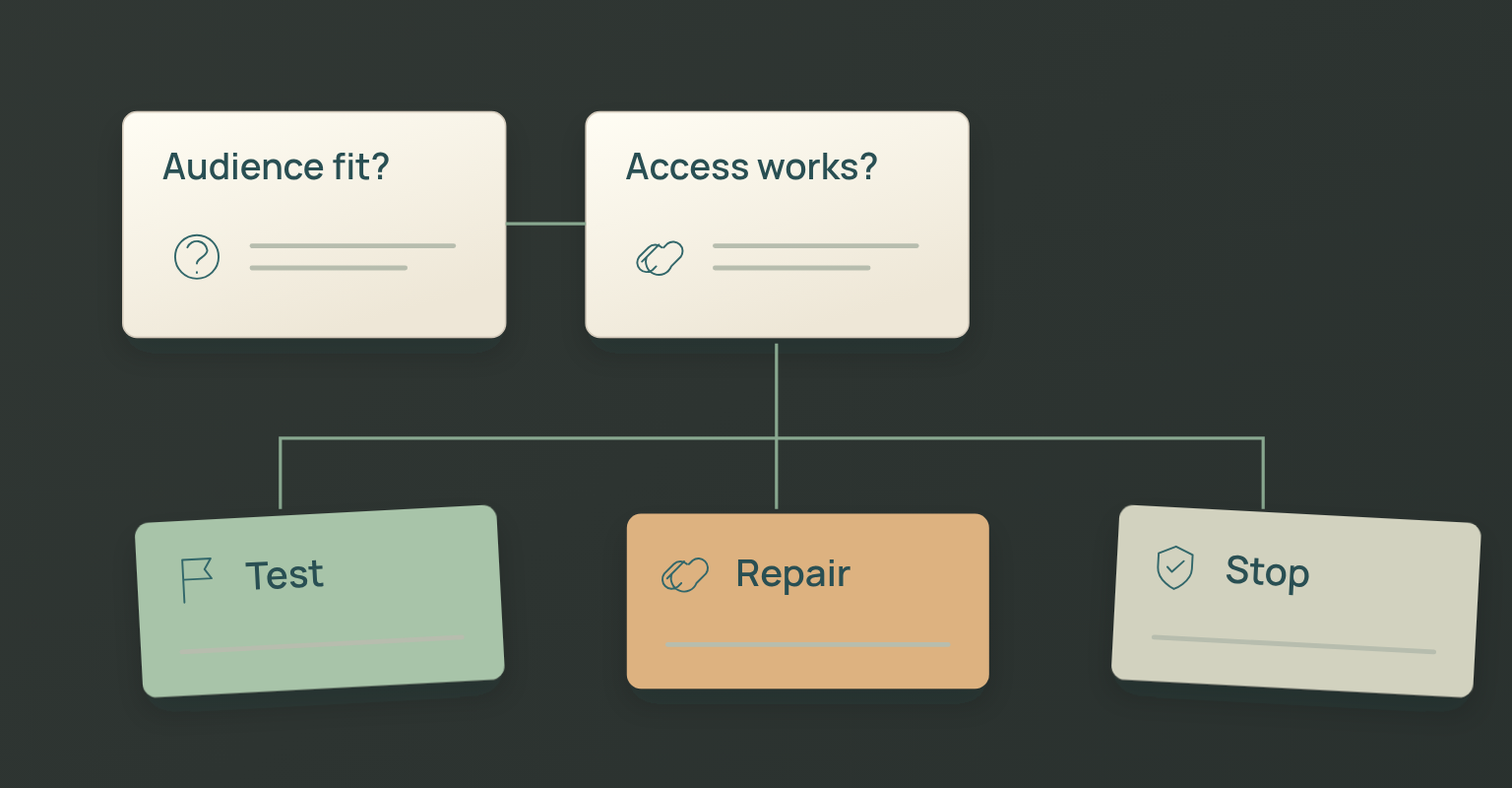
Paid media extends a working campaign; it does not diagnose a weak promise. If owned and partner traffic reaches the page but does not register, repair the message or page before buying more visits. If qualified visitors convert and the campaign needs additional reach, a paid test has a clear job: a specific audience, a tracked creative variation and a stop rule based on cost, registration quality or page performance.
Use Social Proof without Invented Scarcity
Eventbrite's event promotion guide lists social proof, story-based content, event page quality and retargeting among its tactics. For a B2B webinar, social proof can be relevant speaker experience, a prior audience question, a customer observation or a credible partner. Do not claim the event is filling up unless capacity is genuinely limited, and do not use anonymous praise as evidence.
Week 2 Check
- Promotion answers the most common registration objections.
- Community and newsletter outreach provides value before the link.
- Paid media has a defined audience, budget, creative test and stop rule.
- Social proof is specific, relevant and verifiable.
- Source and conversion data are reviewed before expanding spend.
Week 1: Separate Acquisition from Attendance
The final week has two different jobs. Nonregistrants may need one accurate final reason to register. Registrants need confidence that the webinar is on the calendar, relevant and easy to join. Mixing those audiences weakens both messages.
Send a Final Invitation with New Information
The final invitation should add a speaker insight, a specific agenda item, an audience question, a resource or an accurate registration deadline. Do not manufacture urgency. "Last chance" is useful only when registration truly closes or the event is about to begin.
Move Registrants into Attendance Communication
Stop sending acquisition messages to registrants where the system supports it. Send confirmation, calendar context, one practical reminder and a clear start notification according to the event plan. The live access action should be easy to find on a phone and should not compete with several promotional CTAs. JakoMeet can send webinar confirmations, reminders and follow-up around the event, so each registrant gets the right message as they move from registration to attendance.
Recheck Time Zones, Calendar Details, and Support
A successful promotion can still produce weak attendance when time zones, calendar details or access instructions are inconsistent. Review the page, confirmation, reminder, calendar entry and start message as one system. Assign a monitored support route and decide how last-minute questions will be handled.
Week 1 Check
- Nonregistrants receive one accurate final acquisition message.
- Registrants no longer receive irrelevant invitations where possible.
- Reminder and start messages make time zone and access obvious.
- The calendar entry matches the page and email sequence.
- A support owner is available for access problems.
How to Promote a Webinar with a Small Email List
A small owned list calls for sharper audience definition and more deliberate borrowed reach, not a bought list or invitations to people with no relationship to the topic.
- Choose a narrow problem that partners, speakers and communities can recognise quickly.
- Recruit speakers who can contribute expertise and reach, not only a logo.
- Ask partners to co-create an example, question or section of the session.
- Give employees and subject experts adaptable assets and tracked links.
- Contribute useful context to relevant communities and newsletters before asking for registration.
- Use targeted paid promotion only when the page and message already work for qualified visitors.
- Use managed audience reach when eligibility, consent, audience fit and campaign economics are clear.
Eligible organisers can reach relevant professionals beyond their owned list with Audience Boost. JakoMeet handles the invitations, nonregistrant identities stay hidden, and people who register enter the normal event flow with source attribution.
Measure Promotion from Reach to Attendance
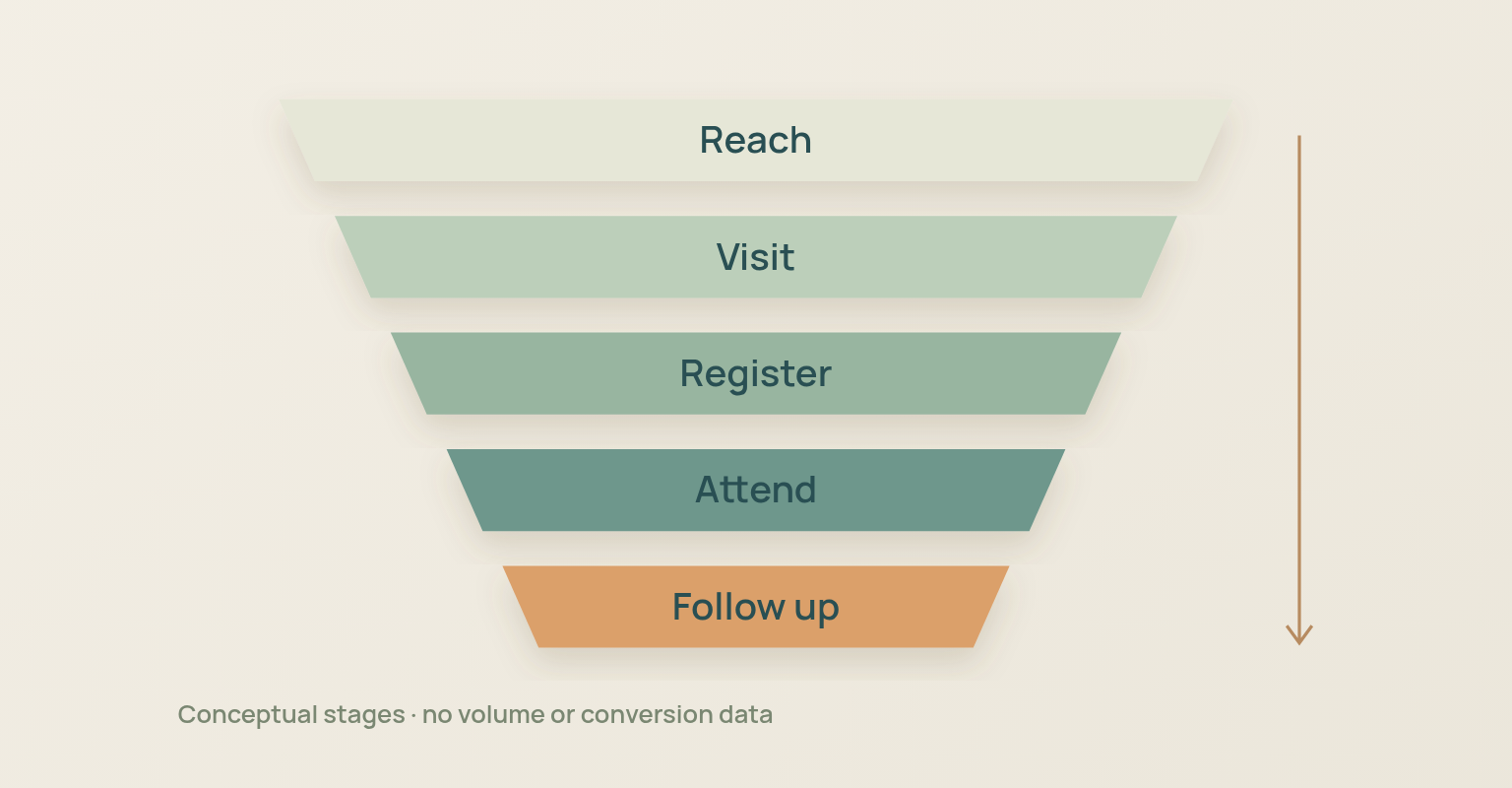
Registrations are an important result, but not the end of the analysis. One source can produce many registrations and weak attendance; another can produce fewer registrations and a better fit for the campaign. Review the full path.
| Measure | Question Answered | Interpretation |
|---|---|---|
| Reach or delivered audience | How many relevant people had a reasonable chance to see the message? | Use with audience definition and channel context. |
| Registration page visits | Which sources moved people to the page? | Compare source volume with link quality and tracking consistency. |
| Visit to registration conversion | Which sources converted qualified visits into registrations? | Compare like with like. Warm email and cold paid traffic have different intent. |
| Registrations by source | Which routes built the audience? | Review role, company and other permitted fit signals, not volume alone. |
| Attendance rate by source | Which sources brought people who joined live? | Divide live attendees from the source by registrants from the source. |
| Cost per qualified registration | Was paid reach economically reasonable? | Include media cost and the agreed quality definition. |
| Unsubscribes, complaints or negative feedback | Did frequency, audience choice or permission create resistance? | Investigate the source and message rather than treating resistance as noise. |
| Replay and next action | Did promotion create value after the live moment? | Connect follow up behavior to the original campaign objective. |
Open and click data help diagnose individual messages, but the programme is judged by registration, audience fit, attendance and the relevant post-event action. Keep source naming stable so those comparisons remain possible. You can review registration sources and attendance data in JakoMeet. For a pipeline-oriented campaign, run lead generation webinars as a connected campaign and use downstream systems for the revenue questions the webinar report does not answer on its own.
Common Webinar Promotion Mistakes
- Starting promotion before the registration path is ready. Early attention is wasted when the page, form, confirmation, time zone or calendar details are incomplete.
- Using the same announcement in every channel. Email, a speaker post, a community contribution and a paid ad serve different contexts. Keep the event facts, adapt the message.
- Repeating the same message every week. A sequence should add proof, specificity, answers and accurate urgency. Repetition creates frequency without a new reason to register.
- Giving speakers and partners assets too late. Provide the message, visual, tracked link and deadline before the partner's calendar is full.
- Continuing to send invitations after registration. A registrant needs attendance communication, not another request to register.
- Adding paid spend before fixing the page or promise. Paid media amplifies the current campaign. It does not repair weak positioning or a broken registration experience.
- Creating inconsistent source labels. Messy naming makes channel comparison unreliable. Define the vocabulary before the first link is published.
- Reporting registrations without attendance or fit. Large registration totals can hide weak audience quality and low attendance.
How JakoMeet Supports Webinar Promotion
JakoMeet keeps the registration page, event communication, Audience Boost registrations and source reporting connected to the same webinar. Organisers can build a webinar registration page and form in JakoMeet, share the event link through their own channels, extend reach with Audience Boost, move registrants into confirmation and reminders, then compare registration sources and attendance in the event report.
See the full webinar workflow in JakoMeet, or compare JakoMeet plans and event limits.
Frequently asked questions
How Far in Advance Should You Promote a Webinar?
Two to four weeks is a practical starting range for a focused B2B webinar. Use more time when the campaign depends on partners, paid media, executive speakers, original research, legal approvals or a new audience. The right lead time depends on how much work must happen before a qualified person can make a registration decision.
What Is the Best Way to Promote a Webinar?
Start with a specific audience and outcome, then combine the channels that already reach that audience. For many B2B programs this includes owned email, LinkedIn, speakers, partners, employees, relevant communities and selective paid reach. Every route should lead to the same clear registration promise and use consistent source tracking.
How Often Should You Promote a Webinar?
Promote it often enough to introduce the event, add proof, answer objections and provide an accurate final opportunity to register. Do not repeat the same announcement on a fixed schedule. Each message should have a distinct job and should stop reaching people after they register whenever the system supports it.
Which Channels Work Best for B2B Webinar Promotion?
The best channels are the ones the intended audience already uses and trusts. Email and LinkedIn are common starting points, while speaker networks, partners, communities, newsletters, paid social and targeted audience products can extend reach. Choose channels from audience evidence rather than from a universal checklist.
How Do You Promote a Webinar with a Small Email List?
Use a narrow topic, activate speakers and partners, give employees ready to adapt social assets, contribute to relevant communities and use targeted paid or managed audience reach when the economics and audience fit make sense. A small list is a distribution constraint, not permission to message unrelated contacts.
How Do You Track Webinar Promotion Sources?
Create the source naming convention before launch. Use consistent campaign, source, medium and content values on every link, then preserve those values through registration reporting. Document the naming rules so email, speakers, partners, social posts and paid campaigns do not create incompatible labels.
Should You Keep Sending Invitations after Someone Registers?
No. Once a person registers, the campaign job changes from acquisition to attendance. Move registrants into confirmation, calendar, reminder and access communication where the system allows it. Continuing to send registration invitations creates a disconnected experience and adds unnecessary message volume.
How Do You Know Whether Webinar Promotion Worked?
Review registrations by source, visit to registration conversion, audience fit, attendance rate by source, paid cost where relevant, unsubscribe or complaint signals and post event actions. Raw registration volume does not show whether the promotion reached the right people or whether those people attended.
Sources and Further Reading
- LinkedIn Marketing Solutions: Getting Started with LinkedIn Live: Event setup lead time, event page use, invitations and paid Event Ads (opens in a new tab)
- Matomo: What Is Campaign Tracking and Why Is It Important?: Campaign, source, medium and content tracking for promotion links (opens in a new tab)
- SparkToro: How to Read and Interpret an Audience Report: Using audience attention across social accounts, websites, podcasts, YouTube and topics to prioritize reachable channels (opens in a new tab)
- Content Marketing Institute: Content Marketing Statistics for 2025: B2B distribution channel usage and the role of social, email, webinars and LinkedIn (opens in a new tab)
- Edelman: 2024 B2B Thought Leadership Impact Report: Research on how useful thought leadership influences B2B decision makers and out of market buyers (opens in a new tab)
- Eventbrite: How to Promote an Event Online: Event promotion tactics including email, social proof, useful content, event page quality and retargeting (opens in a new tab)