
AUDIENCE & PROMOTION
Webinar Landing Page Guide: Copy, Structure, and Conversion Checklist
Build a webinar registration page that explains the value, earns trust, and makes the next step clear, with practical guidance on copy, structure, forms, and confirmation.
A webinar registration page can look polished and still fail when it hides the outcome, asks for unexplained data or leaves the next step unclear. Good conversion work begins by reducing uncertainty: the visitor should understand what the webinar will help them do, who it is for, why the speakers are credible, what information registration requires and what happens after the form is submitted. Design supports those decisions, but it cannot replace them.
A webinar landing page is a focused registration page for a live or on-demand session. It combines the event promise, logistics, agenda, speakers, form, consent and confirmation path in one experience, and the strongest pages make the value and the cost of participation clear before asking for personal information.
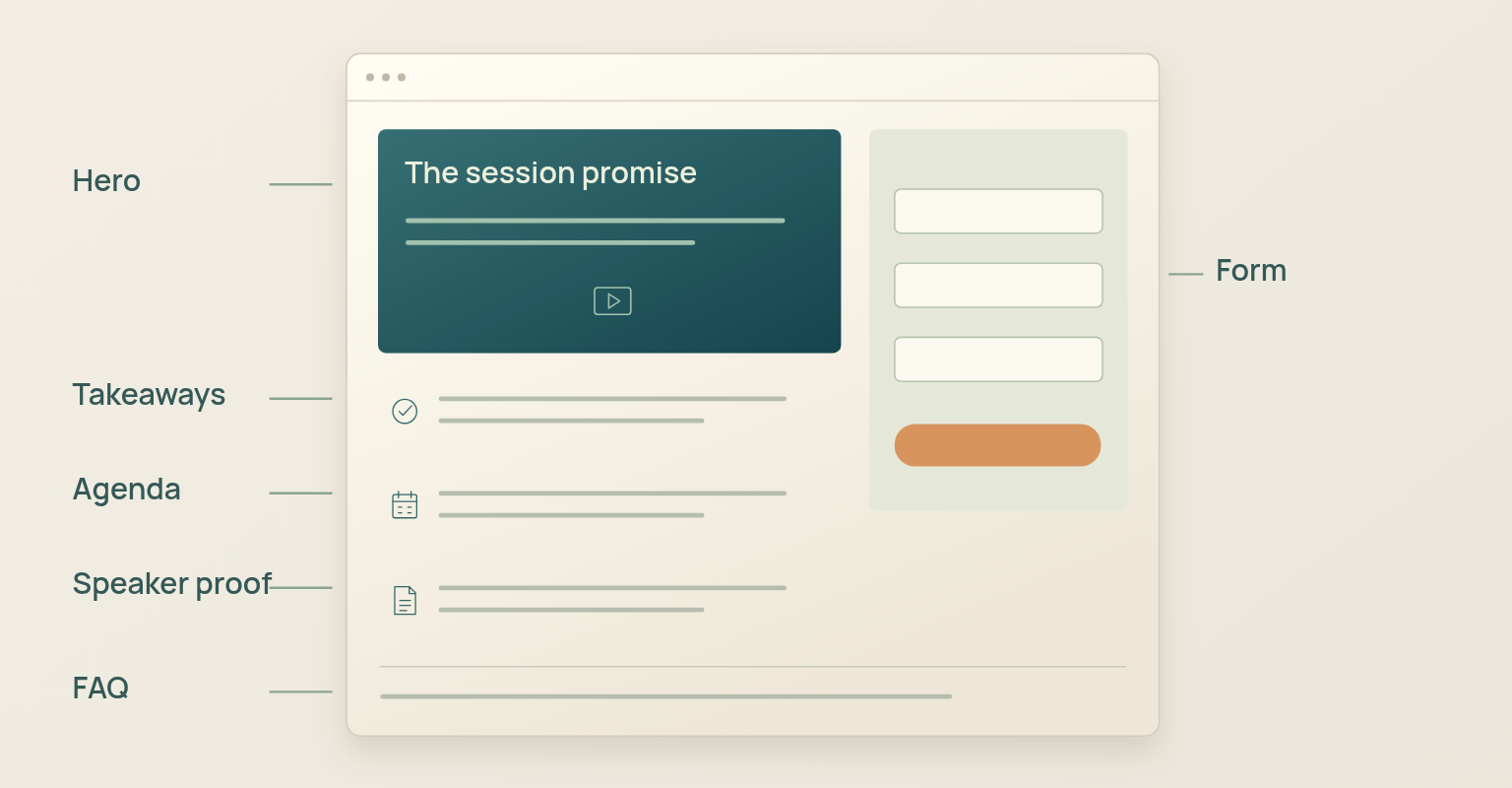
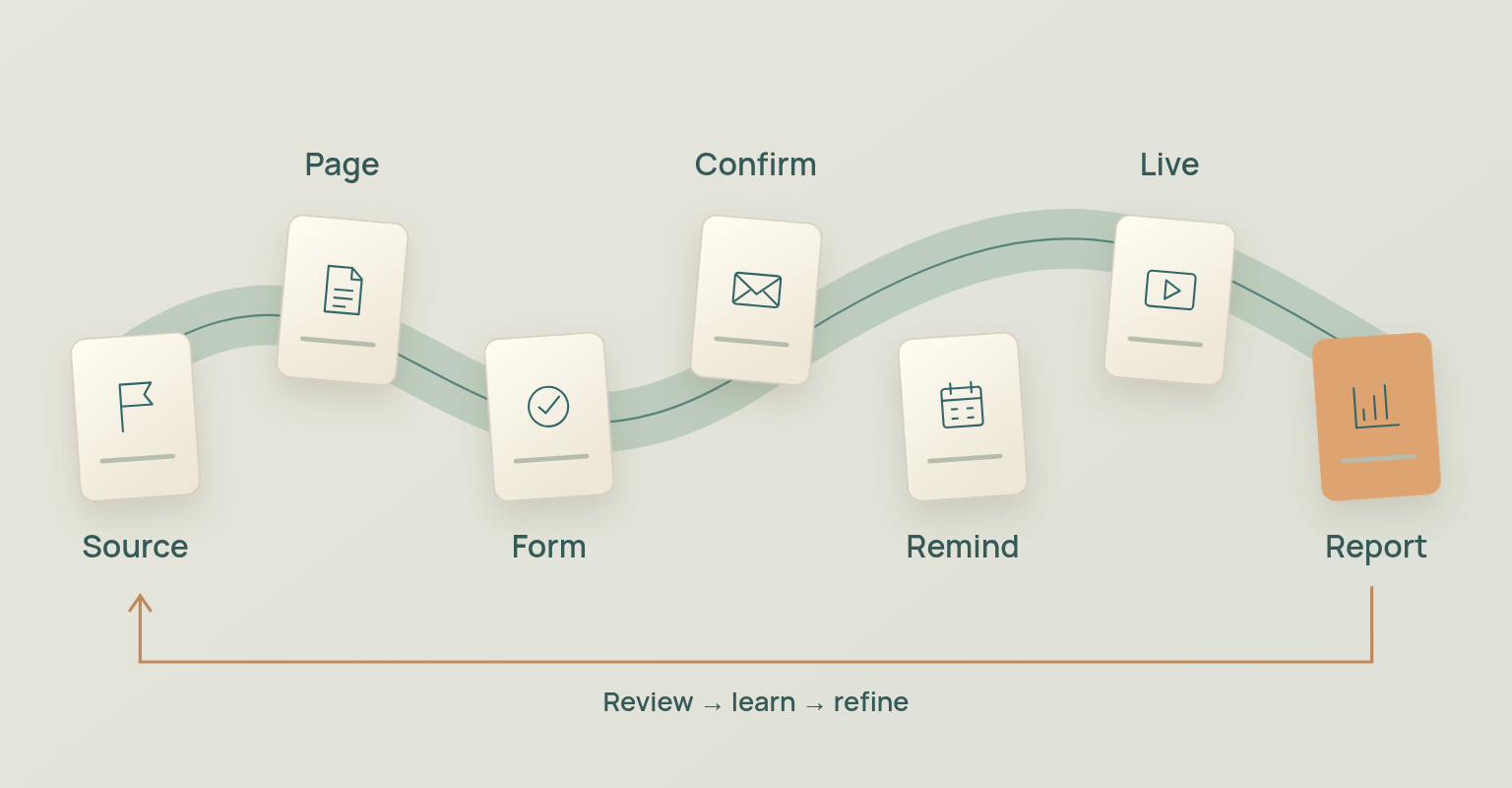
Webinar Landing Page Structure at a Glance
- Define the audience and the registration promise.
- Lead with the outcome, date, time and time zone.
- Explain what the attendee will learn or be able to do.
- Show an agenda that describes the progression of the session.
- Use speaker information as relevant evidence, not decoration.
- Ask only for registration information with a defined purpose.
- Use persistent labels, clear required-field indicators and useful error messages.
- Separate event registration from any additional marketing permission.
- Confirm registration immediately and explain what happens next.
- Track the registration source and measure conversion with a consistent definition.
Use the sequence as a decision path. A form cannot compensate for an unclear promise, and strong copy cannot compensate for a broken confirmation experience.
Start with the Audience and Registration Promise
The page should begin with the same attendee outcome that shaped the webinar. If the event was planned around a broad topic instead of a specific audience change, the landing page usually becomes a collection of generic benefits. Define the audience by role, situation and need before writing the headline, and keep the promise connected to the outcome in the webinar planning checklist. The page is not the place to invent a promise the agenda cannot deliver.
Define Who the Page Is For
"B2B marketers" is rarely specific enough. "Demand generation managers at B2B software companies who need more qualified webinar registrations from a small owned list" gives the writer useful constraints for the examples, speaker proof, form fields, promotion sources and follow-up path. A narrow audience statement does not exclude everyone else from registering; it makes sure the intended audience recognises itself.
Turn the Topic into an Outcome
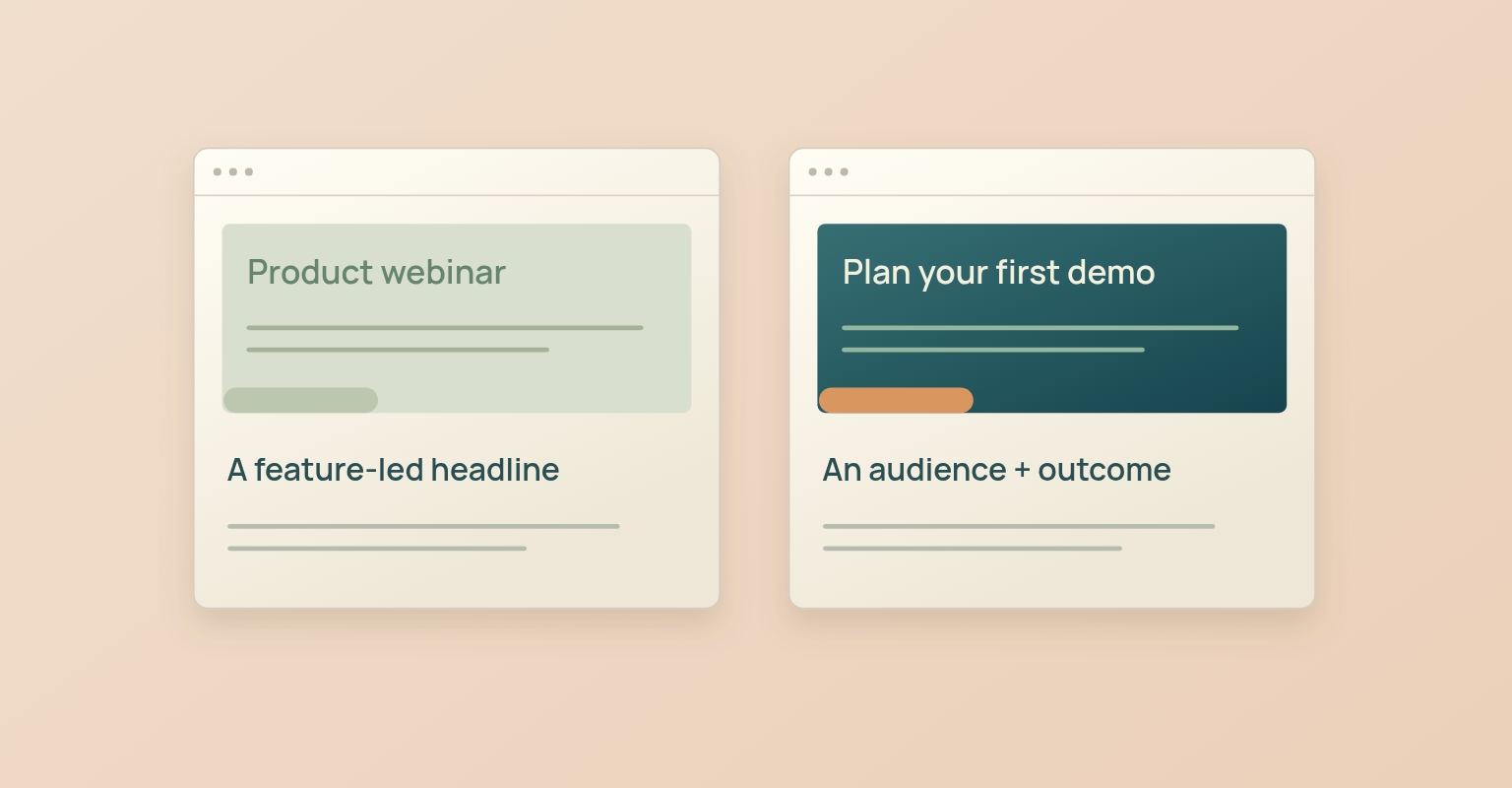
The headline should describe the value of attending, not merely name the subject. A topic tells visitors what the webinar is about; an outcome helps them judge whether the time investment is worthwhile.
Weak: "Webinar Landing Page Best Practices"
Stronger: "Build a Webinar Registration Page That Explains the Value and Reduces Form Friction"
The stronger version is better because it makes a practical promise that can shape the session and the page, not because it is longer. The subheading can then identify the audience, explain the method and narrow the scope.
Write a Hero Section That Helps People Decide
The hero is the first decision surface, not a complete summary of the webinar. It should establish relevance, value and logistics quickly enough that a qualified visitor knows whether to continue.
Use an Outcome-Led Headline
A useful headline is specific about the change the attendee can expect. Avoid internal campaign language, product release codes and broad claims such as "transform your business". If the promise needs several sentences to become credible, keep the headline focused and let the supporting copy explain the method and limits.
Place Essential Logistics Near the Decision
Show the date, start time, time zone and expected duration close to the headline or registration action. When the audience spans regions, explain how the displayed time works and make the calendar experience consistent with the page. If the event is on demand, say so. If replay access depends on registration or expires, state that condition before the visitor registers.
Use a CTA That Names the Action
The button label should describe what happens. "Register for the Webinar", "Reserve My Place" and "Save My Seat" are clearer than "Submit". Use "Free" only when registration is genuinely free, and do not imply scarcity unless capacity is actually limited. Repeat the CTA after a meaningful decision point, such as the agenda or speaker section, rather than after every paragraph.
Hero Section Check
- The headline communicates a specific outcome and the subheading identifies the audience or method.
- Date, time, time zone and duration are visible.
- The CTA names the registration action.
- Replay or on-demand conditions are stated accurately.
Explain the Webinar Before Asking for Data
A registration form asks the visitor to exchange information and time for access to the session. The page should provide enough evidence for that decision before or alongside the form. A warm customer audience may understand the value from a short page; a visitor arriving from paid social may need more context about the problem, the format and the speakers. No single page length or form position is universally correct.
Show What the Attendee Will Learn
Use three to five takeaways that describe what the attendee will understand, compare, decide or do. "Registration Forms" is a subject. "Choose which registration fields deserve a place on the form" is an attendee outcome.
Use an Agenda That Describes Progress
The agenda should show how the session moves from problem to decision: introduce the conversion problem, explain the page structure, review form decisions, show an annotated example, reserve time for questions. Keep it proportionate to the session. A 30-minute briefing does not need an eight-part agenda.
Make Speaker Credibility Relevant
A job title alone does not explain why someone should teach the subject. Use a short biography that connects the speaker to the promise: what they have built, operated, researched or learned that is directly relevant. Long corporate biographies, award lists and unrelated career history shift attention away from the session.
Design a Registration Form with a Reason for Every Field
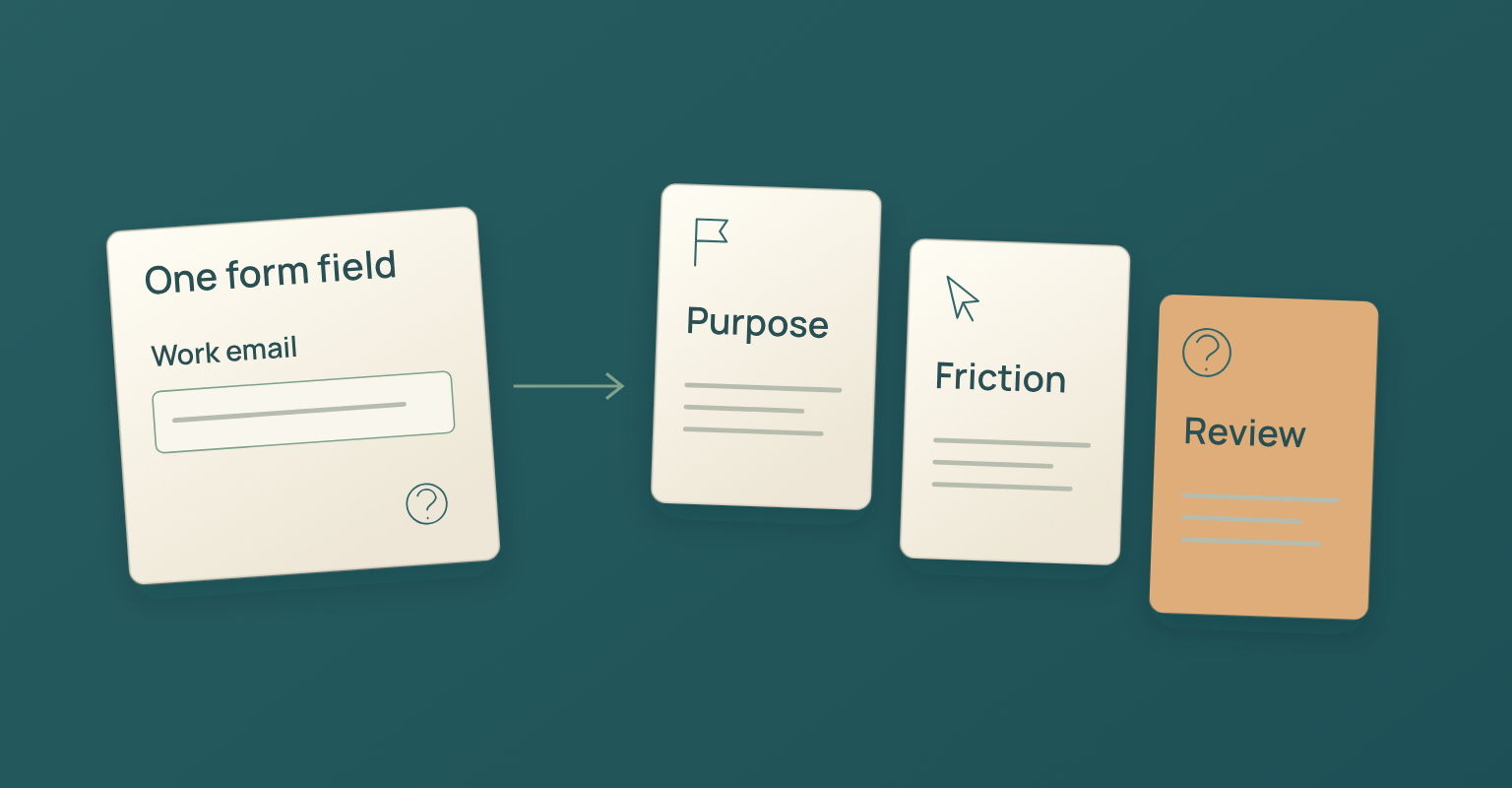
The form should collect the information needed to provide access, communicate about the event, understand the audience and support a defined follow-up process. "We might use it later" is not a reason to add a field. The European Commission's GDPR principles describe data minimisation as collecting and processing only the personal data necessary for the stated purpose. Even outside the European Union, that is a useful operational test: every field should have a current job.
For many B2B webinars, identity and contact information are needed to register the attendee, send confirmation and provide access. Additional fields may support segmentation, routing or reporting, but they also add effort and data responsibility. JakoMeet currently requires full name, email, industry, role and seniority, and fills in the country automatically. Job title, company size, phone, age and gender are available as optional fields and should be enabled only when the campaign has a clear reason to collect and use them.
Registration Field Decision Framework
| Field Group | Possible Purpose | Decision Question |
|---|---|---|
| Name and email | Registration identity, confirmation and access communication. | Is this information necessary to deliver the webinar experience? |
| Country and time context | Time zone handling, regional communication, reporting or compliance context. | Will the campaign use the information in a defined way? |
| Company, role and industry | Audience analysis, segmentation, routing or relevant follow up. | Will the answer change content, reporting or an assigned next action? |
| Phone or other sensitive fields | A specific operational or business process that cannot be supported with less data. | Is the purpose clear, proportionate and reviewed for the relevant market? |
Use Dropdowns Only When They Reduce Work
Dropdowns keep a form compact, but Nielsen Norman Group's dropdown research notes that hidden options add interaction cost and can slow decisions. A short set of visible choices may work better, and a searchable input may work better for a long country or company list. Option language should match how the audience describes itself; internal taxonomies may be useful for reporting but confusing to registrants. Review job title, seniority and industry options with real users before using them as qualification signals.
Make the Form Clear, Accessible, and Easy to Recover
A form can be short and still be difficult to complete. Labels, spacing, instructions, input behaviour and error recovery determine whether the visitor understands what the form is asking. Nielsen Norman Group's form layout guidance recommends placing labels close to the associated fields and grouping related controls, which reduces hesitation and makes the relationship between a label and an input easier to scan.
Use Persistent, Programmatically Associated Labels
W3C form label guidance explains that labels should describe the purpose of the control and be programmatically associated with it. Placeholder text can show an example, but it should not be the only label because it disappears as the visitor types.
Explain Required and Optional Fields Clearly
W3C guidance for required fields recommends including the word "required" as part of the label, because an asterisk by itself may not be announced consistently or understood by every visitor. If most fields are required, mark the optional fields instead. Visitors should know what they must complete before they reach an error state.
Write Error Messages That Help the Visitor Fix the Problem
W3C form notification guidance recommends concise error messages with simple instructions for resolution. Identify the field, explain the problem and preserve valid entries when the form is submitted again. "Invalid input" is not enough; "Enter a business email in the format [email protected]" explains the correction. If personal email addresses are allowed, do not write an error message that implies otherwise.
Use Browser Assistance Where It Helps
Appropriate HTML autocomplete values help browsers recognise the expected information and reduce manual entry. Test autofill behaviour on mobile and desktop rather than assuming each field will be completed correctly.
Form Usability Check
- Every control has a visible label, and labels and fields are visually grouped.
- Required and optional status is consistent.
- Error messages identify the problem and the correction, and valid entries remain in place after an error.
- Autocomplete and mobile input behaviour have been tested.
Separate Registration from Marketing Permission
Registering for a webinar and agreeing to receive unrelated marketing are not automatically the same decision. The page should explain what information is required to deliver the event, what communication is part of registration and whether any additional permission is being requested. Use clear language near the form and link to the relevant privacy notice. Avoid wording such as "By submitting, you agree to everything". The appropriate legal basis, checkbox wording and default state depend on the audience, jurisdiction and communication type, so the final implementation requires legal review.
JakoMeet supports GDPR and KVKK consent checkboxes in the landing page workflow. The organiser still owns the wording, purpose and market-specific review of those choices. This section is operational guidance, not legal advice.
Design the Confirmation and Thank You Experience
Registration is not complete from the visitor's perspective until the page confirms success and explains what happens next. A silent redirect, an empty thank-you page or an ambiguous email delay creates doubt at the most important transition in the journey. The W3C notification guidance above also covers success messages: visible, clear and consistent with the email that follows.
The Confirmation Should Answer Five Questions
- Did the registration succeed?
- What is the exact date, time and time zone?
- How will the attendee receive access?
- Can the attendee add the session to a calendar?
- What should the attendee do before the webinar?
If a replay will be available, state the conditions accurately. If the recording is uncertain, do not use replay access as an acquisition promise.
JakoMeet lets organisers choose a thank-you page or redirect after registration and schedule registration confirmations and webinar reminders. The page and email should use the same date, time zone, access expectation and sender identity; the webinar email templates keep confirmation, reminders and follow-up aligned with the promise on the page.
Plan for Mobile Performance and Page Speed
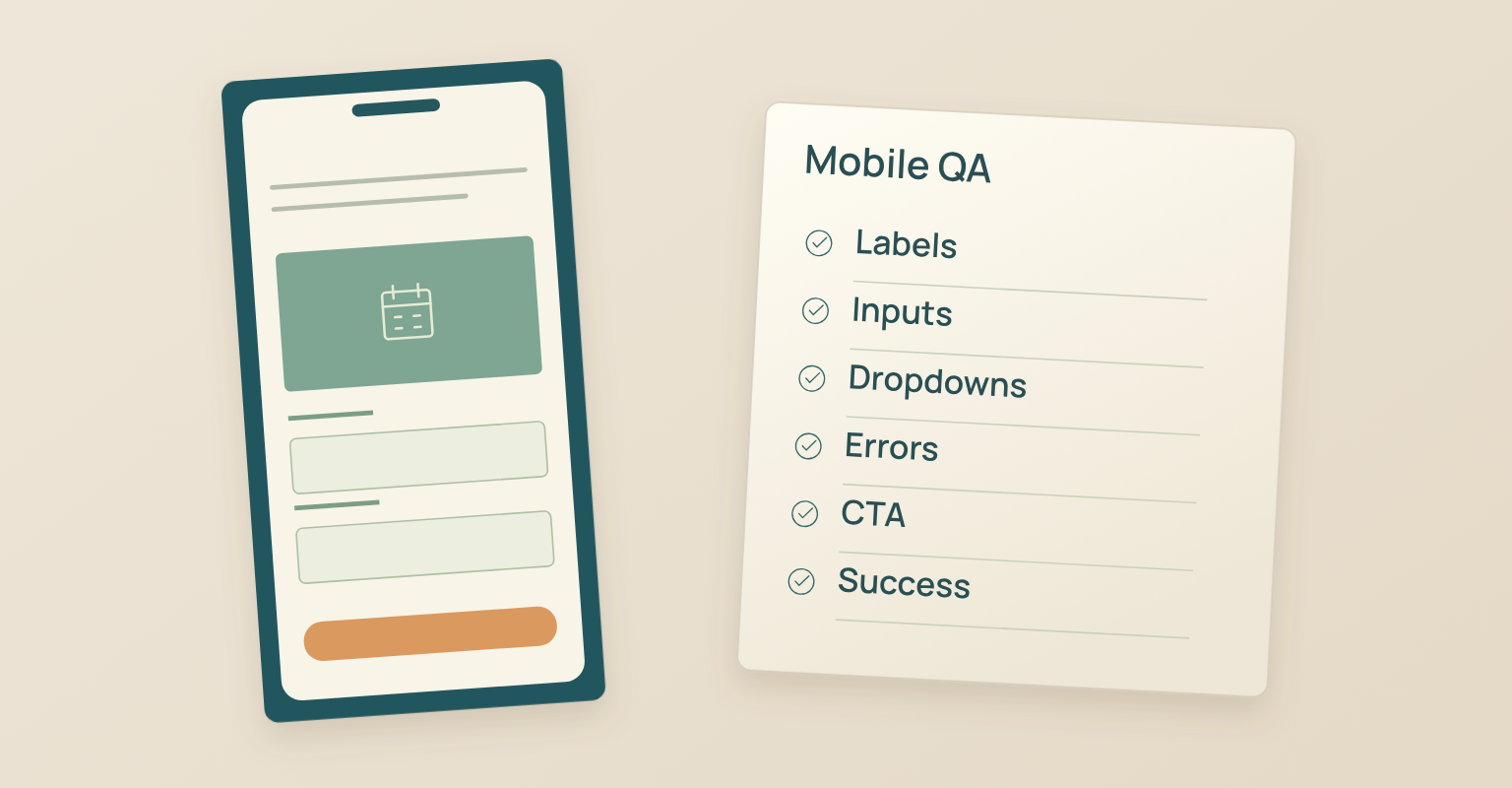
A webinar page often receives traffic from email and social platforms opened on a phone. Test the page as a complete mobile journey: reading the promise, opening dropdowns, entering data, viewing errors and confirming registration. Use a clear one-column flow when space is limited, keep text and controls readable, avoid images that push the registration decision far down the page and prevent layout shifts around the form.
Google Search Central's Core Web Vitals guidance treats loading performance, interactivity and visual stability as measures of real user experience. Use those metrics as diagnostics, but fix the actual user problem rather than optimising a score in isolation.
Track Registration Sources and Measure Conversion
Set up source tracking before promotion begins. A registration without source context tells the team that the page worked for someone, but not which invitation, partner, social post or campaign route produced the visit. Define the naming convention before publishing; the four-week promotion plan includes a template. If the owned list is small, JakoMeet can help eligible organisers reach relevant professionals beyond the owned list, and people who register enter the normal event flow with source attribution.
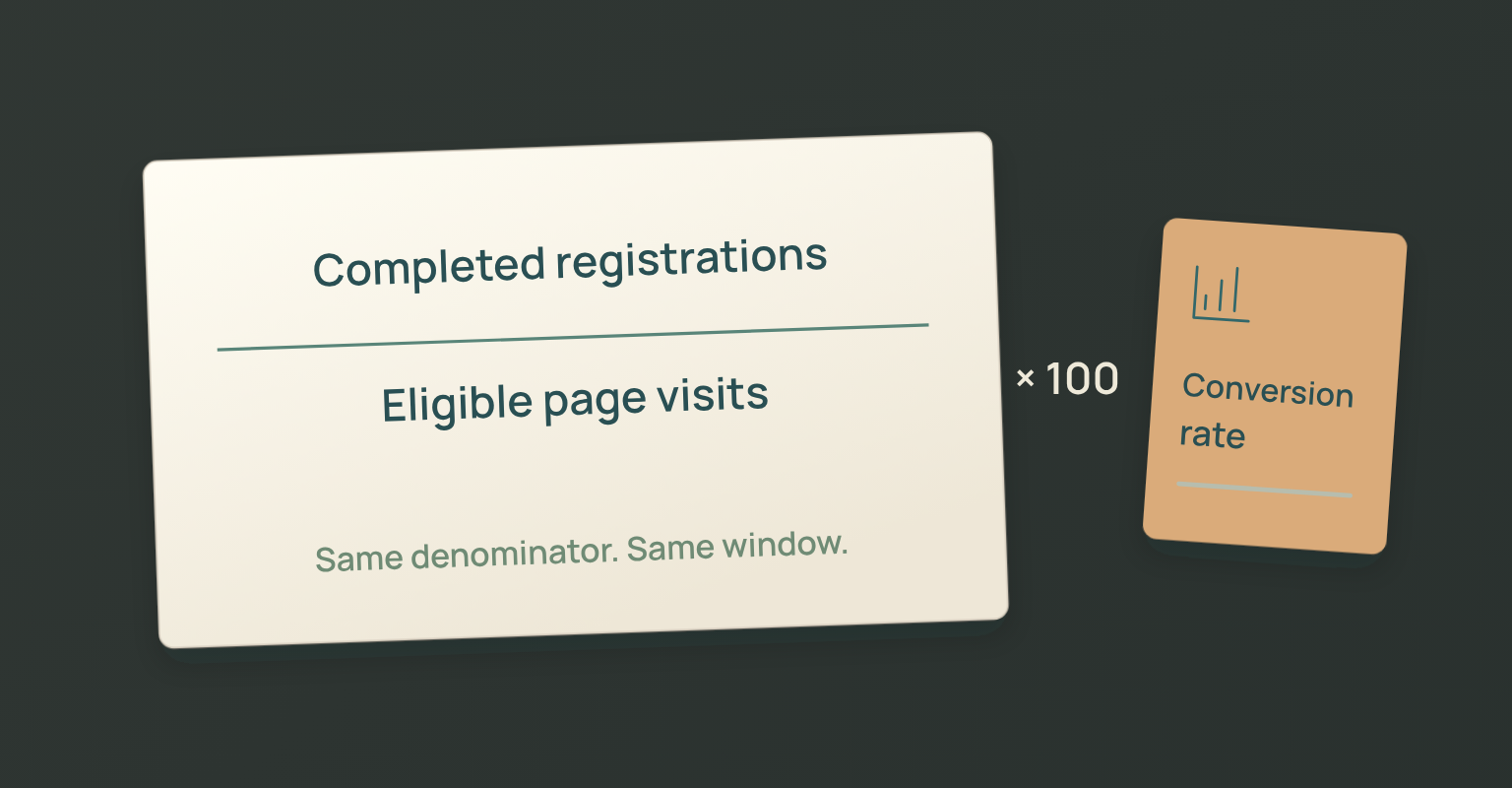
Landing Page Conversion Rate Completed registrations divided by the page visits or unique visitors included in the analytics definition, multiplied by 100. Keep the denominator consistent when comparing pages or sources. |
Conversion rate is not a complete quality measure. A warm customer email and a cold paid campaign create different visitor intent. Compare the rate alongside audience fit, source, device, form errors and downstream attendance. A page that produces many low-fit registrations may be less useful than one with fewer but more relevant registrants. You can review registration sources and attendance data in JakoMeet; for a pipeline-focused programme, run lead generation webinars as a connected campaign rather than treating registration as the final outcome.
Common Webinar Landing Page Mistakes
- Leading with a topic instead of an outcome. A topic can be accurate and still give the visitor no reason to register. Translate the subject into a decision, capability or practical result.
- Hiding the date, time zone or duration. Visitors cannot evaluate the commitment when logistics are buried. Place them near the registration decision and repeat them in confirmation and calendar details.
- Collecting data because it might be useful later. Add a field only when the team can explain how the answer changes access, communication, reporting, routing or a defined follow-up action.
- Using placeholder text as the only label. It disappears during entry and may not provide the programmatic relationship assistive technology needs.
- Using generic speaker bios as proof. Show why the speaker is qualified to deliver the specific promise on the page.
- Treating the thank-you page as an afterthought. An empty success state creates uncertainty at the moment the registrant is most attentive.
- Reporting a conversion rate without context. A single percentage hides differences in traffic source, device, audience familiarity and form configuration.
How JakoMeet Supports the Registration Workflow
JakoMeet lets organisers build a webinar registration page and form with one of three ready-made templates, event details, branding and configurable agenda, speaker, CTA and FAQ blocks. Organisers configure the available registration fields and consent, preview the page and publish it without rebuilding the event in a separate page tool. After submission, they can use a JakoMeet thank-you page or redirect, connect confirmation and reminders to the same event, review supported registration sources in the report and use Audience Boost for eligible campaigns.
See the full webinar workflow in JakoMeet, or compare JakoMeet plans and event limits.
Frequently asked questions
What Should a Webinar Landing Page Include?
Include a clear outcome led headline, date and time zone, a concise description, attendee takeaways, a relevant agenda, speaker credibility, a registration form, privacy information, practical access details and a clear confirmation experience.
How Many Fields Should a Webinar Registration Form Have?
Ask for the smallest set of information the campaign genuinely needs. Every field should support access, communication, segmentation, routing, reporting or a clearly defined follow up process. Remove optional fields that have no current use.
Should the Registration Form Appear Above the Fold?
The form should be easy to find, but its position depends on how much explanation the audience needs before deciding. Warm audiences may register from a short hero. Colder audiences may need the promise, agenda or speaker context first. Test the complete page rather than treating one position as universal.
What Should the Webinar CTA Say?
Use a label that describes the action, such as Register for the Webinar, Reserve My Place or Save My Seat. Do not use Submit when a more specific action is available, and do not say Free unless registration is genuinely free.
Should a Webinar Landing Page Promise a Replay?
Promise a replay only when the recording, access rules and follow up timing have been decided. State whether registrants will receive it, how long access will remain available and whether any parts of the session may be excluded.
How Do You Measure Webinar Landing Page Conversion?
Divide completed registrations by the page visits or unique visitors included in your analytics definition, then multiply by 100. Keep the denominator consistent and compare results by source, device, audience and campaign type rather than relying on one universal benchmark.
What Should Happen after Someone Registers?
Show an immediate success message, confirm the event date and time zone, explain how access will work, offer a calendar action and send a confirmation email. The registrant should not have to wonder whether registration succeeded or what happens next.
Sources and Further Reading
- European Commission: GDPR Data Processing Principles: Purpose limitation and data minimization (opens in a new tab)
- Nielsen Norman Group: Group Form Elements Effectively Using White Space: Label proximity and grouping related form controls (opens in a new tab)
- Nielsen Norman Group: Does Your Form Really Need a Dropdown List?: Interaction cost and appropriate use of dropdown controls (opens in a new tab)
- W3C Web Accessibility Initiative: Labeling Controls: Descriptive and programmatically associated form labels (opens in a new tab)
- W3C Web Accessibility Initiative: User Notifications: Clear error and success messages (opens in a new tab)
- W3C Web Accessibility Initiative: Required Fields: Communicating required status accessibly (opens in a new tab)
- MDN Web Docs: HTML Autocomplete Attribute: Browser assistance for recognized form inputs (opens in a new tab)
- Google Search Central: Core Web Vitals: Loading, interactivity and visual stability as user experience measures (opens in a new tab)