
EVENT STRATEGY
Webinar vs Podcast: Key Differences and Which Format to Choose
Choose a webinar when the audience needs to see an explanation and ask questions during a session. Choose a podcast when the discussion can work as an episode that people listen to or watch on their own schedule. For B2B teams, the…
Choose a webinar when the audience needs to see an explanation and ask questions during a session. Choose a podcast when the discussion can work as an episode that people listen to or watch on their own schedule. For B2B teams, the deciding factors are the audience’s task, the role of visuals, and whether immediate feedback changes the value of the content.
The distinction needs some care. Podcasts can include video, and webinars can be watched as recordings. This guide compares a webinar session with an episodic podcast program so you can choose the format for a product explanation, customer education topic, or expert discussion.
Webinar vs Podcast at a Glance
Use this comparison as a starting point. It describes common delivery patterns; the actual experience depends on how you design the session or show.
| Dimension | Webinar | Podcast |
|---|---|---|
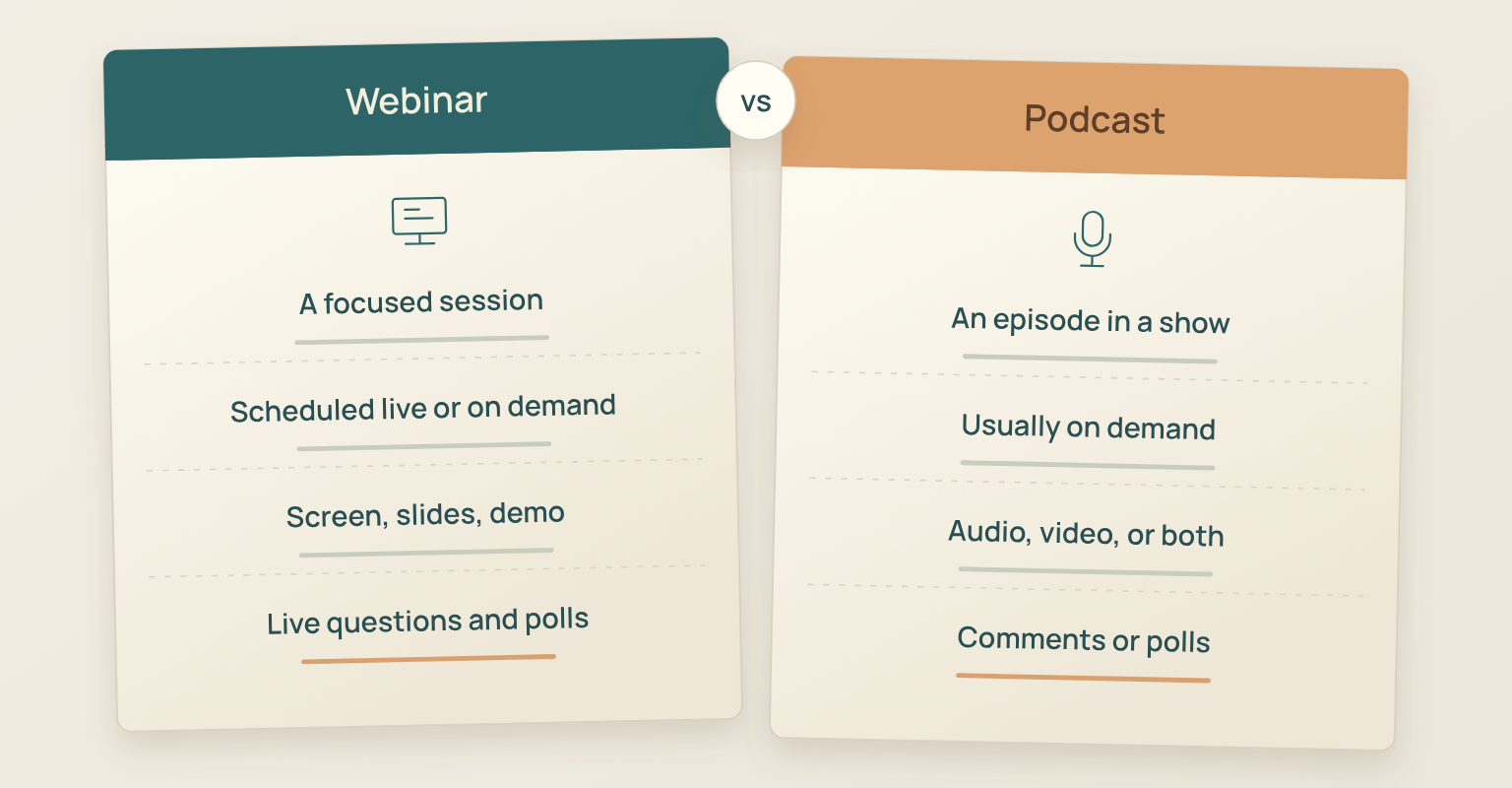
| Content Unit | A focused online session, sometimes part of a series. | An episode within a show or series. |
| Timing | A scheduled live session, an on-demand recording, or both. | Usually consumed on demand; an episode can be recorded live. |
| Media | Commonly video, slides, screen sharing, or a combination. | Audio, video, or a mix across the show. |
| Audience Participation | Live questions, chat, or polls when the host provides them. | Comments or polls on some platforms; live editions can add real-time participation. |
| Viewing and Listening | Visual attention matters when the explanation relies on a screen. | Can support listening without a screen when the content is understandable as audio. |
| Access | Registration or other access rules depend on the organizer. | Access may be public or restricted by the publisher or platform. |
| Production Work | Session planning, rehearsal, live delivery, and replay preparation. | Episode planning, recording, editing, and ongoing distribution. |
Modern platform documentation confirms that podcast does not mean audio only. Spotify supports audio and video shows, and Apple Podcasts supports video distribution. Likewise, a webinar replay can serve people who cannot attend at the scheduled time.
What Makes the Formats Different
A Webinar Organizes a Session
A webinar brings people into a particular learning or discussion experience. The organizer defines a topic, prepares the presentation or conversation, and decides how the audience can participate. In a live session, a presenter can answer a question while the explanation is still unfolding.
That makes a webinar useful when a shared screen, a demonstration, or clarification is central to understanding. A recording can extend access afterward, but the live interaction and the replay are different audience experiences. If everyone will watch later and no live feedback is needed, consider whether a recorded tutorial would meet the task with less coordination.
A Podcast Organizes a Show
A podcast gives the audience episodes they can return to through a show and its distribution channels. An interview, expert discussion, or analysis can form one episode, with later episodes addressing related questions. The content needs to work for the way the audience will consume it, including listening without watching when an audio version is available.
Distribution deserves a separate decision from recording. For example, Spotify’s current publishing guidance says its video episodes play as video on Spotify, while the audio is available through the RSS feed. An RSS feed supplies podcast apps with information about a show and its episodes. Check the route you will use rather than assuming one video upload delivers the same experience everywhere.
How to Choose Between a Webinar and a Podcast
Check Whether the Audience Must See the Explanation
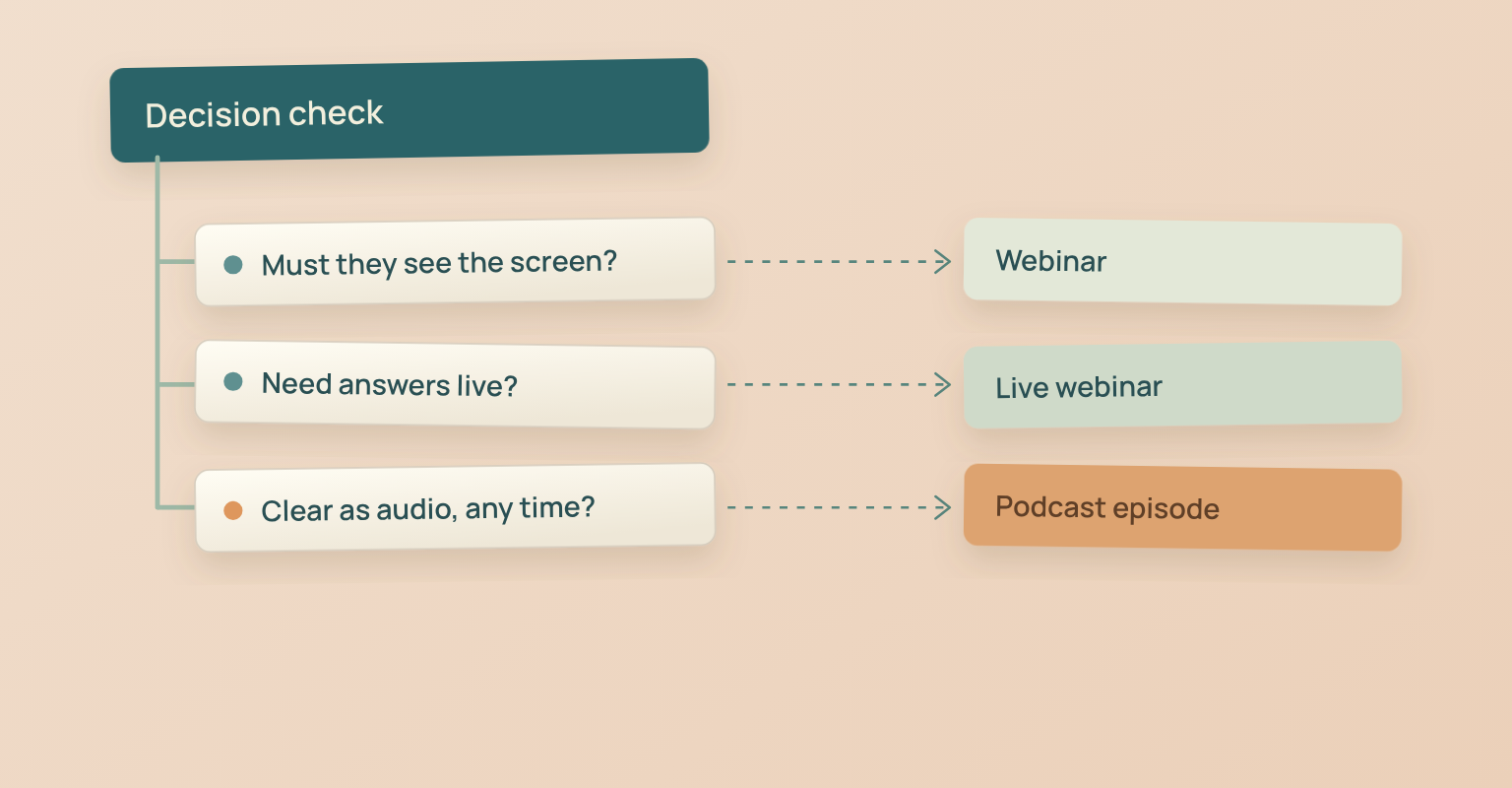
Take a representative section of the planned content and play it without looking at the screen. Can someone still understand the problem, the reasoning, and the outcome? If phrases such as “select this field” or “look at the chart” carry essential meaning, an audio version needs substantial rewriting.
For a software walkthrough or a visual comparison, start with a webinar or another format designed for viewing. For an expert conversation that remains clear through speech, a podcast is a reasonable option. A video podcast can also carry visual material, but decide whether listeners will receive an equally understandable audio version.
This matters in current apps: Apple Podcasts lets viewers switch between video and audio playback. Explain any information that listeners need, rather than treating the video track as a guarantee that everyone is watching.
Decide Whether Questions Need Answers During the Session
Choose a live webinar when the presenter needs to respond to uncertainty in the moment. A customer may understand the first step of a workflow but need help applying it to a different setup. An immediate answer can change how the rest of the session should be explained.
A podcast can still invite participation. Spotify, for example, supports listener comments and polls, as described in its show management guidance. Responses to a published episode can inform later content, but they do not automatically provide a live exchange with the speaker. If you plan a live podcast recording, define that audience experience separately.
Match the Format to the Audience’s Available Time
A live webinar asks people to join at a scheduled time. That commitment is reasonable when the opportunity to ask questions or follow a demonstration is useful enough. Ask prospective attendees what they need to learn and whether they can set aside time to participate.
A podcast episode is a better starting point when the audience wants an explanation they can fit into their own routine and the material remains understandable without a screen. Avoid assuming that every executive listens during a commute or that every customer prefers live training. Use what you know about this audience’s actual behavior.
Also decide whether the topic is one session or an ongoing editorial commitment. A webinar series can be recurring, and a podcast can have a limited season. Either choice needs a clear promise for the next session or episode, with an owner who can sustain it.
Compare the Work Your Team Will Actually Do
Estimate preparation and delivery work for the specific formats under consideration. A webinar may need a presentation, a technical rehearsal, live moderation, and replay preparation. A podcast may need interview preparation, recording, editing, episode descriptions, and distribution checks. A video podcast also needs decisions about framing and visual continuity.
Record who owns each task and how much time they expect to spend on it. Include the publishing frequency you intend to maintain. This produces a more useful comparison than assuming podcasts are cheap or that webinars are always more demanding. Treat the estimates as planning inputs, then revise them using actual production time.
Three B2B Examples of Format Selection
These illustrative scenarios show how the decision criteria change the recommendation. They are planning examples, not reported customer results.
Explaining a New Reporting Workflow
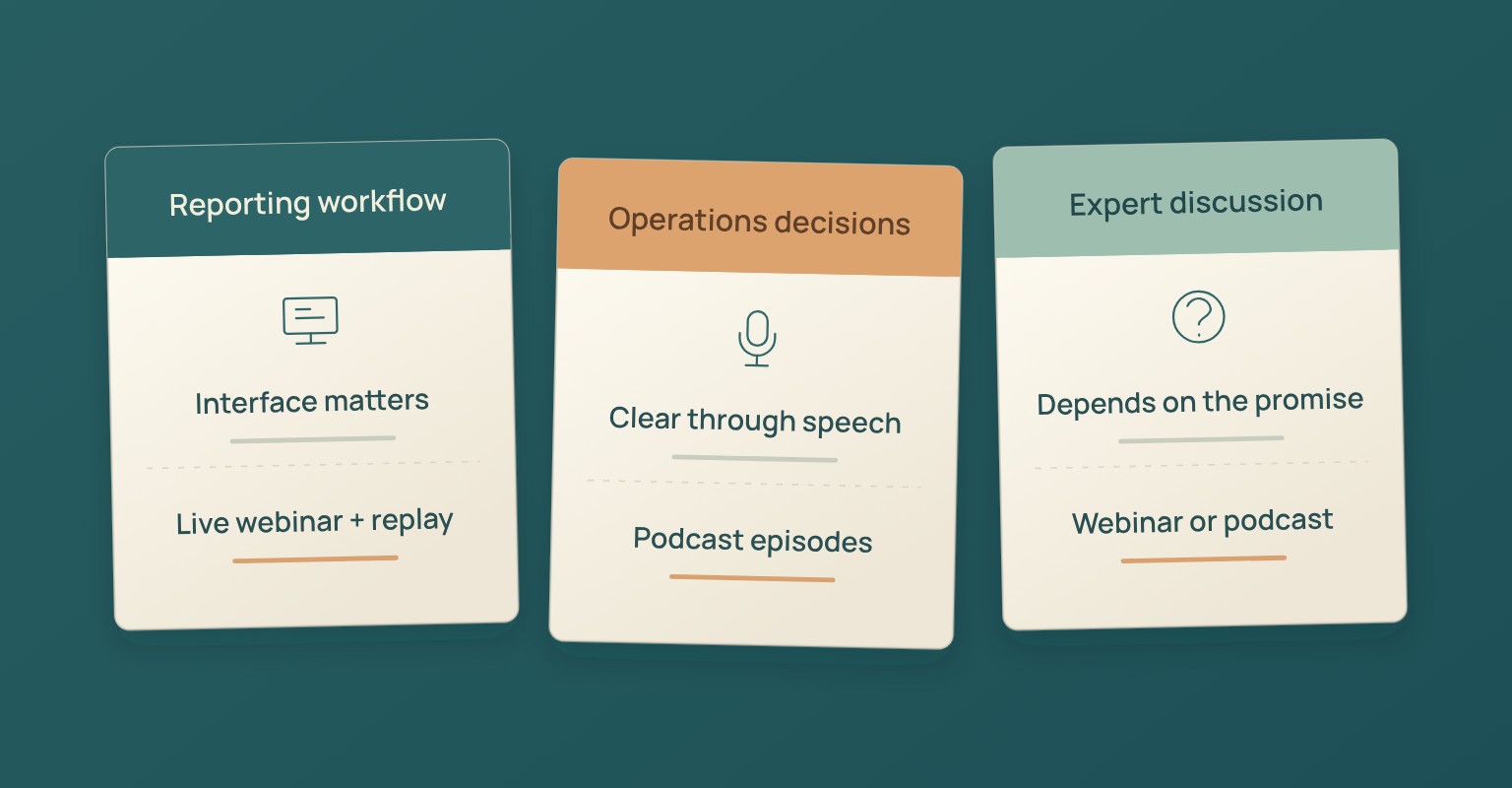
A customer education team needs users to understand how to configure a report and interpret the result. The interface and the sequence of actions matter, and customers may have questions about their own setup. Start with a live webinar that includes a focused demonstration and time for questions. Offer a replay for people who cannot attend.
Discussing How Operations Leaders Make Decisions
A marketing team wants practitioners to discuss tradeoffs in process design. The discussion can be understood through speech, and there are enough distinct questions to support several episodes. Start with a podcast, provided the team can maintain the editorial and production work. Add video if it serves the audience, while keeping the audio explanation coherent.
Hosting an Expert Discussion on a Customer Problem
The topic alone does not determine the format. If customers need to put their own questions to the speakers, a live webinar is a strong starting point. If the value comes mainly from hearing a prepared conversation whenever convenient, a podcast episode may fit better. Write the audience promise before choosing the recording setup.
When to Use Both Formats
A webinar and a podcast can address the same broad problem while giving the audience different experiences. For example, a podcast discussion might explain how teams evaluate reporting quality, while a webinar demonstrates a specific reporting workflow and answers implementation questions. Each piece should have a distinct promise.
If you want to adapt a webinar discussion into an episode, first check whether it remains understandable without the presentation. Plan the editorial adaptation and distribution separately; the recording is source material. Our guide to repurposing webinar content covers that workflow in more detail.
Run Your Webinar in JakoMeet
Once you have chosen a webinar, use the webinar planning checklist to turn the audience promise into a session plan. Define what must be shown, where questions will be handled, and what the replay should help viewers understand.
JakoMeet’s live webinar features include rehearsal, guest speaker staging, and screen or presentation sharing. Attendees use chat and moderated Q&A, and organizers can run one poll on Launch or two on Growth, each with two to six answer options. Once the recording is processed, registered viewers watch the replay from the event page; on Growth, new viewers can register while the replay is available.
To connect preparation, registration, live delivery, and replay in one event workflow, see how JakoMeet works.
Frequently asked questions
What Is the Main Difference Between a Webinar and a Podcast?
A webinar is organized around an online session, while a podcast is organized around episodes of a show. Webinars commonly support visual explanation and live audience questions. Podcasts commonly support listening or viewing on the audience’s own schedule. Both can include video and recorded content.
Can a Podcast Include Video?
Yes. Spotify supports audio and video shows, and Apple Podcasts supports video podcasts. Decide whether your episode also needs to make sense as audio, because playback and distribution can differ between platforms.
Can a Webinar Be Watched On Demand?
Yes, if the organizer makes a recording available. A replay preserves the presentation, but watching it later does not recreate the opportunity to ask a question during the original live session. Check the host’s access and recording availability.
Can You Turn a Webinar Into a Podcast Episode?
Yes, when the conversation works without the slides and you have the necessary recording and reuse permissions. Edit references to on-screen material, remove event housekeeping, and give the episode its own introduction and context. Publishing a replay link alone does not distribute a podcast episode.
Can a Podcast Be Recorded Live?
Yes. A podcast episode can be recorded in front of a live audience or during a streamed discussion. Live recording is a production choice; publishing the recording as part of a show is a separate distribution choice. Plan audience interaction and episode editing accordingly.
Is a Podcast Cheaper to Produce Than a Webinar?
There is no reliable universal cost winner. A simple audio conversation may need less visual preparation, while a recurring edited show can require substantial ongoing work. Compare staff time, guest coordination, editing, tools, and publishing frequency for the formats you actually intend to produce.
Sources and Further Reading
- Spotify for Creators: Adding a New Show: audio and video shows, listener comments, and polls (opens in a new tab)
- Spotify for Creators: Publishing Videos: video playback on Spotify and audio distribution through RSS (opens in a new tab)
- Apple Podcasts for Creators: Video Podcasts Using RSS: current support for video podcast distribution (opens in a new tab)
- Apple Support: Play Shows in Apple Podcasts: switching between video and audio playback (opens in a new tab)