
CONTENT & REPURPOSING
How to Repurpose Webinar Content: A 30 Day B2B Workflow
Turn webinar recordings, transcripts, and audience insights into useful B2B content through a 30-day workflow for selecting, adapting, reviewing, distributing, and measuring each asset.

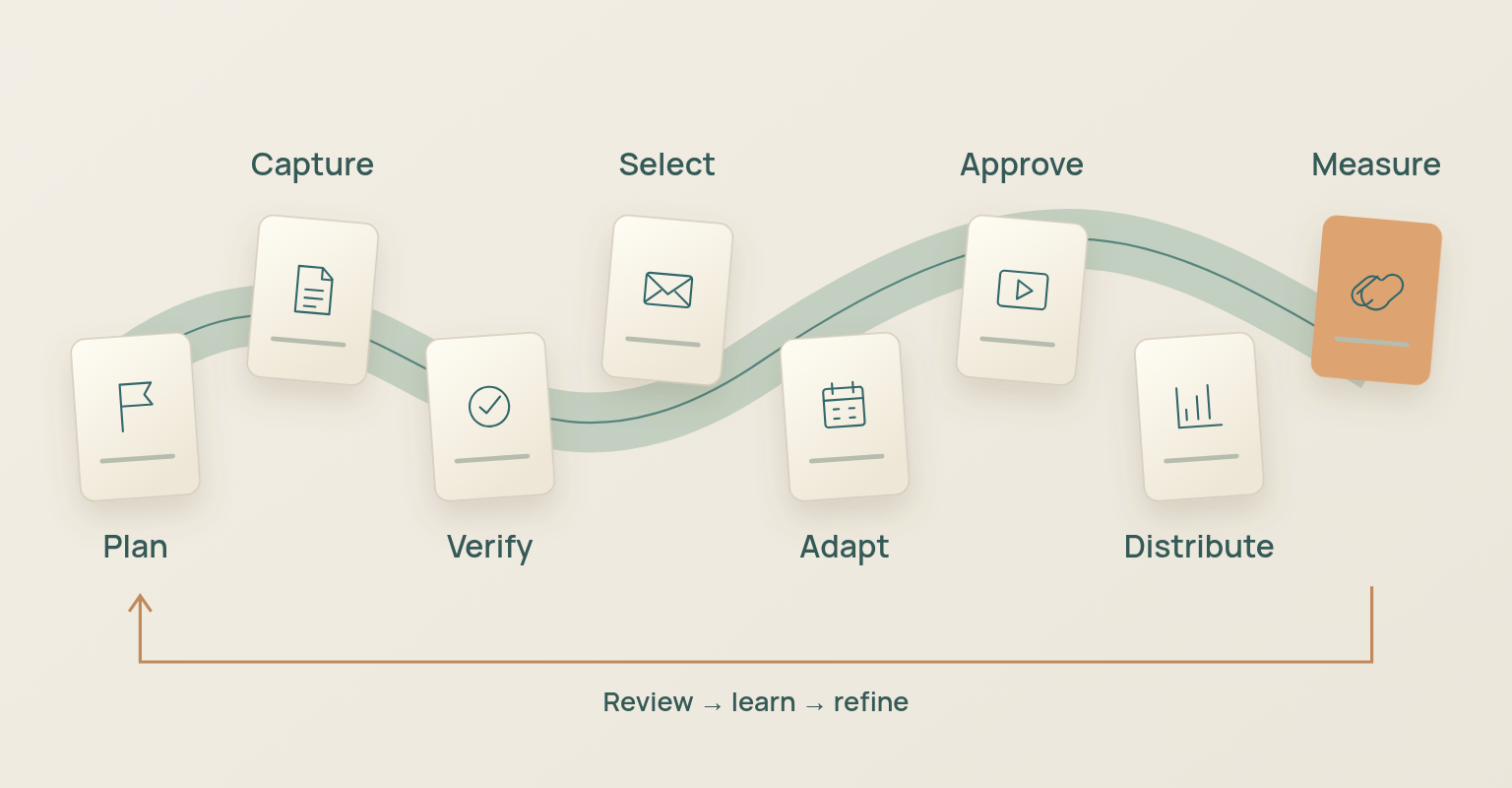
Publishing the same webinar transcript in several places does little to adapt it for a new audience. Each asset needs its own purpose, format, owner, review path and measure of success, and the work goes better when it starts before the event: what must be captured, which permissions are required, who reviews quotes and claims, and which outputs deserve priority. After the event, the recording and transcript are source material. The team verifies them, selects moments, adapts them for specific channels, approves them, distributes them and measures what each asset was meant to do.
The 30 day model below is built for a B2B webinar that should keep creating value after the live session. Treat it as an operating framework; the number of assets a webinar can support depends on the source.
Webinar Content Repurposing Workflow at a Glance
| Stage | Primary Job | Source Material | Owner | Exit Condition |
|---|---|---|---|---|
| Plan | Define audience, outputs, rights, and capture needs. | Campaign brief, speaker agreements, agenda. | Campaign and content owner. | Priorities, permissions, and reviewers are named. |
| Capture | Create a clean and complete source package. | Recording, transcript, slides, Q&A, poll, metadata. | Producer and content owner. | Files are complete, accessible, and backed up. |
| Verify | Correct errors and preserve context. | Transcript, claims, names, links, timestamps. | Editor and subject expert. | Quotes, terms, and rights are checked. |
| Select | Choose moments with standalone editorial value. | Verified source package. | Editor and campaign owner. | Every selected moment has a purpose and audience. |
| Adapt | Restructure the idea for a specific format. | Selected moments and supporting research. | Writer, editor, or video producer. | The asset works without missing context. |
| Approve | Confirm accuracy, rights, accessibility, and brand fit. | Final draft, clip, caption file, design. | Named reviewers. | All required approvals are recorded. |
| Distribute | Publish to the right audience and channel. | Approved asset and source link. | Channel owner. | The asset is live with a clear next action. |
| Measure | Evaluate the asset against its job. | Channel, web, email, and campaign data. | Content and analytics owner. | The next reuse, refresh, or stop decision is clear. |
The stages connect, but they should not collapse into one automation. A transcript arrives quickly and can still contain wrong names, products, numbers or speaker attribution. A polished clip can still cut the sentence that gives a quote its meaning. A blog post can summarise the discussion and still fail to answer a search question. The workflow protects value and context at the same time.
Plan Repurposing Before the Webinar Goes Live
Repurposing is easier when it shapes the original event. HubSpot Academy describes content repurposing as changing existing content to serve a different purpose, channel or format, and teaches teams to spot the opportunities before the original asset exists. Vimeo makes the same operational point for long-form video: planned clip points, extra context and production notes reduce the work after recording.
Use the webinar planning checklist to settle the audience, outcome, speakers, interaction, recording, replay, follow-up and measurement before the content team promises a month of outputs.
Choose One Source Thesis and a Small Priority Set
A webinar may contain dozens of statements, but it still needs one editorial centre. Write the single idea the webinar should help the audience understand or act on, then choose the first three to five outputs. A common set is a replay page, a recap email, two or three short clips, one search-led article and one sales or customer resource. Add formats only when the source supports them. The boundary is simple: an asset that needs the full hour to make sense is not ready to be published on its own.
Confirm Reuse Rights and Approval Rules
Confirm whether speakers, customers, partners and employees have agreed to recording, replay, quotation, editing, paid promotion and future derivative use. The U.S. Copyright Office explains that the copyright owner controls the preparation of new versions of a work, so use agreements and review appropriate to your jurisdiction and content.
- Recording and replay permission is documented for every speaker.
- The team knows whether clips may be edited, subtitled, promoted or used in paid media.
- Third-party slides, charts, music, videos, customer screenshots and logos are inventoried.
- Sensitive customer, employee, product, security and roadmap information has an escalation route.
- The speaker or subject-expert review process is defined before deadlines are set.
Design the Live Session for Clean Source Material
The content team cannot repair every production problem afterwards. Clean audio, clear speaker handoffs, deliberate slide changes, readable screen sharing and a moderated question queue make the recording and transcript more useful. Mark strong moments in the run of show, keep private production chat out of the audience recording, and assign someone to capture timestamps, unanswered questions, claims that need evidence and follow-up promises. The hosting guide covers the production roles.
Build a Complete Webinar Source Package
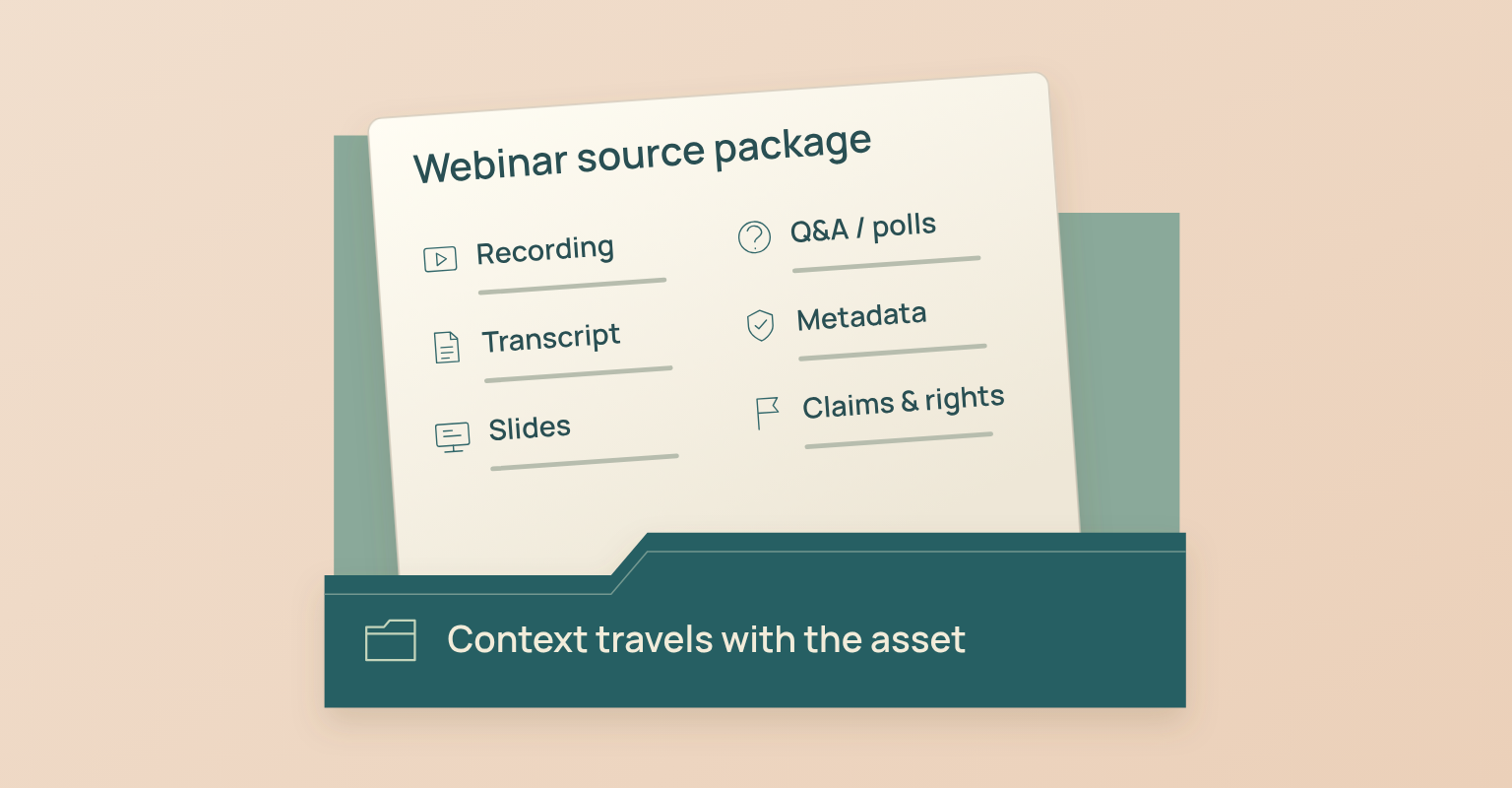
Treat the webinar as a source package rather than a single video file. The editor should be able to find the original words, the surrounding discussion, the supporting visual, the speaker, the event promise and the audience response without reconstructing the event from memory.
| Source Asset | What to Preserve | Why It Matters | Primary Risk |
|---|---|---|---|
| Master recording | Highest-quality video and audio, start and end time, speaker views. | Supports replay, clips, and verification. | Using a compressed or incomplete copy as the source. |
| Verified transcript | Speaker labels, timestamps, terminology, meaningful sounds. | Makes search, selection, quoting, and captions faster. | Publishing automatic transcription errors. |
| Slide deck and visual assets | Final approved version, image rights, chart sources, alt text notes. | Supports articles, carousels, and accessible follow-up. | Using draft slides or unlicensed material. |
| Q&A and chat export | Original wording, speaker answer, status, owner, personal data rules. | Reveals real questions and follow-up needs. | Treating every question as purchase intent. |
| Poll results | Question, response options, totals, audience and timing context. | Supports audience insight and future content. | Presenting a voluntary poll as representative research. |
| Event metadata | Title, abstract, speakers, date, audience, source links, campaign objective. | Preserves context across every derivative asset. | Detaching a claim from the event it came from. |
| Claims and evidence log | Numbers, product statements, quotes, cited sources, approval status. | Makes review and correction traceable. | Repeating an unsupported live statement. |
| Rights and approval record | Speaker, asset, music, customer, partner, and distribution permissions. | Defines what may be reused and where. | Assuming event participation grants unlimited reuse. |
Create a Source-of-Truth Index
Give every candidate moment a stable reference: timestamp, speaker, transcript range, slide number, question or poll reference, approval owner and source URL. The index lets the editor return to the original context when a quote is shortened, a headline sharpens or a social post introduces a claim. The verified recording and transcript are the source of truth; every derivative points back to them.
Verify the Recording and Transcript Before Transformation
Automatic transcription is a first pass. Section508.gov advises reviewing auto-generated captions for spelling, grammar, punctuation, speaker, synchronisation and sound-description errors, and the same risk carries into articles, quotes and AI summaries built on the transcript.
Run a Transcript Accuracy Pass
- Correct speaker names, company names, products, technical terms, acronyms and numbers.
- Check every quotation against the recording, including the sentence before and after it.
- Mark inaudible or uncertain sections instead of guessing.
- Separate audience questions from presenter answers and keep the original wording.
- Flag statements that need a source, product review, legal review or clarification.
- Keep timestamps after edits so every claim can be traced to the recording.
- Produce captions or a transcript in an accessible format when video or audio will be published.
Protect Context when Editing Quotes and Clips
The Society of Professional Journalists code stresses accuracy, verification, original sources and context, including care not to misrepresent or oversimplify when summarising a story. Webinar repurposing is marketing rather than journalism, but the principle holds: a short format does not excuse a misleading edit. Keep the condition, limitation, counterpoint or question that changes the meaning.
| Edit | Acceptable When | Review Needed | Do Not Do |
|---|---|---|---|
| Remove filler or false starts | Meaning and tone remain intact. | Compare with the recording and captions. | Make a hesitant answer sound like a firm claim. |
| Shorten a quotation | The omitted words do not change scope or certainty. | Keep the full quote in the source index. | Remove a limitation or opposing point. |
| Add a new headline | The headline accurately summarizes the moment. | Check with the subject expert for technical claims. | Use a stronger claim than the speaker made. |
| Combine two moments | The sequence is clearly labeled and logically connected. | Review transition and chronology. | Present separate answers as one continuous statement. |
| Clean a transcript | Readability improves without changing meaning. | Check names, numbers, and specialized terms. | Rewrite the speaker into language they did not use. |
Select Moments with Editorial Value
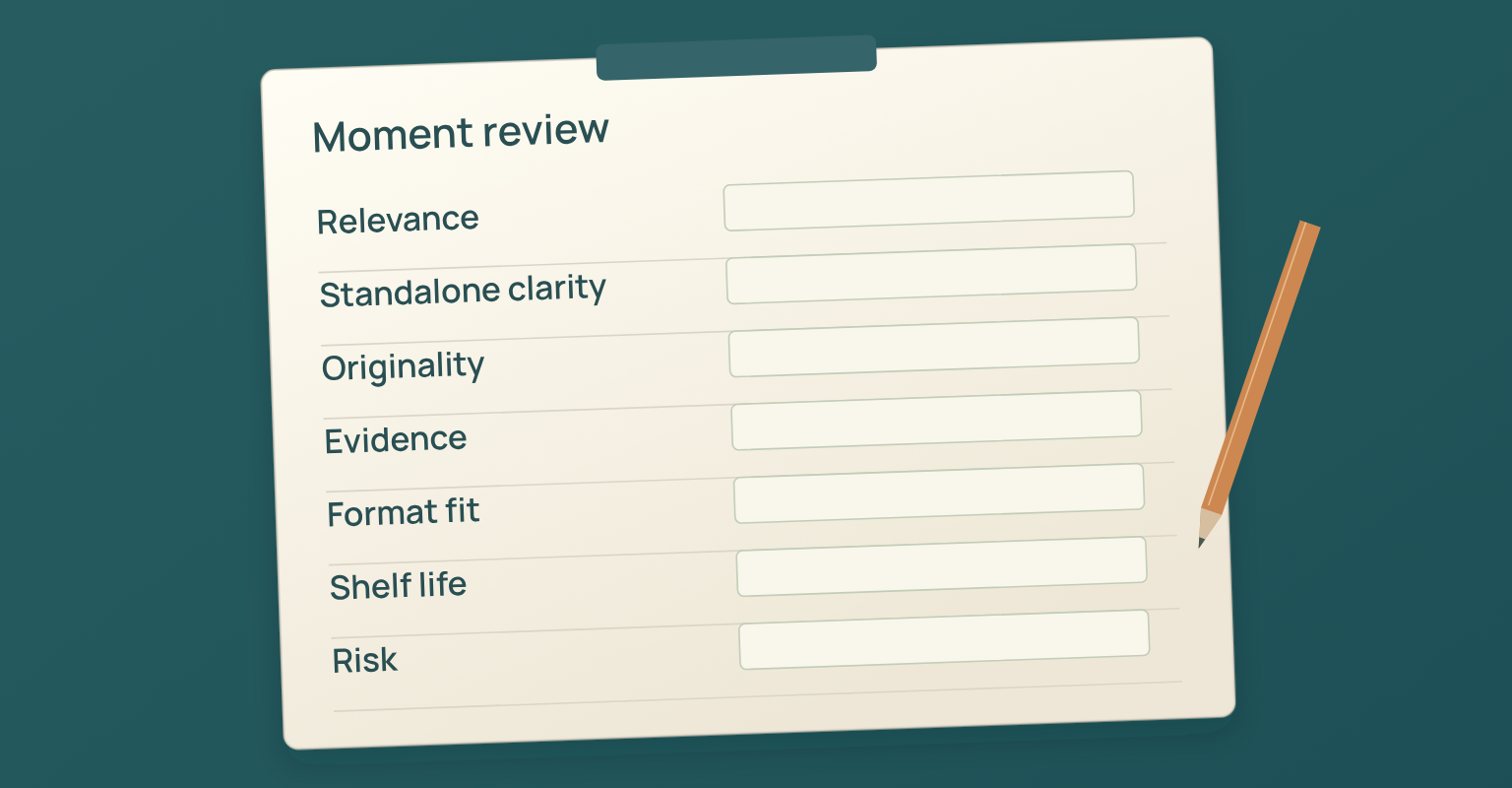
Choose moments that carry meaning outside the full webinar, not the ones where the speaker merely sounded energetic. One scorecard can surface video clips, article sections, newsletter ideas, FAQs and sales material.
| Criterion | Question | Score 0 | Score 1 | Score 2 |
|---|---|---|---|---|
| Audience relevance | Does the moment answer a real audience problem? | No clear audience. | Useful to a narrow group. | Directly useful to the target audience. |
| Standalone clarity | Can it be understood without the surrounding hour? | Missing context. | Needs a short setup. | Clear with minimal setup. |
| Original value | Does it add experience, evidence, or a useful framework? | Generic statement. | Useful explanation. | Distinct insight or proof. |
| Evidence quality | Can the claim be verified or framed accurately? | Unsupported or unclear. | Directional with limits. | Traceable and well supported. |
| Format potential | Can the idea work in the intended channel? | Poor fit. | Adaptable with effort. | Naturally fits the format. |
| Shelf life | Will the asset remain useful? | Immediately dated. | Campaign-limited. | Evergreen or refreshable. |
| Risk | How much legal, product, privacy, or reputation risk exists? | High unresolved risk. | Review required. | Low risk after normal review. |
The score organises review; it does not replace judgement. A low-scoring moment may still matter for a customer follow-up, and a high-scoring quote may still need speaker approval. The final call belongs to the named owner.
Match Each Asset to an Audience Job
The form changes because the audience need has changed. A no-show needs a fast path into the replay. A search visitor needs a complete answer. A social viewer needs one coherent idea. A salesperson needs context and evidence. A customer may need a task-oriented excerpt rather than a campaign recap.
| Asset | Audience Job | Source Material | Adaptation Required | Primary Measure |
|---|---|---|---|---|
| Replay or watch page | Access the full session and navigate key sections. | Recording, transcript, chapters, resources. | Clean recording, summary, chapters, speaker and resource context. | Qualified views, completion, resource clicks. |
| Recap email | Understand what happened and find the next useful item. | Summary, replay, resources, audience status. | Separate attendees and no-shows; use one primary action. | Replay or resource clicks, replies. |
| Search-led article | Solve a complete problem without watching the event. | Transcript themes, examples, external research. | New structure, added evidence, clear citations, independent value. | Nonbrand impressions, engaged visits, product clicks. |
| Short video clip | Learn one idea quickly and decide whether to continue. | One complete moment and surrounding context. | New opening, captions, crop, source link, clear ending. | Qualified views, completion, full-session visits. |
| Carousel or document post | Scan a framework, sequence, or comparison. | Slides, transcript, examples. | Rebuild for reading; do not export slides unchanged. | Saves, shares, site visits. |
| Newsletter section | Receive one useful insight in an existing relationship. | Theme, quote, example, resource. | Add context, editorial voice, and relevant next step. | Clicks, replies, downstream action. |
| FAQ or help content | Resolve a recurring question. | Q&A, support themes, product review. | Generalize the question, verify the answer, remove personal data. | Search visibility, support deflection, helpfulness. |
| Sales or customer resource | Share evidence with another stakeholder or complete a task. | Clip, quote, diagram, answer, recording section. | Add account or workflow context and an approved owner. | Use in active conversations, feedback, progression. |
| Next webinar or series | Continue the unresolved learning journey. | Unanswered questions, poll results, themes. | Select a distinct new promise rather than repeating the first event. | Registrations, attendance, audience fit. |
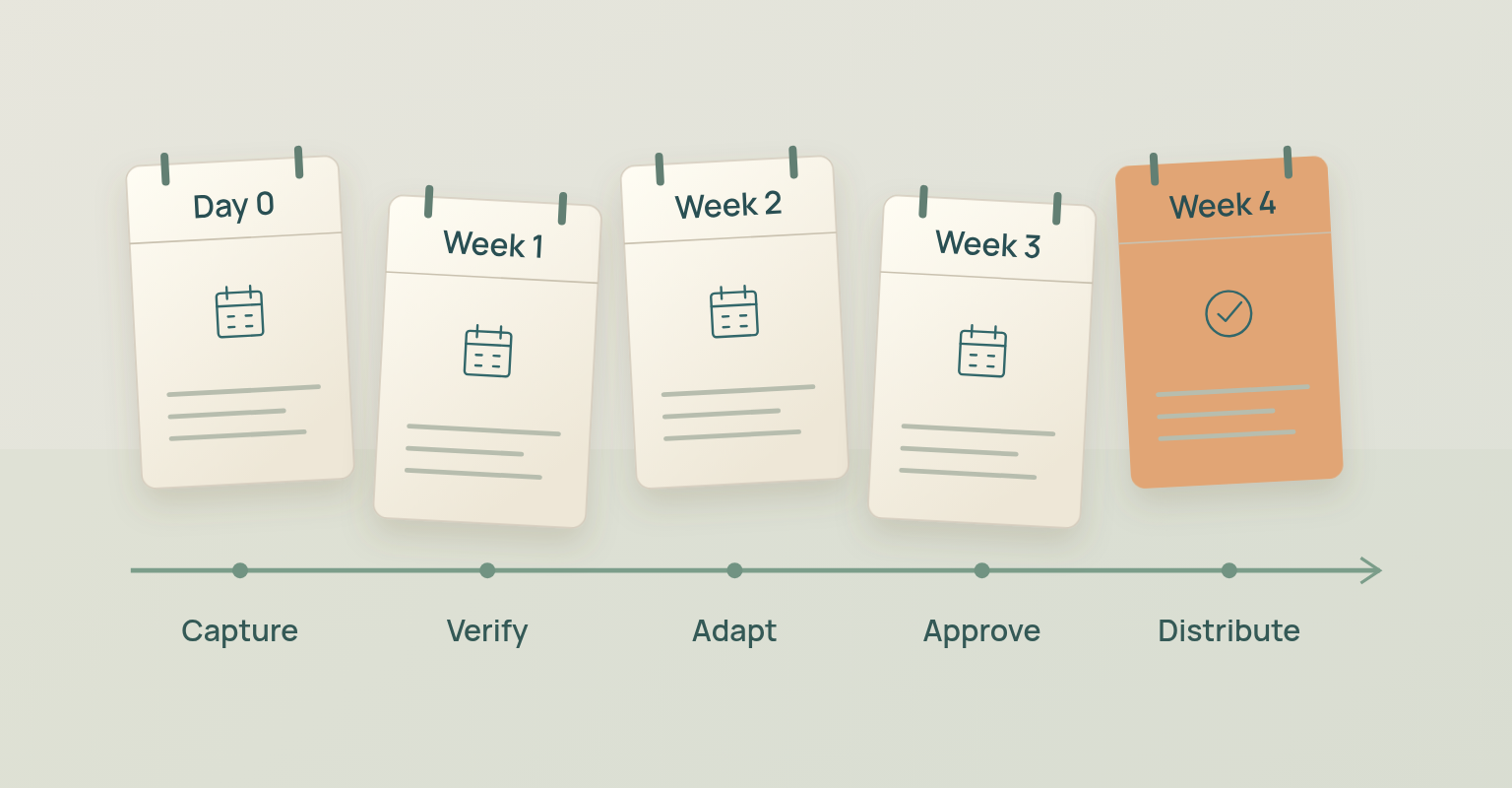
Use a 30 Day Webinar Repurposing Plan
The fastest outputs should also be accurate. The schedule puts source verification first, then produces deeper assets as context and approvals arrive.
| Timing | Primary Goal | Core Actions | Outputs | Exit Condition |
|---|---|---|---|---|
| Day 0 | Protect the source. | Back up recording, slides, Q&A, polls, metadata, and rights records. Capture unresolved promises. | Source package and owner list. | All critical files and owners are known. |
| Day 1 | Verify facts and access. | Check recording, transcript, speaker labels, names, claims, privacy, replay rules, and caption needs. | Verified transcript and issue log. | No unresolved blocker is hidden. |
| Days 2-3 | Publish the access layer. | Prepare replay or watch page, chapters, summary, captions, and attendee/no-show email paths. | Replay page and recap email. | The full source is accessible and contextualized. |
| Days 4-7 | Create high-confidence derivatives. | Select moments, edit two or three clips, write one social thread or carousel, answer urgent questions. | Clips, social assets, FAQ candidates. | Each asset has context, captions, owner, and CTA. |
| Week 2 | Create independent editorial value. | Develop a search-led article, newsletter, diagram, and deeper explanation with external research. | Article, newsletter, visual framework. | The content works without requiring the webinar. |
| Week 3 | Support buying and customer work. | Package approved excerpts, question answers, customer guidance, and sales-enablement material. | Enablement set and specialist follow-up. | Assets are routed to the right relationship owners. |
| Week 4 | Measure and extend the system. | Review performance, update evergreen pages, select the next webinar or content cluster, archive assets. | Performance review and next-content brief. | The team knows what to refresh, reuse, stop, or expand. |
Publish the Replay and Watch Experience First
The replay is the full context every derivative asset points back to. Give the recording a clear title, a concise summary, speaker information, resources and chapters or timestamps, and state any access period, editing or omitted section accurately. Section508.gov distinguishes transcripts from time-coded captions and recommends editing automatic captions for names, speaker identification, sounds and synchronisation; those checks make the replay more usable and reduce quote errors even where no legal standard applies.
- The recording starts and ends at intentional points.
- Private production conversation and accidental screen shares are removed or reviewed.
- The title and description match the real session; speakers, date and recording status are visible.
- Chapters or timestamps lead viewers to the useful sections.
- Captions and transcript have been reviewed rather than published straight from automation.
- Resources and promised follow-up items are available, with one clear next action and a support route.
Turn the Webinar into an Article That Stands on Its Own
A useful article is more than a cleaned transcript. It has a search or audience question, an argument, a structure, evidence, examples and an independent conclusion. The webinar supplies first-hand language and experience; the writer still organises the material around the reader's task.
Choose between a Recap and a Search-Led Article
| Format | Primary Question | Structure | When to Use | Main Risk |
|---|---|---|---|---|
| Event recap | What happened and where can I find it? | Summary, highlights, speakers, resources, replay. | Existing registrants, community, campaign follow-up. | Publishing a generic chronology with no value for nonattendees. |
| Search-led article | How do I solve or understand this problem? | Direct answer, framework, steps, examples, evidence, FAQ. | Evergreen organic discovery and education. | Letting the webinar agenda dictate the article structure. |
| Point-of-view article | What should the market reconsider? | Thesis, evidence, counterpoint, implication, action. | Strong expert opinion or original research. | Turning a nuanced discussion into a stronger claim. |
| Q&A article | What are the recurring questions and answers? | Grouped questions, verified answers, sources, next steps. | High-quality audience questions and specialist responses. | Publishing personal, confidential, or incomplete questions. |
When the article targets search, add research beyond the webinar where a claim needs it. Attribute the speaker's experience accurately, separate opinion from documented fact, and do not present a guest quote as neutral proof of a general conclusion.
Create Short Clips without Removing the Meaning
A strong clip contains one idea. Keep enough setup for the viewer to understand the problem, the speaker, the claim and the practical implication. If the sentence depends on a chart, show the chart. If it answers a question, include or restate the question. If the full answer carries a limitation, keep it or state it in the caption. Vimeo's guidance to plan clip points before recording and use the transcript to find moments is production advice, not an output quota: some webinars contain two publishable clips, others none.
| Clip Component | Editorial Requirement | Production Check |
|---|---|---|
| Opening | Establish the question or problem immediately. | Do not use a misleading hook unrelated to the answer. |
| Speaker identity | Name the speaker and relevant role. | Confirm spelling, title, and approval requirements. |
| Core idea | Keep one coherent claim, framework, or demonstration. | Remove dead time without removing context. |
| Visual support | Show the product, slide, example, or diagram that carries meaning. | Crop and zoom without hiding required information. |
| Captions | Represent the words, speaker changes, and meaningful audio accurately. | Review auto captions and keep text readable. |
| Context note | State date, source event, or limitation when material. | Do not present an old or event-specific claim as current and universal. |
| Next step | Offer the full replay, article, resource, or relevant action. | Use a destination that fulfills the clip’s promise. |
Adapt Text and Visual Assets for the Channel
A channel needs more than the same copy with a different image size. Keep the idea and rebuild the asset for the reading and interaction pattern of the destination: a carousel needs a visual sequence, a newsletter needs a reason to care now, a social post needs one complete thought, a sales resource needs evidence that can be shared with another stakeholder. Buffer's own account of repurposing high-performing ideas supports the operating principle: let evidence and adaptation guide reuse rather than redistributing every original asset.
- Change the opening to fit the channel and the audience state.
- Keep the original source and full context available.
- Rebuild the sequence rather than exporting webinar slides unchanged.
- Use the channel's accessibility features and add reviewed captions or alt text.
- Keep speaker attribution and relevant limitations.
- Give the asset one destination or next action, and record its source, version, owner and publication date.
Use AI as an Editorial Assistant, Not the Publisher
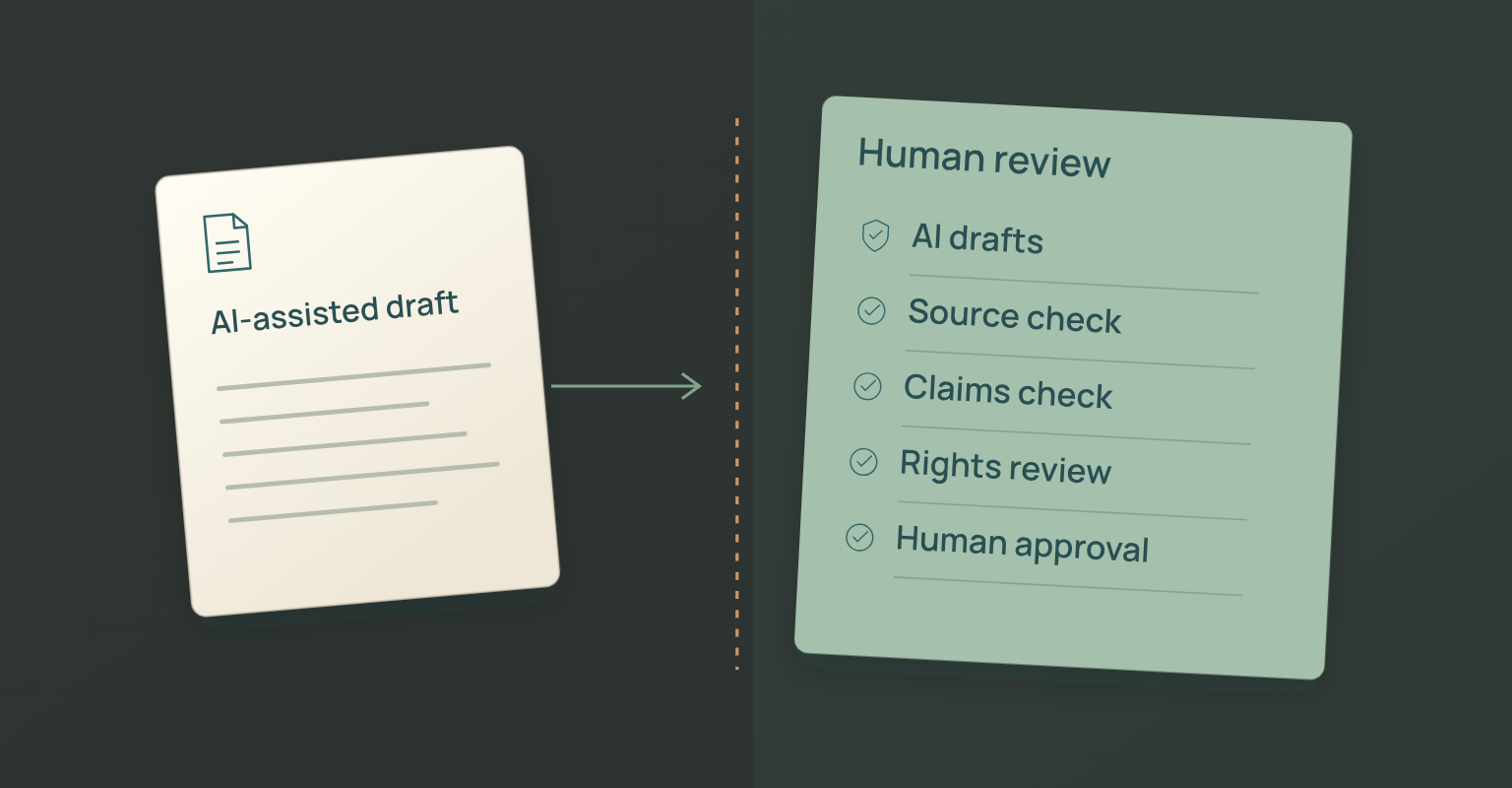
AI shortens the time it takes to navigate a long recording. It can draft summaries, cluster questions, find repeated themes, suggest candidate clips, write rough metadata and turn a verified outline into a first draft. It cannot take responsibility for the accuracy, permission, confidentiality, context or business consequence of the final asset.
| AI Can Help With | Human Must Verify | High-Risk Failure |
|---|---|---|
| Transcript cleanup suggestions | Names, numbers, terms, speaker labels, exact quotations. | Confidently replacing an unfamiliar term with the wrong word. |
| Theme clustering | Whether themes are meaningful, distinct, and representative. | Treating repeated words as audience priorities. |
| Candidate clip selection | Context, rights, claims, visual quality, standalone clarity. | Selecting a dramatic sentence that reverses the full answer. |
| Summary draft | Scope, omissions, counterpoints, factual accuracy. | Turning a tentative discussion into a conclusion. |
| Social and email drafts | Audience state, tone, promise, CTA, permissions. | Publishing generic claims or invented urgency. |
| Article outline | Search intent, originality, evidence, internal links, independent value. | Rewriting the transcript without adding structure or research. |
| Suggested next actions | Account context, ownership, consent, commercial relevance. | Treating engagement as automatic purchase intent. |
On Growth, teams can review transcript, Q&A and poll themes in JakoMeet as a separate interpretation layer under human control. Use those outputs to find questions and themes, then return to the recording and verified transcript before publishing.
Create an Approval Path That Matches the Risk
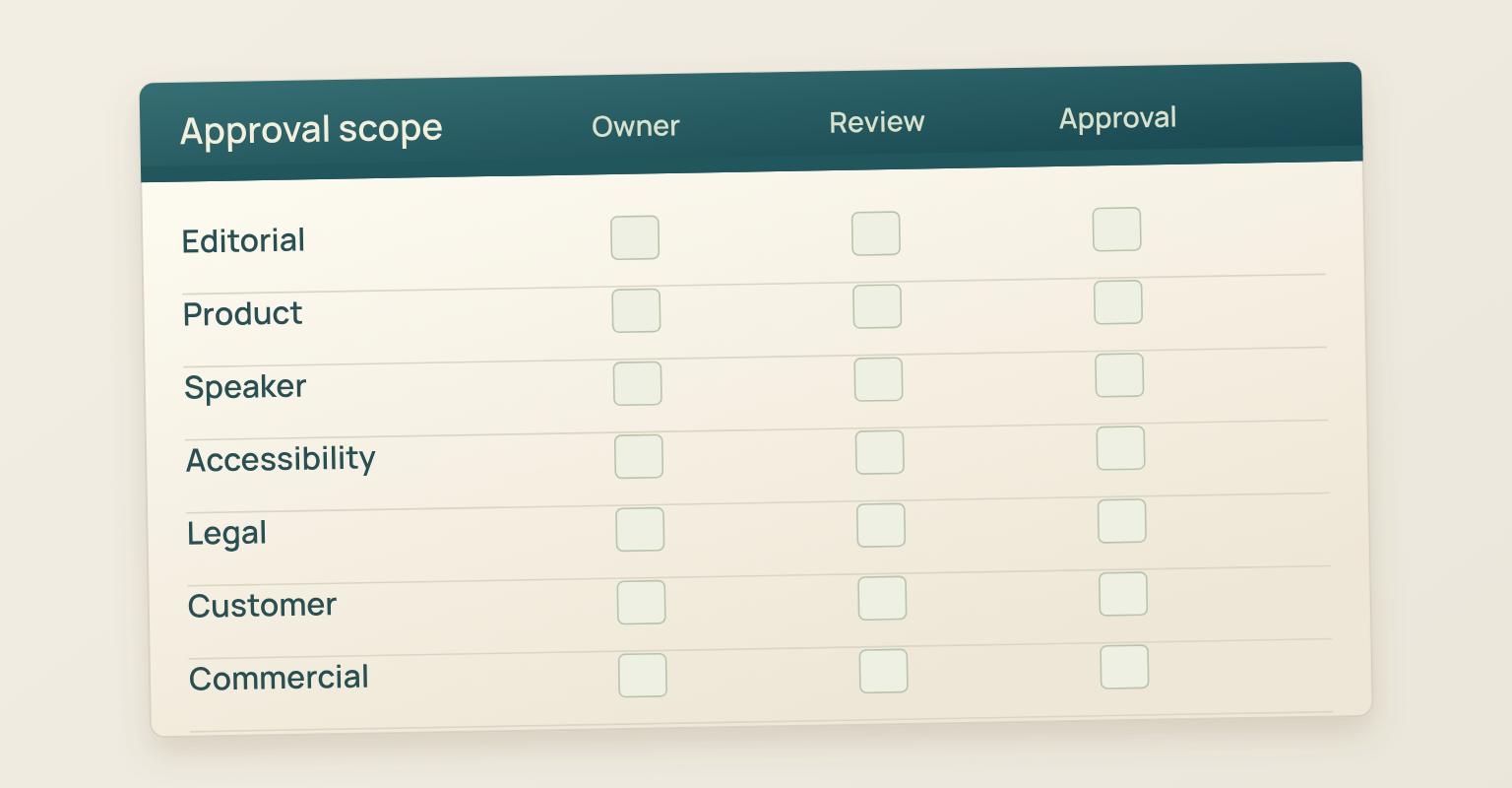
Not every asset needs the same review. A replay description may need campaign and accessibility review; a technical clip, product review; a customer story, legal and customer approval; a pricing statement, a commercial owner. Define reviewers by claim type instead of one approval chain that slows every asset equally.
| Content Element | Primary Reviewer | Additional Review | Approval Evidence |
|---|---|---|---|
| General recap and summary | Content editor. | Campaign owner for completeness. | Approved draft and source links. |
| Technical or product claim | Product owner or subject expert. | Security, support, or legal when relevant. | Claim log with current capability and date. |
| Speaker quote or clip | Editor and speaker agreement owner. | Speaker review when required. | Timestamp, full context, approval status. |
| Customer name, logo, data, or story | Customer or relationship owner. | Legal and privacy review. | Documented permission and approved version. |
| Research statistic or chart | Editor and source owner. | Methodology or legal review when needed. | Primary source, scope, and citation. |
| Pricing, packaging, or roadmap | Commercial or product owner. | Legal review for commitments. | Public source or written approval. |
| Caption or transcript | Editor or accessibility owner. | Speaker or specialist for technical terms. | Reviewed file and correction log. |
Distribute by Audience State, Not Only by Channel
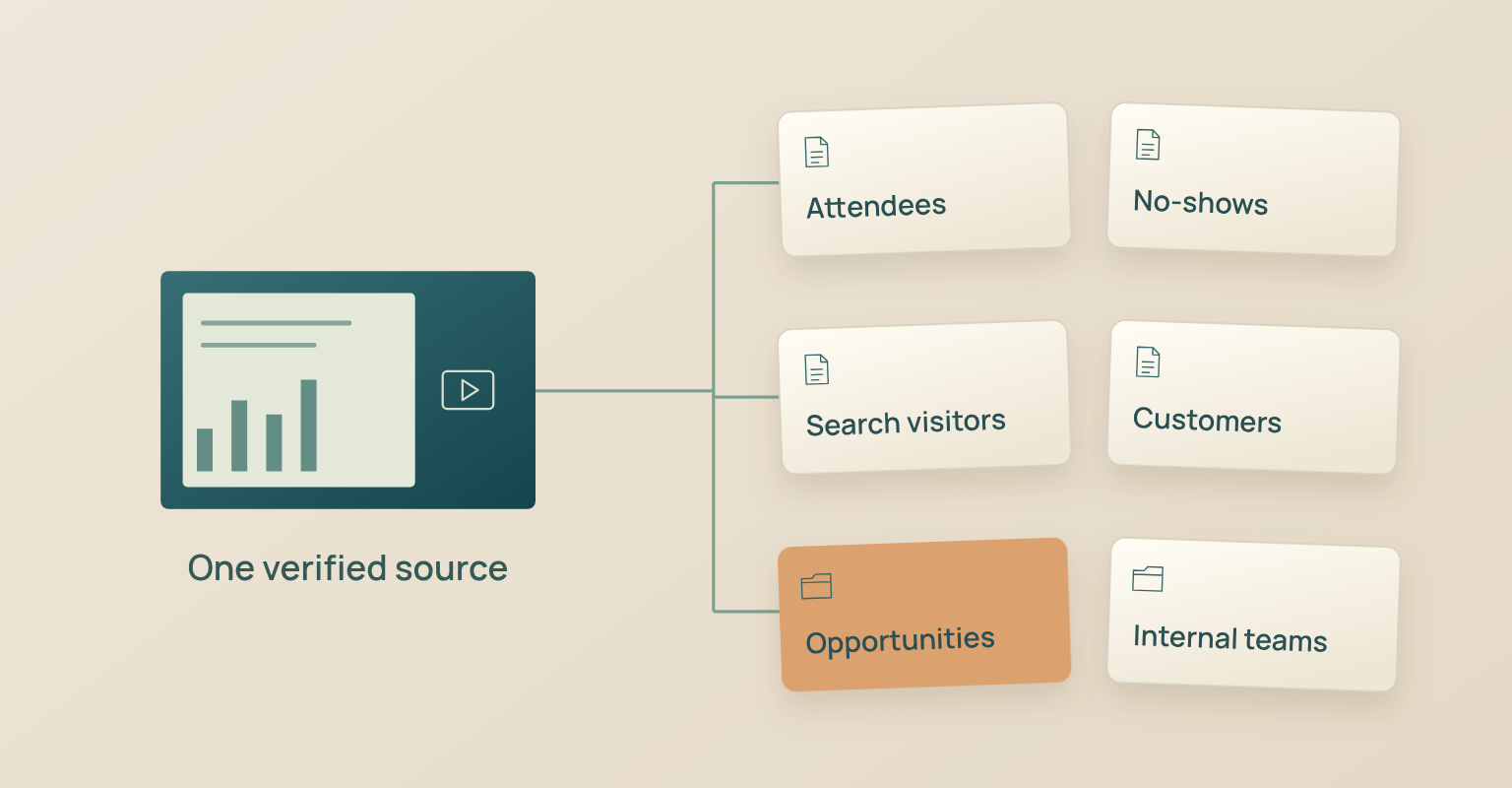
The audience relationship shapes distribution. An attendee already knows the session. A no-show needs a concise entry point. A new search visitor has no event context. A customer may need a task-specific excerpt. A salesperson needs approved evidence and the original source.
| Audience State | Best Starting Asset | Message Job | Avoid |
|---|---|---|---|
| Attendee | Recap, replay, resources, unanswered questions. | Reinforce value and make the next action easy. | Explaining the event as if they did not attend. |
| No-show | Short summary, chapter link, key resource. | Reopen value without pretending attendance. | “Thanks for joining” language. |
| Nonregistrant or search visitor | Independent article, clip, framework, or watch page. | Deliver value before asking for an event action. | Assuming knowledge of speakers or campaign history. |
| Customer | Task-oriented clip, FAQ, guide, or training excerpt. | Support adoption, education, or a known question. | Routing through a new-lead process. |
| Active opportunity | Approved proof moment, answer, or decision resource. | Help the buying group evaluate a specific question. | Sending unrelated campaign highlights. |
| Internal team | Source package, claims, Q&A themes, enablement summary. | Preserve context for coordinated follow-up. | Copying raw attendee data into uncontrolled channels. |
Use the webinar email templates for replay and resource follow-up and schedule the follow-up according to what happened for each recipient.
Measure Each Asset against Its Job
A repurposing programme should not report one combined "content ROI" when the assets do different jobs. A clip can create discovery, a replay can deepen engagement, an article can create organic demand, a customer excerpt can solve a task, a sales resource can support an active evaluation. Define the decision each measure supports.
| Asset | Primary Measures | Diagnostic Measures | Do Not Assume |
|---|---|---|---|
| Replay or watch page | Qualified views, completion, resource and CTA clicks. | Chapter usage, device, source, replay timing. | A view proves purchase intent. |
| Search-led article | Nonbrand impressions and clicks, engaged visits, relevant internal clicks. | Query mix, scroll depth, backlinks, assisted conversion. | Traffic alone proves commercial value. |
| Short video clip | Qualified views, completion, full-source visits. | Saves, shares, comments, follower quality. | High reach means the idea reached the right audience. |
| Email or newsletter | Resource clicks, replies, meetings or defined next action. | Delivery, unsubscribes, audience segment. | Open rate alone measures human attention accurately. |
| FAQ or help asset | Search visibility, usage, helpfulness, support deflection. | Queries, exits, follow-up requests. | Fewer tickets always means the answer is complete. |
| Sales or customer resource | Use in qualified conversations, feedback, progression, task completion. | Owner notes, account context, reuse frequency. | Asset use caused the opportunity outcome. |
| Content system | Assets shipped, cycle time, approval rework, qualified outcomes. | Source quality, backlog, format mix, reuse rate. | More outputs automatically mean better efficiency. |
Use JakoMeet to review attendance, questions, poll responses and replay data as event evidence, and connect content performance, CRM, opportunity or customer outcomes in the systems that own those measures.
Common Webinar Content Repurposing Mistakes
- Starting after the webinar. The team learns too late that speakers did not approve clips, the audio is weak or the slide rights are unclear. Plan capture and reuse before the event.
- Publishing the transcript as an article. Spoken conversation carries repetition, incomplete references and event-specific context. Rebuild it around the reader's question.
- Setting an output quota. A promise of 20 posts invites weak, repetitive or misleading assets. Produce only the formats the source supports.
- Using AI output without source review. A fluent summary can misattribute a quote, drop a limitation, invent a transition or expose confidential information.
- Choosing clips by energy alone, or removing the speaker's caveat. A lively sentence may have no standalone value, and a shortened quote can change certainty, scope or responsibility.
- Copying one asset to every channel. The same video and caption rarely serve a replay viewer, a search visitor, a newsletter reader and a sales stakeholder equally well.
- Treating engagement as revenue attribution. Views, questions, clicks and shares are evidence; attribution needs downstream systems and agreed rules.
- Ignoring archive and refresh work. A content system needs source files, versions, owners, dates, rights and refresh triggers, not just a folder of exports.
How JakoMeet Supports the Post-Webinar Content Workflow
JakoMeet keeps the live event, questions and poll responses, replay, follow-up and webinar report connected to the same campaign, so the team can see who registered, who attended, which sources contributed, what was asked and how the replay performed before deciding which content deserves another life. Organisers run and record the live webinar, then review attendance, questions, polls and replay data; on Growth, AI Insights adds a human-controlled reading of the transcript and questions.
JakoMeet does not turn the recording into approved clips, articles or captions on its own. Source verification, editing, accessibility, rights, product claims, approvals, distribution and measurement stay with the content team. For the wider campaign lifecycle, see how a webinar runs in JakoMeet or compare the plans.
Frequently asked questions
What Does It Mean to Repurpose Webinar Content?
Repurposing webinar content means adapting the recording, transcript, slides, questions, polls, and speaker insights into new assets for specific audiences and channels. It is not the same as copying the transcript into several formats. Each asset needs its own purpose, context, structure, and quality review.
What Content Can Be Created from a Webinar?
A webinar can support a replay page, recap email, short video clips, an article, a newsletter, social posts, a carousel, FAQs, sales or customer enablement material, and ideas for the next event. The right outputs depend on the quality of the source material and the needs of the audience.
When Should Webinar Repurposing Be Planned?
Plan repurposing before the webinar. Decide which source assets, permissions, speaker cues, questions, timestamps, captions, and follow-up outputs will be needed. Planning early improves the recording and reduces the risk that useful moments cannot be published later.
Can AI Turn a Webinar into Publishable Content?
AI can help transcribe, summarize, group themes, identify candidate moments, and produce rough drafts. A person still needs to verify quotations, technical terms, speaker attribution, context, confidential information, claims, rights, and brand voice before publication.
How Do You Choose Webinar Clips?
Choose moments that make sense without the surrounding hour. A useful clip has one clear idea, enough context to understand it, accurate speaker attribution, a visible outcome or practical insight, and a destination for viewers who want the full explanation.
Do Speakers Need to Approve Quotes and Clips?
Approval depends on the speaker agreement, organization policy, jurisdiction, and how the material will be used. Confirm recording and reuse rights before the event, keep quotations in context, and route sensitive or edited material through the agreed review process.
How Do You Measure Repurposed Webinar Content?
Measure each asset against its job. Replay pages may use views and completion. Articles may use nonbrand impressions, engaged visits, and product-page clicks. Clips may use qualified views and full-video visits. Follow-up content may use replies, resource clicks, meetings, or assisted conversions.
How Long Should Webinar Repurposing Take?
The first accurate outputs should appear quickly, but not before the recording, transcript, rights, and claims are checked. A practical workflow can publish the replay and recap in the first few days, clips and social assets in the first week, and deeper articles or enablement assets over the following three weeks.
Sources and Further Reading
- HubSpot Academy: Extending the Value of Your Content Through Repurposing: Planning repurposing before creation and adapting the same message for a different purpose, channel, or format (opens in a new tab)
- Vimeo: Video Repurposing: How to Transform Longer Videos into Bite-Sized Content: Planning clip opportunities, using transcripts, adapting long-form video, and acknowledging production resources (opens in a new tab)
- Buffer: How We Are Successfully Repurposing Content at Buffer: A company case showing evidence-led reuse, channel adaptation, and repeated use of proven ideas (opens in a new tab)
- Section508.gov: Captions and Transcripts: Caption and transcript definitions, accessibility guidance, and the need to review automatic captions (opens in a new tab)
- U.S. Copyright Office: Fair Use FAQ: Ownership, authorization, quotes, samples, and the right to prepare or authorize new versions of a work (opens in a new tab)
- Society of Professional Journalists: SPJ Code of Ethics: Accuracy, verification, original sources, context, and avoiding misleading summaries (opens in a new tab)